
Mastering User Engagement with WordPress Heatmap Plugins
Introduction to Heatmap Plugins
Explore how heatmap plugins can revolutionize your understanding of user behavior, transforming simple metrics into strategic insights.
Unlock User Insights
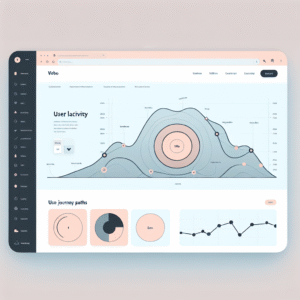
Heatmap plugins provide a visual representation of user interactions on your website. By showcasing where users click, hover, or scroll, these tools give you a comprehensive view of user preferences and journey paths.
Boost Conversions
For WordPress site owners, using a heatmap plugin can turn raw data into powerful insights. Discover stumbling blocks in your design and make informed improvements to enhance user experience and drive conversions.
Learn MoreBenefits of Tracking User Clicks
Tracking user clicks is a powerful strategy that provides invaluable insights into your website’s performance. By understanding visitor interactions, you can make data-driven decisions to enhance user experience and drive business goals. Consider integrating a click tracking system for these benefits:
-
Improved User Experience
Streamline navigation and optimize page layouts by knowing where users click most frequently, reducing frustration and boosting engagement.
-
Content Optimization
Identify attractive areas of content through click data and refine strategy by focusing on popular topics.
-
Increasing Conversion Rates
Pinpoint conversion-driving page elements, allowing fine-tuning for maximum impact.
-
Enhanced Marketing Strategy
Tailor marketing campaigns aligned with real user behavior, increasing effectiveness and ROI.
-
Identifying Technical Issues
Highlight underperforming site areas, guiding adjustments to enhance functionality.
Top WordPress Heatmap Plugins
Choosing the right heatmap plugin for your WordPress site can be a game changer in understanding user behavior. Here is a curated list of some of the top WordPress heatmap plugins to consider:
Crazy Egg
Known for its user-friendly interface, Crazy Egg provides comprehensive heatmaps and A/B testing for optimizing conversions. A viable alternative to Hotjar for WordPress users.
Explore Crazy EggMouseflow
Mouseflow combines heatmaps with session replay capabilities, perfect for small businesses. Its generous free plan makes it a popular choice.
Discover MouseflowLucky Orange
Offers live chat and form analytics for enhancing customer support alongside user insights. Ideal for those seeking a comprehensive tool.
Check Lucky OrangeHeatmap for WordPress
A completely free WordPress solution offering essential insights for beginners or budget-conscious users.
Learn MoreHotjar
Considered the gold standard for heatmapping, Hotjar offers a robust set of features including conversion funnels and session recordings.
See Hotjar FeaturesImplementing Heatmaps Effectively
Step-by-Step Guide
- Choose a reliable WordPress plugin: Hotjar, Crazy Egg, or Mouseflow.
- Install and configure your plugin from the WordPress dashboard.
- Define pages to monitor – focus on high-traffic or key conversion points.
- Allow a week’s worth of data to accumulate for reliable analysis.
- Analyze the data: identify hotspots and scroll depth to optimize engagement.
Optimize & Evolve
Dive into user interaction data to find engagement patterns and hidden opportunities. Relocate call-to-action buttons to hot areas and iteratively test for continuous improvement. Heatmaps are most powerful when combined with other analytics for a comprehensive view.
Ready to explore the power of heatmaps for your website? Connect with us to learn more or visit our homepage to get started.
Session Recording Benefits
Session recordings offer a more granular view of user interactions compared to heatmaps. While heatmaps provide a generalized visualization of where users click or scroll, session recordings allow you to see each step of their journey in real-time, unveiling the “why” behind user behavior.
-
Granular Insights
Identify user frustrations or successful interactions within your site, allowing for precise adjustments.
-
Enhanced UX & Conversion
Spot bottlenecks such as tricky form fields to enhance engagement and conversion rates.
-
Omnichannel Optimization
Understand and optimize the differences between mobile and desktop user interactions.
Choosing the Right Plugin for Your Needs
Guide yourself through evaluating plugins to create an efficient and personalized website experience.
Identify Your Goals
Clarify website objectives such as enhancing user experience or boosting SEO to pinpoint necessary plugins.
Research and Read Reviews
Check reviews and ratings for unbiased feedback; plug into lists of the best WordPress plugins for community-approved options.
Evaluate Plugin Features and Compatibility
Ensure features align with your needs and test for compatibility with existing plugins and WordPress versions.
Test Under Real Conditions
Experiment in a staging environment to identify potential issues without affecting your live website.
Consider Performance Impact
Utilize tools like Google PageSpeed Insights to check the plugin’s impact on loading times and choose lightweight options.
Privacy Considerations with Heatmap Tools
When implementing heatmap tools to track user behavior on your WordPress site, it’s crucial to prioritize user privacy and handle data responsibly. These tools are invaluable for understanding how visitors interact with your website but raise legitimate privacy concerns.
- Ensure data collected is anonymized.
- Choose privacy-focused tools that offer data anonymization.
- Inform users transparently about data collection practices.
- Provide opt-out choices for users.
By integrating privacy considerations like GDPR and CCPA compliance into your practices, you build trust with your users. You should choose tools like Microsoft Clarity or other solutions like Crazy Egg and Hotjar that are equipped with advanced privacy settings.
Recommended Tools
Microsoft Clarity
A robust, open-source tool that respects customer privacy.
Crazy Egg
Offers comprehensive heatmap features with privacy-focused settings.
Hotjar
Known for its advanced privacy features and user data protection.
Conclusion and Next Steps
Integrating a WordPress heatmap plugin is a strategic step towards enhancing user engagement and optimizing website performance. By visualizing user interactions, heatmap plugins highlight attention-capturing elements and those often overlooked, enabling informed decision-making to refine layouts, improve navigation, and boost satisfaction.
Take Action
- Choose a heatmap plugin tailored to your needs, whether robust or with a simple interface.
- Implement the plugin and evaluate insights to refine site design and content placement.
- Regularly adjust and reanalyze to observe changes in engagement metrics.
Browse Categories:
You may also like

Enhancing User Interaction: The Best WordPress Plugins for Tracking and Engagement
Discover top WordPress plugins for tracking and improving user interaction and engagement. Elevate your site's user experience today.

Best WordPress Plugins for Tracking User Behavior in 2025
Explore top WordPress plugins for tracking user behavior. Learn to boost conversions, ensure privacy, and troubleshoot tracking effectively.
Enhancing User Experience with the Best WordPress Click Tracking and Heatmap Plugins
Discover top WordPress plugins for click tracking and heatmaps to enhance user experience and optimize your site's design.