
Enhance User Experience with the Best WordPress Heatmap and User Behavior Plugins
Introduction: Uncovering User Patterns
Understanding user behavior on your WordPress site is crucial for crafting a seamless experience. By uncovering user patterns, gain insights to enhance satisfaction and drive improvements.
WordPress Heatmap Plugin
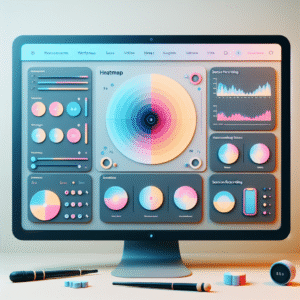
Heatmaps visually represent user clicks and scrolls, highlighting engagement hotspots and identifying disinterest areas.
Key Benefits:
- Visualize user interaction
- Optimize navigation & content placement
Track User Behavior Plugin
Delve deeper into visitor actions with detailed tracking of page visits, session durations, and user pathways.
Key Benefits:
- Detailed visitor analytics
- Personalize user experiences
Why Heatmaps Are Essential
Heatmaps serve as a powerful tool in visualizing how users interact with your website, offering insights that transcend basic analytics. By presenting data visually, heatmaps show which areas of your site draw the most attention and which parts are overlooked. This information is crucial for making informed decisions about design adjustments and feature placements.
Implementing Heatmaps
For WordPress users, options like a free WordPress heatmap plugin make this technology accessible to businesses of any size. These tools democratize access to user behavior insights, refining user experiences and optimizing web design based on direct interaction data.
Contact UsBest Free WordPress Heatmap Plugins
Leverage these top free plugins to start your journey in understanding user behavior and optimizing user experience on your WordPress site.
Hotjar
Hotjar offers a free plan with heatmaps, allowing you to record up to 1,050 sessions per month, perfect for beginners exploring user clicks without costs.
Learn MoreCrazy Egg
Experience a 30-day free trial with features like Confetti and Scrollmap to see detailed interaction insights.
Learn MoreUserTrack
A self-hosted option, providing essential tracking of clicks and mouse movements, ideal for developers managing their own data.
Learn MoreInspectlet
Tracks up to 2,500 sessions monthly for free, with intuitive interface for startups to identify trends and hot spots.
Learn MoreSession Recordings for User Behavior Analysis
Move beyond heatmaps and dive deeper into user behavior with session recordings. These tools capture detailed visitor interactions, allowing a unique front-row seat to the user’s journey on your site, revealing individual behaviors and enlightening improvement opportunities.
- Experience detailed user sessions with Hotjar or Crazy Egg.
- Gain insights from behaviors like hesitations and rage clicks.
- Identify and resolve UI/UX issues that impact user journeys.
Why Session Recordings?
By watching user sessions, you gain unparalleled insights that go beyond aggregated data, allowing precise improvements in navigation and content that align perfectly with user expectations.
Privacy Considerations for Plugins
Privacy concerns are paramount when integrating tools like heatmaps to analyze user behavior on your WordPress site. To ensure compliance while benefiting from insights, choose a privacy-focused WordPress heatmap plugin.
- Anonymize IP Addresses: Tools that anonymize user data help meet GDPR and CCPA requirements, maintaining user trust.
- Data Aggregation: Ensuring that individual users remain unidentifiable by providing data aggregation.
- Customizable Data Collection: Tailor data collection based on business needs and legal requirements.
- User Opt-Out Options: Offer transparency and build trust by allowing users to opt out of session recording.
By selecting well-designed, privacy-focused tools, you maintain beneficial insights while aligning with modern privacy expectations.
Key Features of Privacy-focused Plugins
- Anonymized User Tracking
- Aggregate Data Reporting
- Custom Data Policies
- Opt-Out Privacy Controls
Improving Conversions with User Insights
Understanding your users’ behavior can significantly elevate your business’s success. By harnessing behavioral insights, companies can make more informed decisions that directly impact their conversion rates.
Powerful Plugins to Optimize Conversion
- WordPress user click tracking plugin: Identify engaging areas and enhance pathways to boost conversions.
- MonsterInsights: Gain deep analytics to focus your strategies on content that resonates most with users.
Alternatives to Hotjar for WordPress
Crazy Egg
Known for its straightforward usability and insightful reports, Crazy Egg offers features like heatmaps, A/B testing, and user recordings.
Explore Crazy EggMouseflow
Tracks clicks and movements, provides session replay and funnels, enhancing user journeys and conversions.
Discover MouseflowLucky Orange
Offers session recordings, heatmaps, live chat, and real-time analytics for budget-friendly website optimization.
Try Lucky OrangeHeatmap for WordPress
Lightweight and fast, this plugin focuses on essential heatmap functionalities without slowing down your site.
View Heatmap PluginPlerdy
Offers more than traditional heatmaps with SEO tools and conversion funnels, perfect for comprehensive site optimization.
Explore PlerdyIntegrating and Choosing the Right Tools
In the vast landscape of website customization, choosing the right tools is akin to selecting the perfect ingredients for a recipe; each component needs to complement the other to achieve a great result. When it comes to managing and enhancing your website, particularly a WordPress site, plugins are pivotal.
- Identify Core Needs: Define goals such as enhancing user experience or boosting SEO.
- Optimize User Experience: Plugins like “Yoast SEO” enhance search visibility.
- Small Business Tools: “WooCommerce” is ideal for e-commerce setups.
- Balance Performance & Functionality: Free plugins can offer ample features.
- Regular Audits: Ensure compatibility and updates for a streamlined experience.
- Strategic Combinations: Pair content management with SEO tools for maximum effect.
Actionable Insights
Transform your website into a powerful engagement tool by carefully selecting and integrating a mix of plugins that align with your business needs.
Get StartedBrowse Categories:
You may also like

Maximize Engagement with the Best WordPress User Click Tracking Plugins
Discover how the best WordPress user click tracking plugins can enhance site engagement and improve user experience effortlessly.

Unlock Your Website’s Potential with the Best WordPress Heatmap Plugins
Explore the best WordPress heatmap plugins to understand user behavior, enhance site performance, and drive conversions with informed plugin choices.
Maximize Engagement: Top WordPress Heatmap and Session Recording Plugins for 2025
Explore top WordPress plugins for heatmap and session recording to boost engagement and conversions in 2025.