
Enhance Your User Experience with Heatmap and 3D Viewer Plugins for WordPress
Introduction: The Importance of User Experience
Enhancing Your WordPress Site’s Interactivity
In today’s digital landscape, user experience (UX) is not just a buzzword; it’s a crucial element that can determine the success of any website, including those built on WordPress. A well-crafted UX contributes to higher user engagement, increased conversions, and improved customer loyalty.
For WordPress site owners, understanding and optimizing user experience goes beyond creating visually appealing designs. It’s essential to ensure that every interaction a user has with your site is seamless and rewarding.
Users today have more options than ever and very little patience for poor design or slow functionality. A study by Google shows that 53% of mobile users abandon sites that take longer than three seconds to load.
Learn MoreIncorporating must-have WordPress plugins for user experience can be a game-changer. These plugins enhance interactivity and contribute to overall accessibility and usability.
By prioritizing UX, you provide visitors with a path of least resistance to achieve their goals, whether it’s reading a blog post, purchasing a product, or signing up for a newsletter.
Contact UsUnderstanding Heatmap Plugins
Heatmap plugins provide valuable insights into user interactions through visual mapping, helping site owners enhance engagement.
What is a Heatmap Plugin?
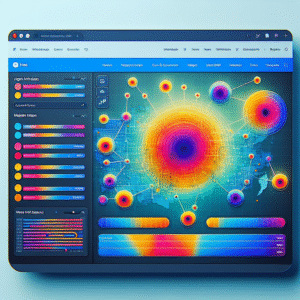
Heatmap plugins offer a visual portrayal of user interactions, where warmer areas suggest higher engagement. This helps site owners interpret and improve content effectiveness and navigation.
- Assess click and scroll behavior easily.
- Gain insights into site navigation and content effectiveness.
- Make data-informed decisions for layout adjustments.
Popular Plugins
Integrate with WordPress effortlessly using leading plugins such as Hotjar or Crazy Egg, turning traffic insights into actionable data.
- Simple integration for immediate insights.
- Analyze user attention on WordPress sites.
- Empower site strategy with actionable data.
Top Heatmap Plugins for WordPress
Optimize your WordPress site’s user engagement and conversions with these leading heatmap plugins.
Hotjar
Comprehensive analytics with heatmaps and session recordings. Perfect for finding the best session recording plugin WordPress offers.
Learn more about HotjarCrazy Egg
Beyond heatmaps with tools like A/B testing. Ideal for marketers needing a robust WordPress user click tracking plugin.
Learn more about Crazy EggMouseflow
Combines heatmaps with session replays for detailed user insights and troubleshooting.
Learn more about MouseflowLucky Orange
Includes heatmaps, session recordings, and live chat for real-time site optimization.
Learn more about Lucky OrangeInspectlet
Offers detailed heatmap and session recording insights to drive effective site changes.
Learn more about InspectletPrivacy-Focused Heatmap Solutions
Assure secure understanding of user interactions without compromising privacy.
Matomo (formerly Piwik)
An open-source analytics platform centered on privacy, featuring anonymized data collection and user opt-out mechanisms, ensuring GDPR compliance while visualizing user behavior.
Crazy Egg
Offers a privacy-centric approach with features like heatmap filtering where sensitive input data is not tracked, maintaining user confidentiality.
-
Boosts Trust: Strengthens user trust and brand credibility by focusing on privacy.
-
Enhances Compliance: Assists in maintaining compliance with data protection laws.
-
Ensures Ethical Analytics: Gains insights into user behavior without compromising privacy.
Introducing Immersive 3D Viewer Plugins
The digital landscape is evolving, and one of the most engaging advancements is the use of 3D viewer plugins. These tools transform the static two-dimensional online experience into an interactive and dynamic platform that captivates users with three-dimensional content. By embedding 3D models directly into your WordPress website, you enhance user experience, allowing more detailed interaction with your content.
-
Enhanced User Interaction: Transform your website into an interactive platform with 3D viewer plugins.
3D Viewer Plugin Highlights
With immersive 3D models, your online presence is not just a static page but a dynamic visual experience driving user engagement.
- Exceptional product views
- Interactive storytelling
- Versatile integration
Best 3D Viewer Plugins For WordPress
Enhance your site with dynamic and interactive 3D content to captivate your audience and improve engagement.
Sketchfab
Known for its seamless integration, Sketchfab offers extensive customization and supports numerous file formats, allowing users to interact with models directly on site.
WP-VR-view
Originally for VR, this lightweight plugin exhibits 3D models efficiently with fast load times, offering an immersive experience for users.
3D Model Viewer
Perfect for straightforward needs, providing extensive functionality for multiple file types with a user-friendly settings panel.
3D Viewer
Offers simplicity and efficiency, supporting STL, OBJ, and more, perfect for embedding models into posts and pages while keeping performance in check.
Integration and Customization Tips
Empower your website’s design and functionality with seamless plugin integration and customization.
Prioritize Compatibility
Ensure compatibility between your plugins and the current WordPress version to avoid functional conflicts.
Use a Well-Supported Plugin
Opt for plugins that are updated regularly, like those offering user interaction visualization insights.
Customize with Care
Start customization with small changes to safely evaluate impacts and optimize settings incrementally.
Leverage Developer Resources
Explore hooks and filters for customization or reach out to developers for personalized plugin solutions.
Test Thoroughly
Ensure all changes are tested across multiple browsers and devices to preemptively fix any issues.
Conclusion and Next Steps
In summary, plugins extend the capabilities of your WordPress site far beyond its out-of-the-box functionality, offering powerful tools to enhance user experience. Whether you’re integrating live chat, improving site speed, or gaining insights through analytics, the right plugins can transform a basic site into a dynamic platform that effectively serves your business goals.
For small businesses, leveraging free WordPress plugins can be a cost-effective way to enhance site functionality. From SEO enhancements to social media integrations, there’s a plugin for virtually every need. Select plugins that align with your specific objectives to maximize their benefits.
Considering alternatives to premium analytics tools like Hotjar? WordPress offers plugins such as MonsterInsights that provide comprehensive analytics features without the hefty price tag.
Start exploring and implementing these plugins by identifying key improvement areas, researching suitable plugins, and gradually integrating them. Regularly reviewing and updating your plugins ensures your site remains optimized and competitive.
Browse Categories:
You may also like
Top WordPress Heatmap and User Tracking Plugins to Enhance Your Site’s UX
Enhance your website's user experience with our top picks for WordPress heatmap and user tracking plugins, featuring tips and real-world…

Enhance User Engagement: Best WordPress Heatmap and Session Recording Plugins for 2025
Discover top WordPress plugins for heatmaps and session recording to boost user engagement and site conversions effectively.

Boost Your Site: Top WordPress Plugins for User Experience & Interaction Tracking
Explore the top WordPress plugins for enhancing user experience and tracking interaction to boost site performance and engagement.