
Enhance User Experience with the Best WordPress User Click Tracking Plugins
Understanding User Click Tracking
User click tracking is a powerful tool that allows website owners to gain deep insights into how visitors interact with their sites. By monitoring the clicks on navigational elements, businesses can better understand user behavior and optimize their website’s performance.
Optimize Performance
Visualize a digital map highlighting attention-grabbing areas and overlooked sections, enhancing design and content strategy.
Boost Conversion
Gain vital clues on conversion enhancements by observing frequently interacted elements and improving their prominence.
Seamless Integration
Easily incorporate click tracking using WordPress plugins, unlocking advanced insights without needing technical expertise.
Why Track User Interactions on WordPress?
In today’s digital landscape, understanding how users interact with your WordPress website is crucial for driving growth and improving conversions. Tracking user interactions like clicks, scrolls, and form submissions provides invaluable insights into your audience’s behaviors.
Use user interaction data to refine your site’s user experience, tailor content, and boost conversion rates.
Discover and address potential bottlenecks, such as slow loading times or unclear calls-to-action, to enhance site performance.
Personalize content and offers, encouraging user engagement and fostering brand loyalty.
Top Plugins for User Click Tracking
In today’s competitive digital landscape, understanding user behavior on your website is crucial for optimizing performance and improving user experience. Here are some of the top plugins for tracking user clicks and behaviors on your WordPress site.
Hotjar
Comprehensive user behavior analytics including heatmaps, session recordings, and feedback polls.
Crazy Egg
Offers heatmaps, confetti reports to enhance traffic sources and marketing strategies.
Mouseflow
Integrates smoothly with WordPress, provides user action insights and form analytics.
Lucky Orange
Combines heatmaps and live chat to enhance user engagement while analyzing interactions.
Clicky
Real-time analytics providing click tracking, essential for reacting to user trends.
Comparing Key Features of Click Tracking Plugins
Selecting the right click tracking plugin is essential to enhance your WordPress site’s performance and user experience. Explore the core features of popular and alternative plugins to guide your choice.
Heatmaps and Scroll Maps
Visualize user clicks and scroll activity. Consider alternatives like Crazy Egg or Mouseflow for tailored insights.
Integrations
Check for seamless workflow with tools like Google Analytics or CRM platforms.
Ease of Use
Opt for plugins with clear dashboards to facilitate quicker decisions.
Benefits of Session Recording for UX Improvement
Uncover Hidden Pain Points
Session recordings visually reveal areas where users might struggle, allowing you to identify issues like confusing navigation and unexpected exit points.
Enhance Conversion Rates
Optimize layouts and content based on user interactions to better meet expectations and improve conversion rates.
Improve Customer Satisfaction
Utilize session insights to enhance website flow and reduce user frustration, ultimately boosting satisfaction.
Validate A/B Testing
See real-time feedback on site elements during A/B testing, helping you make informed decisions about design changes.
Simplify User Feedback
Gain concrete insights from visual evidence of user behavior, effectively guiding your UX action plans.
How to Set Up and Optimize Your Plugin
Step 1: Selecting the Right Plugin
To begin setting up your WordPress plugin, it’s vital to choose one that aligns with your website’s goals. Consider plugins known for improving conversions if those are your goals.
Step 2: Installation
Search for your preferred plugin within the ‘Add New’ section of your WordPress dashboard. After locating it, click ‘Install’ and then ‘Activate’ for a seamless setup.
Step 3: Customization
Tailor your plugin settings to match your business’s needs. This might involve configuring personalization settings, inputting API keys, or setting up tracking parameters.
Step 4: Optimization & Security
Ensure your plugin settings are updated regularly to avoid security vulnerabilities. This also helps in making the most of any new features available.
Step 5: Troubleshooting
After any major changes or updates, test your plugins for compatibility and functionality to prevent conflicts. Don’t hesitate to use support forums for problem-solving advice.
Addressing Privacy Concerns with Click Tracking
In the digital age, tracking how users interact with your site is invaluable for optimizing user experience and increasing engagement. However, this comes with privacy concerns related to data collection. Users today are more conscious of data privacy than ever.
Privacy-Focused Plugins
Choosing a privacy-focused WordPress heatmap plugin is crucial. These plugins use anonymized data collection methods, ensuring data is stored securely while complying with GDPR and CCPA.
By integrating these solutions, you not only comply with legal standards but also boost user confidence and engagement. This approach leads to more insightful data for a more effective website.
Contact UsConclusion and Next Steps
In conclusion, click tracking plugins are invaluable tools for understanding how users interact with your site. By leveraging these insights, you can make data-driven decisions that enhance the overall user experience. The ability to see exactly where users are clicking allows you to optimize layouts, improve navigation, and focus on elements that truly engage your audience.
If you’re running a WordPress site, implementing click tracking plugins is a straightforward yet powerful way to gain a competitive edge. Not only do these plugins help in tailoring the user journey, but they also contribute to better site performance and increased conversion rates.
It’s time to take action and elevate your website’s performance. Start by identifying the click tracking plugin that best aligns with your goals, and proceed with installation and customization. Monitoring and analyzing user behavior through these tools will empower you to continuously refine your site, ensuring that it remains user-friendly and highly effective.
Don’t wait any longer to start benefiting from these insights—integrate a click tracking plugin today and embark on the path to a more intuitive and successful website.
Get Started NowBrowse Categories:
You may also like

Maximize User Engagement: Top WordPress Plugins for Tracking and Visualizing User Interactions
Discover top WordPress plugins to track user interactions and increase engagement with tools tailored for efficiency and creativity.
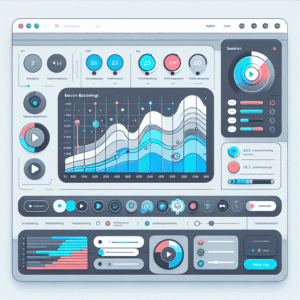
Maximize User Experience with the Best User Click Tracking Plugins for WordPress
Discover effective plugins to track user clicks on WordPress and gain insights to boost user experience and conversions.

Maximizing User Experience: The Best Heatmap and Recording Plugins for WordPress
Explore the best WordPress plugins to track user behavior and improve engagement through heatmaps and recordings.