
Unveiling User Behavior: Top Plugins for Heatmaps and Click Tracking on WordPress
Introduction to User Behavior Tracking
Unlock the power of insights by understanding how users engage with your WordPress site and transform your business strategy with data-driven decisions.
Why Track User Behavior?
In the ever-evolving landscape of online commerce and content delivery, knowing your audience’s actions is key. With tools like a WordPress user click tracking plugin, detailed insights can redefine a site’s usability and engagement.
- Enhance user experience by identifying popular content.
- Spot disengagements and refine journeys to lower bounce rates.
- Optimize conversion strategies with data-backed adjustments.
Real-World Applications
Consider an online store: tracking user pathways can reveal vital insights, from which products draw attention to where the checkout process falters.
Business & E-commerce
Boost sales by fine-tuning approaches based on shopper behaviors and journey data.
Content & Blogs
Tailor your topics and format to match user interests and retain readership.
Why Click Tracking Matters
Understanding where users interact with your website is crucial for optimizing user experience, and click tracking is a powerful tool that provides this insight. By implementing a WordPress plugin to visualize user interaction, you can gather valuable data on how visitors are engaging with your content.
This information enables you to refine your site’s layout, improve navigation, and ultimately ensure that users can easily find what they’re looking for. For example, if you’re running an e-commerce website, click tracking can illuminate which products attract more attention and which pages lead to higher conversion rates.
This insight allows you to place popular products or promotional banners more strategically, enhancing user engagement and increasing sales. In the case of a blog, understanding which articles or sections receive the most clicks can help you create more targeted content that resonates with your audience.
By employing a plugin to see where users click WordPress, you can make informed decisions that enhance the overall usability of your site. Consider integrating these tools into your website’s analytics to unlock a deeper understanding of user behavior and create a more enjoyable experience for your visitors.
Choosing the Right Heatmap Plugin for WordPress
Detailed Data Insights
Choose a plugin that offers insights beyond basic click tracking, including scroll depth and mouse movement patterns, to better understand user engagement.
Compatibility
Ensure your heatmap plugin integrates smoothly with your WordPress setup and popular analytics tools for optimal performance and ease.
Customization Options
Look for customization options to tailor reports and focus on specific user actions for more targeted insights and strategies.
Support and Updates
Opt for plugins with regular updates and strong customer support to ensure continued compatibility and assistance when needed.
By focusing on these key features, you can choose a heatmap plugin that enhances your website’s performance and provides valuable insights into user behavior.
Start Exploring OptionsTop Heatmap Plugins for WordPress
Crazy Egg
Known for being user-friendly while offering robust heatmap features, including scroll maps and user recordings. Crazy Egg helps prioritize improvements on high-traffic areas with an intuitive interface and actionable insights.
Learn MoreHotjar
A comprehensive tool with a free basic plan, offering session recordings, surveys, and more. It’s a great free starting point for visualizing user interactions on your site.
Learn MoreMouseflow
Beyond traditional heatmaps, Mouseflow includes form analytics and funnel optimization to enhance conversion-based insights, making it a solid alternative to Hotjar for WordPress.
Learn MoreInspectlet
Integrated heatmaps with form analytics to pinpoint user hesitation during form submissions. This is crucial for optimizing forms and improving conversion rates.
Learn MoreComplementary Session Recording Tools
Gain a deeper understanding of user interactions by combining heatmaps with session recording tools. Discover comprehensive tracking solutions to optimize your website’s user experience.
- Mouseflow: Record each session to play back visitor interactions, identify interests, and detect bottlenecks. Ideal for: Understanding form abandonment issues and user struggles.
- Hotjar: Offers heatmaps and session recordings for a double-layered user analytics approach. Ideal for: Visualizing interactions and real-time engagement.
- Crazy Egg & Real User Monitoring by Pingdom: Complement heatmaps with session recording to enhance your analytics toolkit. Ideal for: Comprehensive insights into user behavior.
Why Combine with Heatmaps?
See how users navigate through your website and spot potential barriers to conversion or unexpected user paths, leading to data-driven site enhancements.
Contact UsPlugin Comparison Guide
When it comes to enhancing your website’s performance, selecting the right plugins is critical. Whether your goal is to increase conversions or improve user experience, the right tools can make all the difference.
OptinMonster
- Powerful lead generation capabilities
- Design engaging pop-ups and forms
- Advanced targeting and segmentation
Yoast SEO
- Streamlines content for search engines
- Improves content quality and readability
- Key component of a positive user experience
Elementor
- User-friendly interface
- Drag-and-drop functionality
- Create visually appealing pages
WP Rocket
- Boosts site speed
- Improves user satisfaction and SEO rankings
- Enhances conversion rates
Privacy Considerations with Heatmaps
Explore how privacy-focused plugins ensure compliance with regulations like GDPR and CCPA, while building trust with your users.
Why Prioritize Privacy?
Implementing heatmaps can provide valuable insights into user interactions, but respecting privacy is essential. This ensures regulation compliance and strengthens user trust.
- Align with GDPR and CCPA standards
- Anonymize user data
- Obtain user consent before tracking
- Filter out sensitive information
Recommended Tools
Consider plugins like “Crazy Egg” and “Hotjar” for their robust features that respect privacy. While free options may have limited features, they ensure compliance.
These tools allow businesses to commit to user privacy, potentially boosting customer engagement and loyalty by demonstrating transparency.
Implementing Your Plugin Solutions
You’ve explored the advantages of extending your WordPress site with plugins, gathering insights into their possibilities and flexibility. Now, embark on an empowered journey with actionable steps for seamless implementation and optimization.
-
Assess Your Business Needs
Start by evaluating what your business aims to achieve with its website. This forms the foundation for deciding on existing or custom plugin solutions.
-
Leverage Available Plugins
Utilize the best WordPress plugins 2025 offers for common functionalities. Explore free options that enhance SEO and customer engagement while saving costs.
-
Focus on Optimization
Regular updates and testing in a staging environment are crucial for compatibility and performance. Optimize constantly for scalability and growth.
Browse Categories:
You may also like
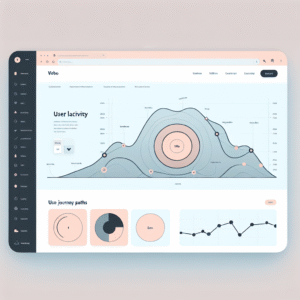
Enhancing User Experience with the Best WordPress Click Tracking and Heatmap Plugins
Discover top WordPress plugins for click tracking and heatmaps to enhance user experience and optimize your site's design.

Mastering User Interaction: Essential WordPress Heatmap Plugins for Optimized Engagement
Explore must-have WordPress heatmap plugins to track user behavior and enhance site engagement with our comprehensive guide.

Top WordPress Tools to Track User Behavior and Boost Interaction
Explore top WordPress plugins to track user behavior, improve site interaction, and stay ahead with the latest trends in plugin…