
Unravel User Behavior: Best WordPress Plugins for Heatmaps and Click Tracking
Introduction to User Interaction Plugins
Understand the importance of tracking user interactions and explore powerful plugins that facilitate them.
Heatmaps
Visualize user engagement through heatmaps. These plugins graphically represent mouse movements, clicks, and scrolls, providing crucial insights to refine your site’s design and content.
User Behavior Analysis
Track in-depth user behaviors such as button clicks and form submissions with these plugins. Gain a comprehensive view of user interactions to optimize the user journey and enhance conversion rates.
The Benefits of Heatmap Plugins
Enhance user experience with detailed insights into visitor interactions on your WordPress site.
User Behavior Insights
Gain a bird’s-eye view of where visitors click, scroll, and linger, enabling you to tailor content and design effectively.
Attention Highlight
Identify key areas of attention on your website and ensure critical elements are effectively engaging users.
Lightweight & Fast
Utilize lightweight heatmap plugins that gather data without compromising speed, enhancing SEO and user satisfaction.
Privacy Focused
Ensure compliance with data protection regulations and maintain user privacy with specialized heatmap plugins.
Actionable Data
Use heatmap insights to make informed decisions about design, content optimization, and A/B testing strategies.
Top Heatmap Plugin Options
Crazy Egg
Known for its comprehensive visual reports, Crazy Egg offers features like click heatmaps, scroll maps, and more. It integrates well with WordPress and provides a free trial.
Hotjar
Hotjar combines heatmaps, session recordings, and feedback tools. Ideal for beginners with a free version offering basic heatmap tracking.
Mouseflow
Provides live playback of user interactions. The free plan includes limited heatmap and session recordings, suitable for small websites.
WP Heatmap
Designed for WordPress with an easy installation process. Offers basic insights into website traffic, with free and premium plans.
Session Recording Plugins for Enhanced Insights
Discover how session recording complements heatmaps, providing thorough insights into visitor interactions and enhancing user experience.
ReplayBird
Capture and replay user sessions to uncover where visitors pause, scroll, or abandon tasks. Enhance your conversion paths with tangible insights.
Learn MoreLucky Orange
Integrates effortlessly with other UX tools for a full-fledged user analytics solution. Real-time insights to enhance website design and functionality.
Learn MoreCorrelate session recordings with activity plugins to boost engagement. Adopt these solutions and refine your website for higher user satisfaction and improved business outcomes.
Choosing the Right Plugin for Your Needs
Empower your site with plugins that align with your unique goals and needs by following key criteria.
Understand Your Goals
Define your website’s primary objectives. For conversion improvement, seek out the best WordPress plugins designed with this purpose in mind.
- Enhance user engagement
- Streamline purchasing processes
- Offer robust analytics
Seek Proven Solutions
Check ratings and reviews to ensure a plugin’s effectiveness. Opt for those with a strong support community and frequent updates for reliability and security.
Ease of Use
Choose plugins with user-friendly dashboards, especially if they come with complex functionalities, to simplify management.
Track User Behavior
Utilize WordPress user click tracking plugins to gain insights into user interactions, which inform engagement strategies.
Evaluate Performance Impact
Consider resource usage and site speed to maintain efficiency, ensuring the plugin supports your long-term goals.
Integration Tips and Tricks
Ensuring Compatibility
Always ensure compatibility between your chosen plugins and your current WordPress version. An outdated plugin can lead to issues such as security vulnerabilities and performance slowdowns. Choose modern plugins that support the latest WordPress updates for best performance and security.
Monitor Plugin Performance
Utilize tools like P3 (Plugin Performance Profiler) to assess how plugins affect loading speeds. Optimize by selecting lightweight alternatives, especially for plugins that track user behavior or clicks.
Utilize Staging Environments
Test new plugins on a staging environment to detect and resolve any conflicts or performance issues before making changes live.
Custom User Role Access
Customize user role access to enhance security. Limit administrative privileges to protect against unauthorized changes and breaches.
Regular Plugin Updates
Keep plugins updated to benefit from improved integration capabilities, enhanced security, and resolved compatibility issues. Stay informed about updates to maintain a secure and functional site.
Free vs. Paid Plugins: What You Need to Know
Enhancing your WordPress site effectively requires understanding the benefits and limitations of free versus paid plugins. Whether you’re managing a small business or a complex website, knowing your options can save time, effort, and money.
Free Plugins
- Great for small businesses or personal projects with tight budgets.
- Basic features available with no financial commitment.
- Vast library in the WordPress Plugin Directory.
- Potential limitations in features and customer support.
- Updates and bug fixes may be slower.
Paid Plugins
- Advanced features and functionality for complex websites.
- Better customer support and regular updates.
- Ensures compatibility with newer WordPress versions.
- Additional security measures included.
- Potential for robust analytics and customization options, e.g., heatmap plugins.
Make an Informed Decision
Consider your immediate and long-term needs to choose the right plugins for your website’s growth and user experience enhancement.
Get in TouchSecurity and Privacy Considerations
In an increasingly digital world, ensuring privacy and security in using tools like WordPress plugins is crucial. When you’re using a privacy-focused WordPress heatmap, for instance, it’s important to ensure that your implementation respects user data and adheres to the best practices of data protection.
Anonymizing User Data
Anonymizing user data not only secures personal information but also conforms to international regulations such as GDPR and CCPA.
Transparency and ethical tracking methodologies are key to building user trust and compliance.
Security of 3D Plugins
Ensure any plugin to view 3D objects on a WordPress site is secure. Indicators include regular updates and reviews, dependable support, and reputable sourcing.
Minimize vulnerabilities by downloading plugins from trusted sources.
“By taking these security and privacy considerations seriously, you can build trust with your audience and ensure that your use of tracking tools is both ethical and compliant with privacy standards.”
Browse Categories:
You may also like

Mastering User Engagement: Top WordPress Heatmap and Click Tracking Plugins for 2025
Explore top WordPress plugins of 2025 to enhance user engagement, featuring expert insights on click tracking and heatmaps.

Top WordPress Plugins to Boost User Engagement in 2025
Explore top WordPress plugins for 2025 that enhance user engagement, from heatmaps to 3D models, guiding site improvement strategies.
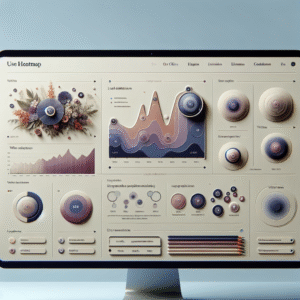
Enhance User Experience with WordPress Heatmap Plugins: A Comprehensive Guide
Discover how WordPress heatmap plugins can transform your user experience insights and enhance site conversions.