
Unlocking User Insights: The Best Plugins for Tracking and Engagement on WordPress
Introduction to User Click Tracking
Enhancing user experience on your WordPress site begins with understanding user behavior. Tracking clicks provides valuable insights to optimize your site effectively.
Uncover User Insights
Learn how users navigate your WordPress site. Identify frequently clicked links and engaging areas to improve user paths and site design.
Boost Conversion Rates
Discover which call-to-action buttons convert. Analyze click patterns to redesign for better engagement and increased conversions.
Optimize for Success
Start simple and evolve your analytics. Use insights from click tracking to refine content strategies and elevate user interaction.
Top Reasons to Track User Behavior
Identify Popular Content
Discover which pages attract the most visitors to create content that resonates, boosting engagement and returns.
Enhance User Experience (UX)
Pinpoint UX bottlenecks and resolve them for smoother navigation, encouraging higher conversion rates.
Boost Conversion Rates
Refine user journeys to reduce drop-offs and enhance conversion paths through behavior insights.
Personalization Opportunities
Tailor content and offers based on user preferences to boost satisfaction and encourage repeat visits.
Effective A/B Testing
Use behavior tracking to conduct meaningful A/B tests, optimizing site elements with data-backed decisions.
Best WordPress Heatmap Plugins
Hotjar
Offers a comprehensive suite of analytics tools, including heatmaps, visitor recordings, and conversion funnel tracking. Visualize user behavior through click, move, and scroll heatmaps.
Learn MoreCrazy Egg
Features simple tools like heatmaps, scrollmaps, and user recordings. Its Confetti tool breaks down clicks by source, granting insights into traffic engagement.
Learn MoreMouseflow
Tracks real-time activity with full session recordings and heatmaps. Offers insights into user interactions and immediate effects of site changes.
Learn MoreLucky Orange
Combines heatmaps and visitor recordings under one roof. Known for dynamic heatmapping capabilities, showing interactions across different devices.
Learn MoreHeatmap for WordPress
A free option that integrates seamlessly with your dashboard. Provides basic heatmap functions to track user interaction without additional costs.
Learn MoreComparing Feature-Rich Tools
When it comes to enhancing your WordPress site, choosing the right plugins can make all the difference. Let’s dive into some of the top options available today, comparing their features, pricing, and best use cases.
Crazy Egg
Offers a seamless experience with heatmaps, scroll maps, and user session replays. It’s a powerful alternative to Hotjar.
- Heatmap and Confetti for user-click data
- Visual reports for better insights
Mouseflow
Captures the entire user journey with insights into every click, scroll, and interaction. Ideal for detailed behavior analysis.
- Integrates heatmaps with session recordings
- Detailed visitor analytics
Lucky Orange
Combines analytics with real-time user interaction. Known for its live chat capabilities and conversion funnel insights.
- Live chat feature
- Compare heatmaps effectively
FullStory
Known for comprehensive session replays with an intuitive interface, allowing full playback of user sessions.
- Powerful search capabilities
- Beneficial for troubleshooting and A/B testing
Highlighting Lightweight Options
Speed is crucial for user experience and SEO performance. Heavy plugins can slow your site, potentially driving away visitors. Lightweight plugins provide essential features while maintaining site efficiency.
Minimalistic Heatmap Plugins
Example: “Heatmap for WP” provides core heat mapping without straining your site’s resources.
Privacy-Focused Tools
Example: “Crazy Egg” focuses on user behavior analysis while ensuring data privacy.
By prioritizing lightweight and privacy-focused plugins, enhance engagement, improve SEO, and comply with privacy standards, ensuring a better user experience and faster site performance.
Using User Insights Effectively
In the dynamic world of WordPress, understanding user interaction with your site can be transformative for user experience optimization and engagement strategies.
Utilizing a WordPress plugin to visualize user interaction reveals how and where visitors engage with your content. For instance, understanding user click patterns helps in adjusting call-to-action placements for better visibility and effectiveness.
The use case of an e-commerce site owner who achieved a 20% increase in product views through layout tweaks illustrates the practical power of data-driven decisions.
Practical Applications:
- Visualize user interactions to discover engagement hotspots.
- Optimize layout and design based on real user data.
- Encourage collaborative insights and hypothesis testing.
- Leverage tools for actionable strategy enhancement.
3D Model Integration for WordPress
Discover how 3D model plugins can transform user engagement by enhancing how products, concepts, and spaces are visualized on your WordPress site, creating more dynamic interactions.
Seamless Integration
The ‘3D Viewer’ plugin allows easy drag-and-drop embedding of 3D models into WordPress, broadening content engagement effortlessly.
Enhanced Storytelling
Embed 3D blueprints to visually communicate architectural designs with depth, clarity, and professionalism.
Final Thoughts and Best Practices
As you embark on enhancing your website, it’s essential to integrate the right tools that don’t just meet your immediate needs but also anticipate future challenges and opportunities. Emphasizing user experience through the must-have WordPress plugins can significantly uplift your site’s appeal and functionality.
Regularly Update Plugins
Maintaining updated software ensures security and optimal performance.
Prioritize Simplicity and Speed
Focus on features that enhance speed and improve user engagement.
Test Before Implementation
Test plugins in a staging environment to prevent disruptions.
Monitor Analytics
Refine plugin choices based on data-driven user interactions.
Ensure Mobile Optimization
Make sure plugins are mobile-friendly with rising mobile users.
Browse Categories:
You may also like
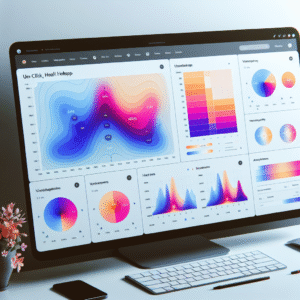
Enhance User Experience with WordPress Heatmap and Click Tracking Plugins
Discover the benefits of WordPress heatmap and click tracking plugins to enhance user experience and boost engagement on your site.

Enhance User Experience with WordPress User Click Tracking and Heatmap Plugins
Explore top WordPress plugins to boost user engagement and track interactions with effective click tracking and heatmap tools.
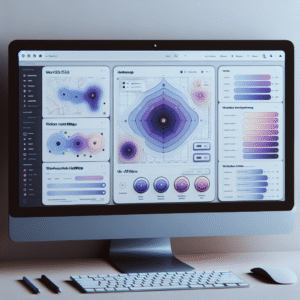
Maximize User Interaction: The Best WordPress Heatmap Plugins to Track and Enhance User Behavior
Discover the best WordPress heatmap plugins to track user behavior and improve your site's engagement and conversions.