
Unlocking User Insights: The Best Plugins for Click Tracking & Session Recording in WordPress
Introduction to User Insights
Understanding how visitors interact with a website is critical to optimizing performance and enhancing engagement. User insights provide key intelligence by observing user behaviors, preferences, and patterns, empowering better design and content decisions.
The Power of User Insights
Imagine knowing the exact sections of your landing page that grab attention, guiding you to strategically place CTAs for optimal engagement. Tracking drop-offs during checkout could refine sales funnels, reducing abandonment rates.
Actionable intelligence from user behavior data for informed decision-making.
Leverage the Right Tools
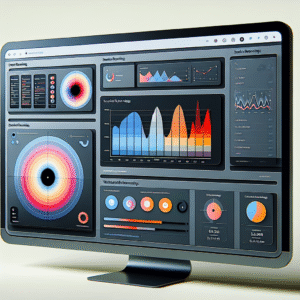
Use tools like WordPress heatmap plugins to visually map user clicks, taps, and scrolls. Behavior tracking plugins deliver rich analytics, unveiling popular pages and user journeys, highlighting usability issues for correction.
Enhance website usability and refine strategies with specialized tools.
The Importance of Click Tracking
Understanding user behavior on your website is crucial for any business aiming to make informed decisions and optimize its online presence. Click tracking plays an essential role in unlocking these insights.
By utilizing tools like a WordPress user click tracking plugin, businesses can monitor user interactions precisely. This capability allows site owners to identify what captures attention and which areas need improvement.
For example, if users frequently click on an unlinked image, it hints at a chance to provide additional information or redirection to a related product page.
Analyzing low interaction on key conversion elements like signup buttons can highlight the need for improved placement or wording.
Practical examples show e-commerce platforms enhancing sales by optimizing product pages based on data. Similarly, content creators grow engagement by identifying content that prompts further exploration.
Implementing a plugin to see where users click in WordPress makes this process efficient, actionable, and effective in aligning with business goals.
Comparing WordPress Click Tracking Plugins
MonsterInsights
Seamless integration with Google Analytics offering link tracking, events tracking, and affiliate link tracking. Ideal for data-driven businesses.
- Integration with Google Analytics
- Provides insights on your dashboard
- Affiliate link tracking
Clicky Analytics
User-friendly interface with real-time analytics and free basic features. Suitable for small businesses.
- Real-time analytics
- Detailed visitor logs
- Free basic features
WP Clicks
Straightforward click tracking with detailed reports. A cost-effective solution for small businesses.
- Detailed click reports
- Simple to interpret insights
- Free for small businesses
Hotjar
A comprehensive behavioral analytics solution with heatmaps, session recordings, and surveys. Perfect for website optimization.
- Session recordings
- Surveys and heatmaps
- Comprehensive analytics
Crazy Egg
Offers visual reports and heatmaps with A/B testing capabilities. Ideal for businesses enhancing conversions.
- Visual reports
- A/B testing capabilities
- Enhances conversions
Exploring Session Recording
Session recording allows you to deeply understand visitor paths, providing a holistic analysis of user behavior that extends beyond the click. Discover the powerful insights waiting to enhance your user experience.
Visualizing User Journeys
Session recording offers a window into users’ true experiences by capturing full visual recreations of visitor sessions. Watch how visitors navigate your site, uncovering pain points and successful interactions that can be optimized.
Applications in eCommerce
Optimize your eCommerce processes by watching how users move through checkout. Identify friction points, understand drop-offs, and enhance smooth navigation for better cart conversions.
Utilize tools like ‘best session recording plugin WordPress’ to integrate these insights into your current setup, with features like heatmaps and user segmentation for a comprehensive web analysis toolkit.

Top Session Recording Tools for WordPress
Integrating session recording tools into your WordPress site can significantly enhance your understanding of user behavior, allowing you to tailor your website to improve user experience and boost conversions. Explore the top plugins to find the one that fits your site’s analytical demands.
Hotjar
Features: Visualizes user interaction with heatmaps, session recordings, and conversion funnels.
- Intuitive dashboard
- Identifies pain points
- Optimizes user journey
Crazy Egg
Features: Easy installation with real-time analytics through heatmaps and scroll maps.
- Visualizes user interaction
- Clear insights for design refinement
Mouseflow
Features: Captures nuances of user behavior with real-time activity tracking.
- Tracks clicks, scrolls, and interactions
- Insights for usability strategies
Lucky Orange
Features: Combines session recordings and heatmaps with live chat support.
- Tracks mouse movements
- Enhances UX and customer service
Smartlook
Features: Offers automatic event tracking with no code changes required.
- User-friendly interface
- Drives engagement and conversions
Balancing Privacy and Data Transparency
In the digital age, data transparency and user privacy often seem at odds, especially with plugins. Leveraging plugin insights responsibly is essential. Here’s how to balance this act.
Privacy-Focused Heatmaps
Privacy-focused heatmap plugins offer actionable insights without compromising user trust. They anonymize data and ensure GDPR compliance by design.
Contact UsAlternative Solutions
Explore alternatives to well-known analytics platforms like Hotjar. These plugins reduce data footprint and provide local data storage, putting you in control.
Learn MoreTransparent Data Practices
Foster user trust by being transparent about data collection practices. Provide clear opt-in and opt-out options to maintain ethical data boundaries.
Get StartedOptimizing Conversions with User Data
Insight-Driven Marketing
-
Use analytics plugins like MonsterInsights to gather user behavior data, allowing for personalized marketing strategies.
-
Segment audiences based on interaction insights for more targeted and effective campaigns.
Enhanced User Interfaces
-
Utilize heat map tools to understand page engagement, enabling strategic redesign.
-
Opt for plugins like OptinMonster to optimize site interactions and improve conversion rates.
Conclusion: Your Path Forward
Embarking on the journey to enhance your website can feel like a daunting task, but with the right tools and insights at your disposal, it becomes an exciting opportunity for growth and engagement. Plugins can significantly transform your site by enhancing functionality and user experience in ways you may not have imagined.
Whether it’s using a ‘track user behavior WordPress plugin’ to gain insight into your audience’s interactions or integrating ‘must-have WordPress plugins for user experience’, the possibilities for innovation and improvement are virtually limitless.
As you step forward, remember that the key to successful website management is continual adaptation and learning. Start small by integrating a few carefully chosen plugins that align with your website’s goals. Monitor their impact and track how they influence user engagement and satisfaction. From there, you can make informed decisions on what to adjust or integrate next.
Don’t hesitate to experiment with new features and tools. Often, the most unexpected ideas lead to significant improvements that set your website apart from the competition. So, let this knowledge be your stepping stone to a more effective, engaging, and user-centered digital presence.
Back to HomeBrowse Categories:
You may also like
Unlocking User Insights: The Best WordPress Plugins for Heatmaps and Session Recording
Discover the best WordPress plugins for tracking user behavior with heatmaps and session recordings to boost user experience and conversions.

Unlocking User Insights: The Best WordPress Heatmap Plugins
Explore top WordPress heatmap plugins to optimize user experience and track visitor behavior seamlessly.
Revolutionizing Your Site in 2025: The Best AI-Powered WordPress Plugins
Explore the best AI-powered plugins for WordPress in 2025 to enhance site performance, user experience, and CRM integrations.