
Unlocking Insights: Top WordPress Heatmap Plugins to Improve Conversions
Introduction: The Power of Heatmaps in WordPress
Discover the critical role heatmaps play in deciphering visitor interactions, setting a foundation for exploring the best heatmap plugins for WordPress.
In today’s highly competitive digital landscape, understanding user behavior is more crucial than ever for optimizing website performance. Heatmaps can provide an invaluable window into how visitors interact with your content, revealing which areas of your site capture the most attention and which parts are being overlooked.
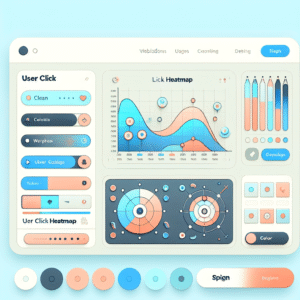
Visualize user engagement through color-coded maps
Make data-driven decisions to enhance user experience
When leveraging the power of heatmaps in WordPress, specialized plugins seamlessly track user behavior, providing real-time data on clicks, scrolls, and cursor movements. This vital information can help in repositioning critical calls-to-action or optimizing layout for better accessibility.
Get in TouchChoosing the Right Plugin for Your Needs
Understand Your Goals
Before selecting a heatmap plugin, understand your goals: optimizing content placement, improving user experience, or boosting conversion rates.
Feature Requirements
Determine essential features for your needs, such as precise click tracking to visualize user interaction hotspots that analytics tools might overlook.
Consider Compatibility
Ensure your chosen plugin integrates seamlessly with your WordPress setup, including themes and other plugins, to maintain stability and security.
Insider Tips
Research community reviews and ratings; a well-reviewed plugin often indicates reliability and effectiveness.
Select plugins with frequent updates and good support to ensure long-term usability and safety.
Top Free Heatmap Plugins for WordPress
Crazy Egg
Offers heatmaps, scroll maps, and A/B testing. Easy setup directly from the WordPress dashboard.
- Heatmaps & Scroll Maps
- Confetti Reports
- A/B Testing
Hotjar
Includes basic heatmap functionality and session recordings with a user-friendly interface.
- Heatmaps
- Session Recordings
- User-friendly Interface
Matomo
Privacy-focused heatmaps with analytics configurations, focusing on privacy compliance.
- Privacy Compliance
- Comprehensive Analytics
- Open Source
Piwik PRO
Focuses on privacy-friendly analytics, giving you control over your data collection.
- Privacy-first Analytics
- Data Control
- Compliance Ready
Enhancing Conversion Rates with Heatmaps
Understanding how visitors interact with your website is crucial for optimizing conversion rates, and heatmaps provide this insight by highlighting user behavior patterns through colored overlays that display where users click, scroll, or linger.
Identify non-interactive areas to redesign for improved usability.
Customize privacy settings with plugins like Lucky Orange or Hotjar.
Enhance A/B testing with visual insights from heatmaps.
Advanced Session Recording Capabilities
Leverage the power of session recording to gain valuable insights into user interactions and enhance user experience, optimize design, and increase conversion rates.
Gain Deeper User Insights
Capture clicks, scrolls, and frustration points like rage clicks to enhance UX and streamline design efficiently.
See user interactions first-handEnhance E-commerce Success
Identify cart abandonment reasons and optimize checkout processes, boosting revenue.
Address purchasing bottlenecksExploring Lightweight Heatmap Solutions
Seeking performance with insight? Discover lightweight heatmap plugins perfect for managing resource-intensive websites without sacrificing user data analysis.
WP Heatmap Analytics
Efficient, real-time analytics with low resource impact and seamless WordPress integration.
- Real-time tracking
- Easy setup
- Cost-effective
Key Benefits
- Lower resource usage for optimal performance
- Simple installation
- Budget-friendly
Optimize User Experience
Track and analyze user behavior to improve design and engagement while maintaining a fast, responsive site.
Learn MoreBest Practices for Using Heatmap Tools
Set Clear Objectives
Before diving into the data, define what you want to achieve. Whether it’s improving navigation, engagement, or conversions, clear objectives guide focused decisions.
Segment Your Data
Understand audience differences by demographics, device types, or behaviors. Segmentation tailors experiences and enhances user engagement.
Combine with Other Analytic Tools
Pair heatmap insights with other data like click rates and session durations for a comprehensive understanding of user behavior.
Regularly Review and Update
Behavior evolves, making it essential to constantly review and tweak designs according to the latest interaction patterns.
Focus on High-Impact Areas
Zero in on critical sections like call-to-action buttons or funnels. Heatmap data reveals whether these engage users or need redesigning.
Utilize for A/B Testing
Design A/B tests using heatmap insights and observe the impact on user interaction and behavior for data-driven improvements.
Conclusion: Transforming User Insights into Success
As we’ve explored, understanding user behavior through heatmaps can be a game-changer for any business looking to optimize its website and enhance user experience. By transforming raw data into visual insights, businesses can pinpoint exactly where visitors are most engaged, and identify areas in need of improvement.
Key Insights
- Optimize website layouts for higher engagement.
- Identify areas needing improvement through visual data.
- Craft effective marketing strategies.
Action Steps
- Adopt heatmap plugins for data-driven decisions.
- Leverage empirical data for continuous improvement.
- Embrace innovation for sustained success.
Browse Categories:
You may also like
The Best WordPress Heatmap Plugins to Enhance User Engagement
Discover the best WordPress heatmap plugins to boost user engagement and improve site performance with data-driven insights.

Mastering WordPress User Experience with Heatmaps and 3D Viewer Plugins
Explore heatmaps and 3D viewer plugins to enhance the user experience on your WordPress site with top tools and practical…

Top 10 Free WordPress Plugins to Track and Improve User Engagement
Discover top free WordPress plugins to enhance user engagement and track behavior, essential tools for 2025!