
Unlock User Insights with WordPress Heatmap Plugins
Introduction to Heatmap Plugins
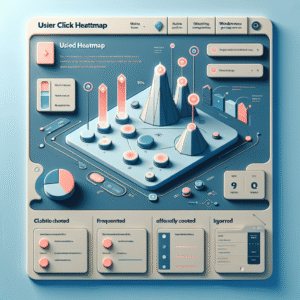
Heatmap plugins serve as powerful tools for website owners, particularly those using WordPress, by providing valuable insights into user behavior. These plugins generate a visual representation of data, illustrating where visitors click, move their mouse, or scroll on a webpage.
Understanding user behavior is crucial for optimizing the usability and effectiveness of a website. By incorporating a heatmap plugin, site owners can make data-driven decisions to enhance user experience and boost engagement metrics.
There are numerous heatmap plugins available for WordPress. These plugins can provide insights through click maps, scroll maps, and even real-time user session recordings, empowering website owners to optimize their designs effectively and create more engaging user experiences.
Track User Interaction
Improve UX/UI Design
Data-Driven Decisions
Benefits of Using Heatmaps
Visual User Insights
Heatmaps offer clear visual insights into user behavior, showing which parts of your page attract the most attention.
Engagement Optimization
Discover interactive zones through heatmaps to strategically redesign layouts for optimal user engagement.
Scroll Behavior Analysis
Track scrolling habits to place crucial content and CTAs effectively to boost conversion rates.

Top WordPress Heatmap Plugins
Hotjar
Hotjar provides click, move, and scroll heatmaps along with session recordings and feedback polls. Ideal for improving conversions with its comprehensive free tier and advanced premium features.
Crazy Egg
Offers user-friendly interface and A/B testing. Segment heatmaps by traffic source/device type for deeper insights and visual reports.
Lucky Orange
Combines heatmaps with live chat and conversion funnels. Great for small to medium businesses, offering both real-time analysis and a free trial.
Mouseflow
Provides session replay and sophisticated heatmap analytics. Features funnel visualization and form analytics, with a free plan available.
Inspectlet
Free WordPress heatmap plugin offering attention and tap heatmaps focused on mobile traffic analysis, alongside detailed session recordings.
Making the Right Choice
Key Considerations
- Lightweight: Ensure optimal site speed with lightweight plugins.
- Privacy-Focused: Protect user data with anonymized collection features.
- Ease of Use: Look for plugins easy to install and configure.
- Data Visualization: Go for clear, insightful visuals.
- Customization Options: Choose plugins that offer flexible tracking and display settings.
Real-World Impact
Implementing the right heatmap plugin has led to improved user engagement for businesses by optimizing key website areas.
Contact UsAlign the plugin with your specific needs and goals for enhanced insights, performance, and privacy.
Explore Alternative Heatmap Solutions
Finding a heatmap solution that aligns with your functionality and privacy priorities is crucial. Here are some top choices beyond popular options.
Crazy Egg
Enhance your site with powerful heatmap tracking, A/B testing, and traffic analysis. Crazy Egg ensures easy WordPress integration and privacy controls.
Learn morePlerdy
Offers heatmaps, session recordings, and funnel analysis with GDPR compliance. Perfect for privacy-conscious WordPress users.
Learn moreMatomo
An open-source on-premise solution ensuring complete data control, ideal for privacy-focused analytics.
Learn moreMouseflow
Features automatic issue detection in heatmap analysis, compliant with international data standards.
Learn moreLucky Orange
Provides features like live chat with a transparent approach to data, catering to interactive site needs.
Learn moreActivating and Using Plugins
Unlock the potential of WordPress functionality with heatmap plugins. Visualize user engagement patterns to enhance site interaction. Follow this guide to effectively implement these tools with confidence.
-
1.
Choose the Right Plugin
Research and decided on a heatmap plugin like Hotjar or Crazy Egg. Both offer seamless integration with WordPress and provide comprehensive visual insights.
-
2.
Install the Plugin
Navigate to your WordPress dashboard, find ‘Plugins’ > ‘Add New’, search and install your chosen plugin, then ‘Activate’.
-
3.
Configure Settings
Visit the plugin settings to define how interactions are tracked and visualized. Setup your account as needed.
-
4.
Integrate and Verify
Follow provided instructions to verify ownership and integrate the tracking code in your site’s header or footer.
-
5.
Enable Tracking
Activate tracking from the plugin’s dashboard to start gathering user interaction data.
-
6.
Analyze the Heatmap Data
After data collection, analyze the heatmap to identify user hotspots and evaluate site engagement.
-
7.
Optimize Based on Insights
Use insights for testing changes on high-traffic areas, optimizing for better performance and satisfaction.
Tracking User Behavior Effectively
Utilizing heatmaps to enhance user experience and conversions
Identify Hotspots
Use heatmaps to find where users frequently interact. Position CTAs or crucial info here to enhance conversions.
Understand User Paths
Analyze scroll maps to see where users lose interest or drop off to improve content layout.
Optimize for Mobile
Track mobile vs. desktop interactions to ensure a seamless experience across devices.
Conclusion and Call to Action
As we’ve explored throughout this article, heatmap plugins offer invaluable insights into user behavior on your site. By visualizing how visitors interact with your content, you gain the data-driven power to optimize your layout and improve user engagement. The seamless integration of a WordPress heatmap plugin can be the key to unlocking higher conversion rates and enhancing overall user experience.
Imagine being able to identify exactly where users are dropping off or which elements capture their attention first. These insights can guide your design and content strategies to ensure every visitor has a meaningful interaction with your website. Furthermore, incorporating the best session recording plugin for WordPress amplifies your understanding, providing a comprehensive view of user paths and actions.
The time to act is now. Equip your website with these strategic tools and witness remarkable improvements in site performance. Whether you’re a seasoned developer or a novice in the digital marketing world, leveraging these plugins will undoubtedly put you a step ahead in the competitive digital landscape. Start implementing what you’ve learned today, and transform your website into an efficient, user-friendly powerhouse.
Browse Categories:
You may also like

Unlocking the Power of WordPress: Ultimate Plugins for User Interaction Tracking and 3D Visualization
Explore essential WordPress plugins for enhancing user interaction tracking and 3D content visualization.

Enhancing User Experience with WordPress Click Tracking Plugins: A Comprehensive Guide
Discover how WordPress click tracking plugins can enhance your site’s user experience by analyzing and understanding visitor behavior.
Maximizing WordPress User Engagement with Click Tracking and Session Recording
Discover the best tools for tracking and improving user engagement on your WordPress site to boost conversions and prioritize user…