
Unlock the Power of WordPress Heatmaps and User Behavior Tracking
Introduction to User Behavior Tracking
Leverage user behavior tracking to enhance user experience and boost conversions on your WordPress site.
Track User Clicks
Utilize WordPress user click tracking plugins to discover which areas of your site are capturing user attention. Optimize layouts to enhance engagement.
Analyze Interaction Metrics
Use plugins that collect data on bounce rates, scroll depth, and time spent on pages. Gain insights into what content best engages your audience.
Why Use Heatmap Plugins?
Explore the benefits of using heatmap plugins in understanding website engagement and guiding design improvements.
Visual User Interaction
Heatmap plugins provide a visual representation of user engagement, tracking clicks, mouse movements, and scrolling behavior to back informed design changes.
Identify Hot Spots
Recognize popular areas of a webpage to strategically place key elements like CTAs, improving conversions and engagement based on patterns of interaction.
Design Navigation Insights
Use insights from click heatmaps to adjust design elements, aligning them with user expectations to enhance navigation intuitiveness.
A/B Testing & Data-Driven Feedback
Facilitate A/B testing by comparing heatmaps for different designs, ensuring optimal layout decisions backed by user interaction data.
Top WordPress Heatmap Plugins
Explore top heatmap plugins to understand user interactions on your WordPress site and make data-driven decisions for enhanced UX and conversion rates.
Crazy Egg
An easy-to-use tool providing click tracking and scroll maps. Offers alternatives to Hotjar and includes A/B testing for performance refinement.
Learn MoreMouseflow
Free plugin offering session replays, funnel analytics, and mouse tracking, ideal for gaining detailed interaction insights.
Learn MoreLucky Orange
All-in-one tool with heatmaps, live chat, and conversion funnels for improving user engagement and rates.
Learn MoreHotjar
Popular for its intuitive design, offering rich analytics with heatmaps to visualize and improve user’s journey on your site.
Learn MoreInspectlet
Combines heatmap and session recording for understanding navigation patterns and enhancing UX.
Learn MoreEnhancing User Experience with Heatmaps
Discover how leveraging heatmaps can lead to strategic insights that transform user interactions and improve conversion rates.

Actionable Insights through Visualization
Heatmaps provide a vivid representation of user interaction by highlighting areas of your site where users click, scroll, and linger. This graphical representation reveals user behavior that can lead to significant strategic enhancements, such as design simplifications and key element repositioning.
For instance, an e-commerce platform facing high bounce rates can utilize heatmaps to identify elements that are overlooked, prompting design changes to optimize user engagement and increase conversions.
Contact Us for More InsightsChoosing the Right Plugin
Plugins like Hotjar or Crazy Egg seamlessly integrate with WordPress, providing robust heatmap data that is easy to interpret, allowing businesses to adapt based on user interaction trends.
WordPress Integration
Opt for plugins that translate data into actionable strategies, refining user experience and maximizing conversion potential with minimal effort.
Explore NowPrivacy Considerations for Tracking
In today’s digital landscape, as websites and online stores strive to offer personalized experiences, the balance between gaining meaningful insights and respecting user privacy has become more critical than ever. Implementing tracking on your website doesn’t mean compromising on privacy. Instead, it’s about ensuring transparency, data security, and adherence to ethical practices.
-
Leverage privacy-focused WordPress heatmaps to gather user behavior insights while maintaining data anonymity and compliance.
-
Choose plugins with data minimization, clear privacy policies, and user opt-out options to enhance your site and foster trust.
-
Maintain transparency by providing easily accessible and detailed privacy policies and consent forms to enhance user trust and loyalty.
By making privacy a core principle in your tracking strategy, you can comfortably enhance user engagement and conversions while building a trustworthy digital presence.
Comparison: Free vs Paid Plugins
When considering a heatmap plugin for optimizing your website’s user experience, both free and paid options come with their own sets of advantages. Deciding between a free WordPress heatmap plugin and a premium one largely depends on your specific needs and budget constraints.
Free Heatmap Plugins
- Cost-effective for small sites or personal blogs.
- Tracks visitor clicks, scrolling behavior.
- Basic analytics with limitations in customization.
- Examples: Crazy Egg’s Basic Plan.
Ideal for beginners looking to start with heatmap analytics without any financial commitment.
Paid Heatmap Plugins
- Advanced features like A/B testing and data segmentation.
- Real-time analytics and comprehensive reporting tools.
- Robust support, more customization options.
- Examples: Hotjar.
Best for businesses or larger sites needing in-depth data analysis to enhance site performance.
Integrating Heatmaps with Existing Tools
Unlock deeper insights by integrating heatmaps with other WordPress plugins or analytics tools for holistic data comprehension.
Comprehensive Analytics Integration
Pair heatmaps with analytics tools like MonsterInsights or Google Analytics for enriched insights into user demographics and interaction paths.
- Enhanced traffic source analysis
- User demographic insights
Click Tracking and A/B Testing
Combine heatmaps with click tracking plugins to refine content strategies and optimize user engagements.
- Visibility of click patterns
- In-depth A/B test insights
Holistic Data Integration
Integrate heatmaps with CRM systems for a panoramic view of user interactions, enabling data-driven strategies to enhance customer satisfaction.
Conclusion and Next Steps
Understanding your users’ behavior on your website is crucial for optimizing both user experience and conversion rates. Tools like session recordings and click tracking plugins offer insights to shape your site’s future. Visualize user interactions to make informed enhancements.
Select the Right Plugins
Choosing the right session recording or click tracking plugin for WordPress can help uncover user interaction patterns to optimize your site effectively.
Explore NowEvaluate and Implement
Identify which insights align best with your goals. Test tools via trials, examine integrations, and delve into reviews to inform your choices.
Contact UsBrowse Categories:
You may also like

Boosting User Engagement: The Best Heatmap Plugins for WordPress
Discover the best heatmap plugins for WordPress that enhance user engagement and improve conversions with privacy-focused solutions.
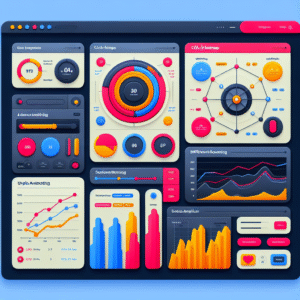
Unlocking User Insights: The Best WordPress Plugins for Click Tracking and Behavior Analysis
Discover the most effective WordPress plugins for tracking user behavior and enhancing user experience on your site.

Maximizing Engagement: The Best WordPress Plugins for User Interaction and Conversion
Discover the top WordPress plugins to track and enhance user interaction for improved conversions and an engaging website experience.