
Tracking User Behavior: The Best WordPress Plugins for Heatmaps and Session Recording
Introduction to User Behavior Tracking
Discover how tracking user interactions can enhance your website’s performance and boost user satisfaction.
Enhance User Experience
Collect data on navigation patterns and feature engagement to improve website usability.
- Identify roadblocks
- Optimize layout
- Boost engagement
Increase Conversion Rates
Utilize tracking data for informed decisions, revamping processes for effective conversions.
- Reduce cart abandonment
- Streamline checkout process
- Simple payment methods
Integrate with Ease
Easily incorporate tracking into your WordPress site with plugins that provide powerful insights.
- Heat maps
- Session recordings
- Funnel analysis
Strategic Improvements
Transform ordinary visits into meaningful actions that align with your business objectives.
- Satisfy user needs
- Drive meaningful interaction
- Reach business goals
The Importance of Heatmaps
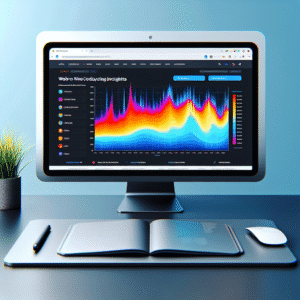
Heatmaps offer a vibrant, intuitive way to visualize how users interact with your website. They transform complex data into easy-to-understand visualizations, showing precisely where on your page visitors are engaging most frequently. By using color-coded scales, heatmaps highlight hotspots of user activity.
Visualize User Interaction
Heatmaps highlight which sections of the site gain user attention, revealing key interaction zones. This insight allows for strategic placement of call-to-action buttons and critical content, guiding user pathways effectively.
Optimize WordPress Sites
Integrating a WordPress heatmap plugin offers seamless integration, unveiling detailed user behavior insights. It aids in identifying usability issues and enables data-driven enhancements to user experience and conversion rates.
Enhance site performance and UX by aligning design with behavior patterns using heatmaps.
Reviewing Top Heatmap Plugins for WordPress
Selecting the right heatmap plugin for your WordPress site can significantly enhance your understanding of user behavior, leading to improved website conversions. Heatmaps visually represent where users click, move, or scroll, offering insights into how they interact with your pages. To select the best plugin to improve conversions on WordPress, it’s crucial to consider your specific business needs.
Hotjar
Provides comprehensive heatmaps along with tools like session recordings and surveys. Excellent choice for beginners in user behavior analytics.
Crazy Egg
Offers click tracking, heatmaps, and A/B testing—perfect for testing design changes and tracking their impact without needing extensive technical skills.
Mouseflow
Combines heatmaps with session replays and funnel tracking for comprehensive user journey analysis. Ideal for more detailed insights.
FullStory
Primarily a session replay tool that includes heatmaps, perfect for companies using FullStory for a holistic site analysis.
Lucky Orange
Budget-friendly with heatmaps and visitor recordings plus live chat support—versatile for real-time intervention and analysis.
Session Recording Explained
Session recording stands as a pivotal tool for businesses seeking to comprehend and refine the user experience on their websites. By capturing users’ interactions on your site, it provides a replay of their journey, allowing you to see exactly what they see and do. This insight bridges the gap between web analytics and real user interaction.
Imagine trying to navigate a maze without understanding the paths taken by previous travelers. This is managing an online platform without session recordings. These recordings enable visualization of user paths, clicks, and obstacles, thus enhancing usability and conversion rates.
For WordPress users, session recording plugins are seamless additions that not only record user activity but also highlight frequent or faulty interactions. This is invaluable for data-driven improvements.
Watching user journeys through recordings enhances empathy towards users. Witnessing frustrations such as errors or cumbersome navigation firsthand emphasizes the importance of user-centric design.
When deciding on a “record user activity WordPress plugin,” prioritize robust features and reliability for capturing quality data. Understanding user journeys narratives through recordings allows you to transform insights into actions for ongoing user experience optimization.
Session Recording Plugins: An Overview
Session recording plugins for WordPress are essential for site owners seeking insights into user behavior. They capture sessions for replay, helping identify areas for improvement. Choose the right plugin by considering functionality and alignment with your goals.
Privacy and Compliance
With GDPR and CCPA regulations, privacy-focused heatmap solutions are gaining traction. Essential features include IP anonymization, consent options, and data usage transparency.
Top Plugin Alternatives
While Hotjar is widely used, consider Crazy Egg for integrated A/B testing, or Mouseflow for real-time analytics coupled with privacy measures.
Crazy Egg
Offers comprehensive heatmaps and A/B testing functionalities, ideal for refining site performance.
Mouseflow
Combines session replays with live analytics, delivering a real-time view of user engagement while preserving privacy.
Ensuring Privacy and Compliance
When dealing with user tracking, particularly using heatmaps, maintaining privacy and compliance with data protection laws is crucial. Tools that focus on privacy help administrators gain valuable insights without compromising user data.
-
Anonymization of data is key to staying compliant.
-
GDPR and CCPA require explicit consent prior to data collection.
-
Regular audits and updated privacy policies are advisable.
Building Trust
Respecting user privacy not only protects from legal issues but also builds trust with users. Focusing on transparency and consent fosters a responsible digital environment.
Integrating 3D Visualization on Your Site
Leverage cutting-edge 3D visualization tools to transform user interaction, creating immersive experiences that enhance engagement and enrich user insights.
Enhance User Interaction
Integrating 3D models allows users to explore spaces and objects in an entirely new dimension, offering a deeper understanding and interaction level compared to traditional 2D structures.
E-commerce
Discover products in 3D, allowing customers to feel as though they’re interacting with physical items, thereby enhancing decision confidence.
Real Estate
Virtual tours bring properties to life, eliminating geographical boundaries and making remote decision-making accessible and engaging.
Integrate Seamlessly
Utilize WordPress 3D viewer plugins to effortlessly embed interactive models into your content, marrying functionality with aesthetic appeal.
Embed 3D models in WordPress with ease, inviting users into an enhanced exploratory digital environment.
Plugin Maintenance and Support
Why it Matters
When selecting plugins, it’s crucial to focus not just on functionality but also on the quality of maintenance and support they offer. Regular updates are a hallmark of a responsive development team that actively works to address bugs, improve features, and patch security vulnerabilities.
Choose plugins with a consistent update schedule to minimize security risks and compatibility issues.
Benefits of Well-Maintained Plugins
Reliable customer service for quick troubleshooting and detailed documentation supports a seamless user experience.
Frequent updates indicate a committed developer, enhancing website security and performance.
Browse Categories:
You may also like
Enhancing User Experience with WordPress Heatmap Plugins
Explore the top WordPress heatmap plugins to improve user experience and conversions, with guidance on ethical tracking and plugin integration.

Enhancing User Experience with WordPress Click Tracking Plugins: A Comprehensive Guide
Discover how WordPress click tracking plugins can enhance your site’s user experience by analyzing and understanding visitor behavior.

Maximize User Experience with the Best WordPress Heatmap Plugins
Explore top WordPress heatmap plugins to better understand user behavior and boost your site’s performance efficiently.