
Tracking User Behavior: Must-Have WordPress Heatmap Plugins for 2025
Introduction to WordPress Heatmap Plugins
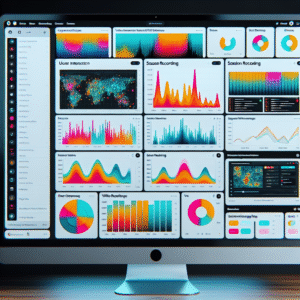
In the digital age, understanding user interaction nuances on your WordPress site is critical for enhancing user experience. Heatmap plugins serve as a powerful tool, offering insights beyond standard analytics with visual overlays displaying high-engagement areas on pages.
-
Visual Insights: Unlike traditional metrics, heatmaps provide colorful visual cues highlighting user attention on your page.
-
Optimize Engagement: Leverage insights to reposition ignored elements or highlight popular products to enhance conversions and user satisfaction.
-
Real-Time Tracking: Heatmaps update in real-time, enabling quick, informed decisions for immediate improvements.
Benefits of Tracking User Interactions
Tracking user interactions on your WordPress site is an invaluable strategy for optimizing your online presence. This data-driven approach allows you to make informed decisions to enhance site performance and usability.
-
Identify High-Engagement Areas
Discover which elements capture the most attention, enabling strategic positioning to increase conversion rates and sales.
-
Streamline Navigation
Use behavior data to design more intuitive navigation paths, aligning with user expectations and improving their experience.
-
Pinpoint Friction Points
Identify pages where users drop off, allowing you to address content or functionality issues and enhance user retention.
-
Inform Content Strategy
Tailor your content based on popular engagement, driving more interest and interaction from your audience.
Top Free Heatmap Plugins for WordPress
Hotjar
A widely used plugin offering heatmaps, session recordings, and user insights for both novices and professionals.
- Comprehensive user insights
- Easy integration
Crazy Egg
Track clicks, scrolls, and user engagement with A/B testing features to optimize conversion.
- Click and scroll tracking
- A/B testing capabilities
Mouseflow
Offers real-time data tracking, funnel analysis, and feedback tools for in-depth user analysis.
- Real-time data capture
- Funnel analysis
Inspectlet
Provides user session recordings and detailed heatmaps perfect for smaller sites.
- Session recordings
- Detailed heatmaps
Choosing Lightweight Solutions
When it comes to maintaining a fast and efficient WordPress site, choosing lightweight solutions is crucial. A website’s speed can significantly impact user experience and overall performance. Efficient, lightweight plugins reduce the burden on your site’s server, ensuring that your pages load quickly and smoothly, positively influencing your site’s SEO rankings.
For businesses and bloggers, staying efficient with plugin choices is essential, especially with tools like heatmaps. Opt for a lightweight heatmap plugin for WordPress to track user interactions without compromising site speed. Privacy-focused options respect your users’ data and comply with data protection regulations, adding to the plugin’s efficiency.
Maximize Speed
Choose lightweight plugins to enhance load times and improve SEO rankings.
Ensure Privacy
Opt for privacy-focused plugins that comply with regulations like GDPR and CCPA.
Installation and Setup Guide
Get started with tracking user behavior effortlessly using heatmap plugins on WordPress.
1. Installation Steps
- Login to WordPress Admin: Use your credentials to access the dashboard.
- Navigate to Plugins Menu: Click “Add New” under the Plugins section.
- Search for Plugin: Enter the name of the heatmap plugin, e.g., “Crazy Egg.”
- Install the Plugin: Click “Install Now” and wait for completion.
- Activate the Plugin: Enable the plugin post-installation.
2. Setup Configuration
- Access Plugin Settings: Find your installed plugin in the dashboard.
- Connect to Your Account: Link your site to your plugin account.
- Customize Tracking Options: Tailor tracking settings to your needs.
- Start Tracking: Monitor data and gain insights from the plugin dashboard.
Analyzing Heatmap Data for Strategy
Learn to interpret heatmap results effectively, enhancing site elements and improving user experience.
Identify Interaction Patterns
- Focus on hot zones for valuable insights.
- Optimize CTAs with strategic placement and design.
Address Potential Friction
- Recognize clicks on non-clickable elements.
- Streamline interface for reduced confusion.
Use WordPress Plugins
Seamless integration with real-time heatmap data collection using plugins like MonsterInsights and Crazy Egg.
Exploring Alternatives to Hotjar
Crazy Egg
Offers robust heatmapping solutions with scrollmaps, confetti reports, and A/B testing. Integrates seamlessly via WordPress plugin for beginner-friendly analytics.
Learn moreMouseflow
Offers session replays, click tracking, and form analytics for understanding user behavior with a focus on funnel analytics to improve conversion processes.
Learn moreFullStory
Offers advanced session replay capabilities ideal for teams focused on customer support and experience optimization with strong search and filtering functions.
Learn moreLucky Orange
Features real-time dashboards, polls, and surveys, alongside live chat functionality for immediate customer engagement and data analytics ease.
Learn moreInspectlet
Known for eye-tracking heatmaps and session recording to capture the nuances of user interactions, providing insights into user intent for better UX designs.
Learn moreCase Studies and Success Stories
CoSchedule: Boosting Demo Sign-Ups by 40%
CoSchedule utilized a leading WordPress user click tracking plugin to closely analyze user behavior. Identifying confusing website elements through heatmaps led to strategic design changes and a significant increase in demo sign-ups.
eCommerce Home Goods: Reducing Cart Abandonment
An eCommerce business identified the checkout process as a bottleneck using the best conversion improvement plugin. Simplifying the user experience decreased cart abandonment and increased purchases by 25% in one month.
These stories highlight the transformative power of heatmap plugins for data-driven improvements. Ready to enhance your site’s performance?
Contact UsBrowse Categories:
You may also like
Boosting Engagement: The Best WordPress Plugins for User Interaction Tracking
Discover top WordPress plugins for tracking user interactions and boost your site's engagement and user experience.

Elevate User Interaction on Your WordPress Site with Top Heatmap Plugins
Discover how top WordPress heatmap plugins can transform user interaction and improve site conversions with actionable insights.

Unlocking Insights: Best WordPress Heatmap Plugins for Enhanced User Experience
Explore the best WordPress heatmap plugins to optimize site performance by tracking user interactions and clicks effectively.