
Top WordPress Plugins to Enhance User Experience and Track Behavior in 2025
Introduction to User Experience Plugins
The digital landscape is continuously evolving, and with it, the expectations of users for a seamless and engaging experience. In this dynamic environment, user experience (UX) has become a pivotal factor in achieving and maintaining online success. At the heart of optimized UX are the right plugins, which can significantly enhance the functionality and appeal of a website.
Imagine visiting a website that is slow, difficult to navigate, and visually unappealing. Chances are, you’d leave pretty quickly. This is why integrating the best WordPress plugins can make a world of difference. They offer a host of features that streamline site design, improve load times, enhance interactivity, and increase accessibility, making the website not only efficient but also enjoyable for users.
E-commerce Sites
A plugin that integrates a smooth checkout process, personalized shopping experiences, or real-time customer support can drastically improve conversion rates.
Content-Heavy Sites
Blogs can benefit from plugins that improve readability and engagement, such as those offering related post suggestions or interactive content displays.
In a world where every second counts, and where user expectations continually rise, utilizing must-have WordPress plugins for user experience becomes not just an option but a necessity. These tools can transform a standard website into a powerful platform that meets and exceeds user needs, leaving a lasting impression.
Understanding Click Tracking for WordPress
Discover how tracking user clicks can enhance engagement and boost conversions on your WordPress site, using specific strategies and tools.
Why Click Tracking Matters
Understanding user behavior through click tracking helps optimize site layout, enhance user experience, and improve conversion rates by unveiling the hidden dynamics of user interaction.
Identify which elements engage users the most and uncover potential obstacles in the user journey that analytics tools might miss, for a strategic overhaul of your content and design.
Implementing on WordPress
Easily incorporate click tracking plugins in WordPress to gather detailed data on user interactions, enabling data-driven decisions on content layout and prioritization.
Discover trending elements among user clicks and experiment with different designs to maximize engagement and conversion without guessing.
Implementing Heatmap Plugins
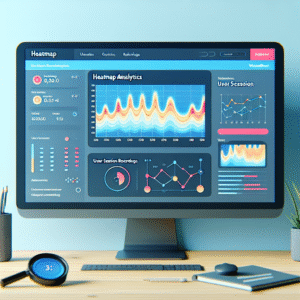
Understanding how users interact with your website can provide invaluable insights, allowing you to improve user experience and increase engagement. Heatmap plugins offer a brilliant solution by visually representing this data, highlighting where users click, hover, and spend the most time on your pages. Implementing these tools on your website can transform raw data into an easily interpreted visual resource.
Popular Heatmap Plugins
-
Hotjar
Provides seamless user interaction tracking with clear heatmaps that differentiate areas of the highest and lowest activity.
-
Crazy Egg
Offers basic heatmap functionalities along with scroll maps, making it an excellent free choice for beginners.
These plugins aren’t just about revealing where users click; they help in understanding why users interact in certain ways. For example, a spike in interaction around a specific button indicates effective call-to-action placement. Companies like Unbounce have used heatmaps for optimizing landing page conversions by analyzing user behavior patterns.
Incorporating a heatmap plugin is more than just a data analysis tool; it’s vital for enhancing site functionality and user engagement. Whether through a premium or free WordPress heatmap plugin, these tools help align your website’s design with user expectations and behaviors. Start leveraging these insights today and encourage visitors to interact with your site in meaningful ways.
Session Recording and Analysis
Unveil your visitors’ journey with session recording and transform insights into actionable decisions for enhanced user experiences.
Gain Insider Views
Capture every click, scroll, and mouse movement to understand visitor interactions and enhance your site for better engagement.
Identify User Pain Points
Analyze session recordings to pinpoint areas causing drop-offs or issues, and optimize your user journey for improved conversion rates.
Leverage Robust Features
Utilize plugins with heatmaps and real-time dashboards to aggregate and analyze user interactions for actionable insights.
Enhancing Privacy with Heatmap Plugins
Prioritizing Privacy
In an era where data privacy is paramount, using heatmap plugins for WordPress that align with privacy standards is crucial for building trust with your visitors.
Key Solutions:
- Crazy Egg – Anonymized data, GDPR compliant
- Mouseflow – Enhanced privacy controls
Transparency & Trust
Adopting privacy-respecting heatmaps ensures users’ personal data is respected, aligning your site with ethical data usage and boosting credibility.
Why It Matters:
Implement plugins with customizable settings to control data tracking, removal schedules, and adhere to privacy laws, enhancing user trust and engagement.
Exploring 3D Viewer Plugins for WordPress
Transform your website with immersive and interactive 3D content to enrich user engagement beyond static visuals.
Enhance User Engagement
3D viewer plugins allow seamless integration of dynamic 3D models into your WordPress site, turning static browsing experiences into interactive adventures that drive deeper engagement.
Applications Across Industries
- Online furniture stores can provide a 360-degree product view, letting customers explore every detail before buying.
- Educational sites benefit by showcasing 3D models that make complex concepts easily tangible and engaging.
- Creative portfolios can provide rich, interactive views of artworks, attracting more clients and engagement.
Choosing the Best Plugin for Your Needs
Identify Your Core Goal
Determine what you aim to achieve. Are you focusing on conversions, speed, or user interaction insights?
- A/B Testing Plugins
- Funnel Analysis Tools
- Heatmap Plugins: Hotjar, Crazy Egg
Evaluate Compatibility
Ensure compatibility with your current setup. Check for regular updates and reliable support.
- Theme Compatibility
- Regular Updates
- Customer Support
Consider Performance
Assess the plugin’s impact on site speed. Use tools like Google PageSpeed Insights for performance metrics.
- Lightweight Options
- Resource-Efficiency
- Performance Testing
Conclusion and Next Steps
As we wrap up our discussion on enhancing your WordPress site, it’s clear that implementing the right strategies can transform your website into a powerful tool for your audience. By focusing on key aspects like design, content, and user engagement, you’re already on the right path.
Remember, the integration of the must-have WordPress plugins for user experience is not just a technical upgrade; it’s an investment in making your website more dynamic, accessible, and user-friendly. These plugins can optimize the user’s journey, ensuring they find value every step of the way.
Now it’s time to take action. Review the plugins and strategies we’ve discussed and consider how each can be integrated into your specific site goals. Start experimenting with these tools to see what delivers the best results for your audience.
The next steps are simple: prioritize what enhancements resonate most with your brand and audience, and begin implementing them. Keep an eye on analytics to track improvements and remain flexible in adjusting your approach as necessary. Empower yourself to make these changes today and watch how your enhancements foster greater engagement and success.
Browse Categories:
You may also like

Enhance Your WordPress Site: Top Plugins for User Interaction and Experience
Discover top WordPress plugins to improve user interaction and experience, including heatmaps, session recordings, and 3D viewers.
The Ultimate Guide to Tracking User Behavior on WordPress
Discover the best tools and practices for tracking user behavior on WordPress to enhance user experience and site performance.

Revolutionize User Engagement with WordPress Heatmap and Session Recording Plugins
Discover top WordPress heatmap and session recording plugins to boost user engagement and insights with straightforward guidance.