Top WordPress Plugins to Enhance User Experience and Interaction Analysis in 2025
Introduction to User Interaction Analysis
In today’s digital age, understanding how users interact with your website is crucial for optimizing user experience and driving greater engagement.
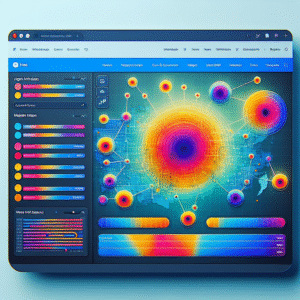
User interaction analysis involves tracking and studying how visitors navigate and use your site, providing invaluable insights into their preferences and pain points. By utilizing techniques such as heatmaps, session replays, and click tracking, you can pinpoint the areas of your site that capture users’ interest and those that may need improvement.
For instance, a WordPress user click tracking plugin can reveal where your users engage the most and which pages have high drop-off rates, allowing you to make informed decisions to enhance site features and streamline navigation.
-
Analyze every click, scroll, and tap with a powerful WordPress plugin.
-
Identify high drop-off pages and improve retention through design adjustments.
Essential Heatmap Tools for WordPress
Understanding how visitors interact with your website is crucial for enhancing user experience and boosting conversion rates. Utilize WordPress heatmap plugins for visual insights into user clicks and behaviors, optimizing layout and content placement effectively.
Hotjar
Known for its comprehensive suite of tools, Hotjar’s heatmaps show which elements receive most attention, guiding you on CTA placement.
Learn MoreCrazy Egg
Offers detailed heatmap analysis complemented by confetti reports, breaking down clicks into variables like referrers and search terms.
Learn MoreWP-Heatmap
A free plugin designed for WordPress, WP-Heatmap tracks clicks and mouse movements without additional coding, ideal for small businesses.
Learn MoreTop Session Recording Plugins
Session recording plugins have revolutionized the way we understand user behavior on websites by capturing detailed insights beyond simple metrics. Here’s why they’re beneficial and some top plugins available for WordPress.
Hotjar
A comprehensive user analytics tool combining session recordings with heatmaps, conversion funnel insights, and form analysis.
Learn MoreLucky Orange
Offers session recordings, real-time analytics, and live chat functionality with an easy-to-navigate dashboard.
Learn MoreFullStory
Provides high-fidelity session recording perfect for teams requiring precise interaction data with retroactive filtering features.
Learn MoreMouseflow
Offers session recording alongside heatmaps, form analytics, and user feedback tools for optimizing user behavior data.
Learn MoreFree Options for Small Businesses
Discover how small businesses can implement powerful user behavior insights with free plugins.
Crazy Egg WordPress Plugin
- Offers heatmaps, scrollmaps, and other analytical tools.
- Conduct powerful A/B testing.
Hotjar
- Includes heatmaps and session recordings.
- Feedback polls and surveys to gather insights.
Equip your business with essential tools for success without breaking the bank.
Get in TouchAlternative Plugins to Hotjar for WordPress
Explore the best privacy-focused analytics tools for businesses looking beyond Hotjar, without compromising on data handling and visitor insights.
Plausible Analytics
A simple, cookie-less alternative designed with privacy in mind, fully compliant with GDPR, CCPA, making it an ideal choice for privacy-driven businesses.
Matomo
A robust self-hosted platform offering detailed analytics and complete data ownership, perfect for businesses focused on visitor privacy and data control.
Crazy Egg
Provides visual insights through heatmaps and A/B testing in a privacy-compliant package, ideal for enhancing user experience without excessive data collection.
Fathom Analytics
Offers a lightweight, privacy-first solution with cookie-less tracking, compliant with international privacy laws, safeguarding user data effectively.
Leveraging 3D Viewer Plugins
In today’s digital landscape, offering rich, interactive visual content can significantly enhance user engagement and experience. Leveraging 3D viewer plugins allows you to embed 3D models directly into your WordPress site, providing your audience with an immersive visual experience that can set your website apart from the competition.
-
Enhanced Retail Experience
Online retailers can simulate an in-store experience, letting buyers view products from every angle and boosting conversion rates.
-
Educational Engagement
Museums and educational institutions can offer a more engaging learning experience by integrating 3D models of artifacts or biological structures.
Use plugins like Sketchfab or WooCommerce 3D Viewer to embed a 3D model into WordPress. These tools usually offer intuitive interfaces and support a variety of 3D file formats. By enabling visitors to rotate, zoom, and explore models at their leisure, you create a dynamic environment that 2D images cannot offer.
-
Interactive Exploration
Create a dynamic environment where visitors can rotate, zoom, and explore models, enhancing interaction and understanding.
Insights on Custom Plugin Development
For businesses looking to stand out in the competitive digital market, custom plugin development offers tailored website functionalities that align with specific business needs and goals. While top plugins of 2025 provide robust general features, custom solutions adapt and grow with your business.
Address Unique Challenges
Custom plugins handle specific operational challenges better than off-the-shelf solutions, offering tailored solutions like seamlessly integrated complex booking systems.
Scalability and Flexibility
As your business grows, custom plugins evolve to include new features, integrate with new systems, or enhance existing capabilities, ensuring your tools keep up with your needs.
Collaborate with Experts
Engage with experienced developers for guidance in custom plugin creation, utilizing resources like community forums, WordPress codex, and plugin development guides.
Ready to build a solution tailored for your business?
Contact UsWrapping Up and Taking Action
As we conclude our exploration of optimizing your WordPress site, it’s crucial to emphasize the significance of selecting the right plugins to enhance both functionality and user engagement. Your choice of plugins can make a remarkable difference in how visitors interact with your site, which underscores the importance of being strategic in your selections.
Key Takeaways:
- Assess what aspects of your site need enhancement—user experience or backend efficiency.
- Consider must-have plugins for user experience, like caching and SEO tools.
- Gain insights using plugins that visualize user interaction to refine strategies.
Remember, while plugins offer vast possibilities, it’s important not to overload your website with too many. Focus on quality over quantity. With the right plugins, you can create a dynamic site that not only attracts visitors but also encourages engagement and conversion.
Unleash the full potential of your WordPress site today!
Browse Categories:
You may also like

Unlock the Power of WordPress Heatmaps and User Behavior Tracking
Discover the power of WordPress heatmaps and user behavior tracking to elevate your site's performance and user engagement.
Top WordPress Heatmap and User Tracking Plugins to Enhance Your Site’s UX
Enhance your website's user experience with our top picks for WordPress heatmap and user tracking plugins, featuring tips and real-world…

Enhance User Experience with WordPress Heatmap Tools
Discover how to enhance your WordPress site using innovative heatmap tools to track, learn, and optimize user interactions effectively.