
Top WordPress Plugins for Visualizing User Behaviors and Enhancing Experiences
Understanding User Behavior on Your WordPress Site
Unlock insights to elevate user experience by tracking and analyzing visitor interactions on your website.
The Power of Understanding User Behavior
By studying user interactions, you can refine your content and design to better meet visitor preferences, leading to enhanced engagement and satisfaction.
Consider a travel blog using behavior insights to shift focus towards personalized content, significantly boosting reader engagement and loyalty.
Why Use Click Tracking Plugins?
Plugins provide critical data on how users navigate your site, guiding decisions that optimize the user journey and elevate conversion rates.
Gain insight into high-traffic areas and potential drop-off points to make strategic content adjustments that align with user expectations.
Choosing the Right Heatmap Plugin for WordPress
Discover how heatmap plugins can revolutionize understanding user behavior and optimize site interaction.
Usability
- Seamless integration with your workflow
- Intuitive interface to reduce learning curve
Features and Compatibility
- Advanced filtering options
- Real-time data updates
- Compatibility with themes and plugins
Performance Impact
Opt for a lightweight plugin to maintain fast load times, key for enhancing user experience and search ranking.
Pricing and Support
Evaluate your budget and consider plugins with flexible pricing and robust support options in case you face any challenges.
Popular Plugins
Explore options like Hotjar for comprehensive analytics, Crazy Egg for user-friendly features, and WP Hotjar Heatmaps for budget-friendly solutions.
Learn MoreBest Session Recording Options for WordPress
Understanding how users interact with your WordPress website is crucial for enhancing user experience and maximizing engagement. Explore the top session recording plugins available that offer unparalleled insights into visitor behavior, helping refine your site strategy effectively.
Hotjar
Visualize user navigation with comprehensive heatmaps and session recordings. Identify UX bottlenecks to enhance user experience and boost conversions.
Crazy Egg
Integrates with WordPress to provide session recording, click and scroll reports, and A/B testing capabilities to refine page elements based on user behavior.
Mouseflow
Designed for WordPress, it offers user activity recording, customizable heatmaps, and funnel analysis for optimizing your sales process.
Actionable Insights
Transform data into strategies by understanding visitor paths for better content, navigation, and conversion optimization.
Audience Understanding
Gain a backstage pass to user journeys, providing guidance for enhancing online experiences and performance.
Strategic Advantage
Leverage session recording tools to boost engagement and solidify your online presence effectively.
Privacy-Focused Heatmap Solutions
Optimize user experience with insights that protect user trust and data.
Plausible Analytics
A privacy-first alternative that provides heatmap analytics without collecting personal data or using cookies.
GDPR compliant and focuses entirely on user privacy.
Simple Analytics
Offers straightforward heatmap visualization with no cookies or personal data tracking involved.
Ideal for maintaining user data protection while receiving valuable engagement insights.
Free and Alternative Heatmap Tools for WordPress
Discover budget-friendly and alternative plugins that match premium tool standards, helping you find the best solutions for your site.
One popular free plugin is Crazy Egg, known for its user-friendly interface and ability to see real-time clicks with visual reports akin to premium tools.
For an alternative to Hotjar, consider Mouseflow. Its free version provides heatmaps, session replay, and funnel analysis.
Key Highlights
-
Advanced visual data with Crazy Egg.
-
Comprehensive insights with Mouseflow.
-
Sessions recorded by Inspectlet for up to 1,000 records/month.
Enhancing User Experience with Must-Have Plugins
Integrate essential plugins that truly elevate the user experience on your WordPress site, encourage engagement, and improve conversion rates.
Yoast SEO
Optimize your site’s visibility and content readability for enhanced user satisfaction.
- Improves search visibility
- Ensures high readability standards
WP Super Cache
Boosts site speed by serving static pages, reducing bounce rates.
- Faster page load times
- Improves user retention
Smush
Optimize images without compromising quality for a visually fast site.
- Compresses and resizes images
- Keeps site visually appealing
Integrating 3D Viewer Plugins on WordPress
Revolutionize your WordPress content by integrating 3D viewer plugins, setting new standards in online interaction.
Allow your audience to engage with products or concepts interactively — an experience static images can’t provide.
- Sketchfab: Embed 3D content directly from an extensive library.
- 3D Viewer: Upload and display models in various formats.
Explore plugins like Sketchfab and 3D Viewer to enhance user experience, increase engagement, and present content dynamically.
Contact UsConclusion and Personalized Recommendations
Summary of Key Insights
Selecting the right plugins for your website can significantly influence its performance, user engagement, and functionality. Begin by listing core functionalities your website requires, such as e-commerce, SEO, and customer engagement.
Actionable Steps
- Identify your site’s specific needs and goals
- Look for highly rated, frequently updated plugins
- Ensure compatibility with your site’s theme
- Stay updated with current trends and reviews
Personalized Advice
Use newsletters and WordPress forums to stay informed about new and emerging plugins. Take a strategic and informed approach to leverage plugins for boosting your website’s performance.
Get Personalized AdviceBrowse Categories:
You may also like
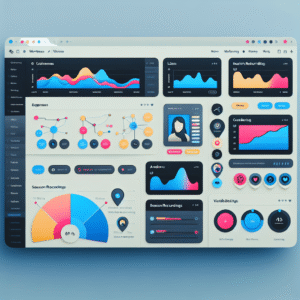
Must-Have WordPress Plugins to Enhance User Experience and Track Engagement
Discover essential WordPress plugins to track user engagement and enhance your site's user experience effectively.

Top WordPress Plugins for Enhanced User Interaction and Tracking
Discover the best WordPress plugins for improving user interaction and tracking behaviors to boost engagement and conversions on your site.

Enhance User Experience with WordPress Click Tracking and 3D Viewer Plugins
Discover essential plugins to track clicks and view 3D models on WordPress, enhancing user experience and boosting site conversions.