
Top WordPress Heatmap Plugins to Track User Interaction
Introduction to WordPress Heatmaps
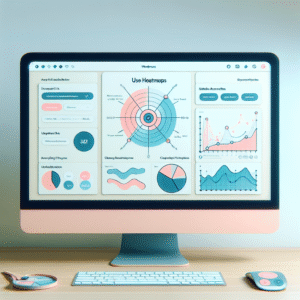
Heatmaps have become an indispensable tool for WordPress developers and marketers striving to enhance user engagement and optimize website performance. A heatmap visualizes user interactions on a site using colors, indicating areas of higher activity with warmer colors. This reveals where users are clicking, scrolling, or pausing.
The insights gained from heatmaps are crucial for understanding user behavior. They help identify which webpage elements capture attention and which are neglected, enabling informed decisions on layout redesigns, content positioning, and navigation improvements for a more intuitive user experience.
For example, if your “Add to Cart” button receives fewer clicks than expected, a heatmap can prompt design changes to make it more noticeable, boosting conversion rates. Similarly, heatmaps guide layout adjustments to ensure important content isn’t ignored by visitors.
Leveraging WordPress heatmap plugins provides valuable data insights without complex analytics setups, aligning web pages with business goals and enhancing engagement.
Unlock Insights with Heatmaps
Use heatmaps to refine user experience and boost engagement on your WordPress site effortlessly.
Why User Click Tracking Matters
In today’s digital age, understanding how visitors interact with your website is imperative for driving business success. User click tracking serves as a powerful tool, offering invaluable insights into visitor behavior that are crucial for refining your digital strategy and enhancing user experience.
Understand Interactions
Gather data on which elements users engage with most, how they navigate, and identify friction points. Optimize site design and content placement to elevate user experiences.
Learn more on homepageOptimize Conversions
Identify which call-to-action buttons are most effective, and ensure that vital conversion opportunities are visible and compelling to boost business outcomes.
Get in touch to learn howEnhance Marketing Efforts
Leverage insights to improve marketing strategies, refine product offerings, and address underperforming areas, boosting sales and customer satisfaction.
User click tracking is not just a technical feature; it’s a pivotal element in any growth-oriented digital strategy. Don’t miss out on the opportunity to propel your business forward with these critical insights.
Finding the Best Heatmap Plugin for WordPress
Choosing the right heatmap plugin for your WordPress site can significantly enhance your understanding of user interactions. Here are a few criteria to consider:
- Performance Impact: Ensure the plugin is lightweight and efficient, like Crazy Egg or Hotjar, avoiding site slowdowns.
- Features and Functionality: Identify the insights you need, like click tracking, and choose accordingly. Tools like Heatmap.me are great for basic needs, while Mouseflow offers detailed analytics.
- Ease of Use: Opt for plugins with intuitive interfaces and strong support, making setup and management straightforward.
- Integration and Compatibility: Ensure seamless integration with existing themes and plugins for a conflict-free experience.
- Cost vs. Benefit: Assess the value of paid features against your budget and needs, considering freemium models.
Enhance Your Site with Data-Driven Insights
By selecting the right heatmap plugin, you’ll gain invaluable insights into user behavior, helping you to optimize your WordPress site efficiently.
Discover MoreReview of Top Free WordPress Heatmap Plugins
When it comes to understanding user behavior and enhancing the performance of your WordPress site, heatmaps offer invaluable insights. Discover reliable and free heatmap plugins that can help you visualize user interactions and improve website engagement.
Hotjar (Free Plan)
Known as a comprehensive tool for behavioral analytics, Hotjar provides basic heatmap functionality in its free plan. It’s an excellent starting point for small sites to gather insights without premium investments.
Crazy Egg
Although its primary offerings are premium, Crazy Egg provides a free trial for WordPress users. Experience scroll maps and click maps to understand detailed user interactions.
Mouseflow
Mouseflow provides a free plan featuring insightful heatmap data, tracking mouse movement, clicks, and scrolls. Refine your UI/UX without a hefty price tag.
Lucky Orange
Enjoy a 7-day free trial with Lucky Orange, offering heatmaps and session recordings to explore deeper user analytics.
Inspectlet
Inspectlet allows small websites to create heatmaps during the trial period, aiding in detecting user drop-off points.
Privacy and Data Protection in Analytics
In today’s digital landscape, privacy and data protection have become crucial concerns for individuals and businesses alike. This is especially true when utilizing analytics tools that track user interactions, such as heatmaps. While these tools can significantly enhance user experience and site performance, it’s essential to handle user data responsibly to maintain trust and comply with regulations.
-
Anonymize Data
Ensure that the heatmap tool you use anonymizes user data by not linking personal identifiers to specific actions on your website.
-
Obtain Consent
Inform users about the data you collect and obtain their consent through a transparent privacy policy.
-
Limit Data Collection
Only collect necessary data for analysis, avoiding sensitive information to minimize privacy risks.
-
Regular Data Audits
Conduct audits to ensure compliance with privacy laws like GDPR and CCPA, keeping your data practices legal.
-
Choose Privacy-Focused Tools
Opt for tools designed with privacy in mind to ensure compliance and user data protection by design.
By focusing on privacy and data protection, you not only adhere to legal requirements but also enhance user trust. This ensures that your analytics efforts are effective and ethical, serving your users’ best interests and benefiting your business.
Advanced Features and Integration Options
Harnessing the advanced capabilities of heatmap plugins can significantly transform the way you analyze and optimize your website’s performance. Seamless integration with various analytics tools offers a more comprehensive understanding of user behavior.
- Integration with Google Analytics for a granular view of user interaction
- Track clicks, mouse movements, and scrolling patterns for deeper insights
- Inform changes with integration of heatmap data and A/B testing tools
Selecting the best plugin involves considering those providing robust support for integration and advanced analytics. Hotjar and Crazy Egg are prime examples offering user interaction insights and are renowned for their ease of integration with existing workflows.
Benefits of Integration
- Enhanced user engagement strategies
- Identify effective webpage areas
- Smooth workflow and system integration
Optimizing Heatmap Performance on your Site
Optimizing heatmap performance is essential for maintaining a fast and satisfying user experience. Here are strategies to ensure your site remains efficient while utilizing heatmaps effectively:
Use Lightweight Plugins
Choose heatmap tools that minimize page load impact. Cloud-based systems typically offer better performance.
Implement Asynchronous Loading
Ensure that scripts load in the background, allowing seamless user experience.
Limit Data Collection Frequency
Capture data at intervals or only for new users to reduce data strain and enhance speed.
Prioritize Page Selection
Track only pages critical to user engagement or conversion for optimized performance.
Review and Purge Old Data
Regularly clean out old data to prevent storage issues and slowdown.
Final Thoughts on Heatmap Usage
As you journey through understanding how users interact with your website, heatmaps serve as invaluable guides in this exploration. They provide visual, data-driven insights into user behavior, making them a must-have resource for anyone focused on enhancing user experience.
Enhance User Experience
By integrating heatmaps into your strategy, you can pinpoint areas of your site that perform well and those that need attention, allowing you to make informed decisions that drive engagement and conversion.
Cost-Effective for Small Businesses
Heatmaps offer a cost-effective way to tap into advanced analytics. They seamlessly integrate with free WordPress plugins, making them ideal for small business owners optimizing with limited resources.
Commit to Ongoing Adaptation
Continual evaluation and adaptation based on heatmap data ensure your site remains dynamic and user-friendly. Regular data reviews and adjustments are crucial for meeting and exceeding user expectations.
Browse Categories:
You may also like

Unlocking User Insights: The Best WordPress Plugins for Click Tracking and Behavior Analysis
Discover top WordPress plugins for user click tracking and behavior analysis to enhance your site and boost engagement.
The Ultimate Guide to User Click Tracking for WordPress Success
Discover essential tools and strategies to track user clicks and optimize your WordPress site for a seamless and engaging experience.

Enhancing User Engagement with the Best WordPress User Click Tracking and 3D Viewer Plugins
Discover essential WordPress plugins to improve user engagement with heatmaps and 3D viewers, the keys to enhanced site performance.