
Top WordPress Heatmap and Session Recording Plugins for Enhanced User Experience
Why User Experience Matters More Than Ever
Understand the growing importance of user experience for WordPress site success, and set the stage for tools that enhance interaction insights.
User Experience is Vital
User Experience (UX) is crucial for any WordPress site, enhancing the overall journey from the first click to the final interaction, balancing user needs with business goals.
Impact on Credibility & Conversion
75% of users judge a website’s credibility based on its design. A positive experience enhances customer satisfaction and drives conversions, essential for competitive edge.
Business and SEO Benefits
Improving UX reduces customer service costs and boosts SEO rankings, as search engines reward sites offering high-quality user experiences.
Tools for Enhancement
Utilizing WordPress plugins can improve UX through insights into user behavior, facilitating better site speed, responsive design, and engaging content.
Understanding Heatmaps for WordPress
Visualize user interaction and enhance your site’s performance with insight from heatmaps.
What are Heatmaps?
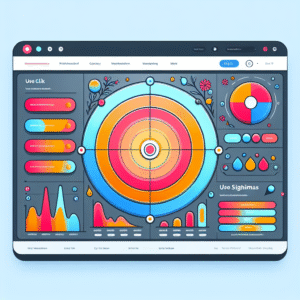
Heatmaps use color codes to visually represent the intensity of user interactions on your website, offering a ‘hot zone’ view of your digital space.
- Understand where users click, move, or scroll.
- Identify high interaction zones with warm colors.
- Optimize user experience by analyzing behavior.
Insights from Heatmap Analysis:
- Are visitors clicking where you intend them to?
- Is the call-to-action button being overlooked?
- Should key content be repositioned for better engagement?
Best Heatmap Plugins for WordPress
Enhance your understanding of user behavior with these essential heatmap plugins for WordPress. Optimize conversion strategies and user experience effectively.
Hotjar
Comprehensive solution with heatmaps, session recordings, surveys, and feedback polls. Ideal for holistic user behavior analysis.
Crazy Egg
Easy-to-read visual reports, featuring A/B testing and scroll mapping. Perfect for tweaking webpage elements.
Mouseflow
Provides real-time data with dynamic heatmaps. Excellent for regular UX design refinements.
Lucky Orange
Budget-friendly with dynamic heatmaps and real-time analytics. Includes chat features for direct visitor interaction.
Inspectlet
Features session recordings and robust heatmap capabilities for detailed user insights.
Introduction to Session Recording
Understanding how users interact with your website is crucial to optimizing the user experience and improving conversion rates. Session recordings offer a powerful way to gain these insights by capturing real user interactions in video format.
Real User Insights
Observe exactly how users navigate through your site, uncovering obstacles and points of interest in their journey.
Identify Bottlenecks
Discover areas where users struggle or abandon tasks, enabling targeted improvements on crucial pages.
Make Data-Driven Decisions
Empowers you to make informed changes based on detailed behavioral insights.
For example, a business might discover users abandon their cart on the checkout page. Reviewing these sessions can uncover a specific UI issue.
Session recordings highlight actual experiences of diverse user segments, unlike traditional analytics that show aggregates.
Integrate effortlessly using a ‘record user activity WordPress plugin’ for a seamless WordPress experience, without requiring technical expertise.
Top Session Recording Plugins for WordPress
Mouseflow
Record website sessions with ease. Features heatmaps, funnel analysis for improved user engagement.
Learn MoreHotjar
Comprehensive tool with session recordings, heatmaps, and conversion funnels. Ideal for user analysis.
Explore FeaturesCrazy Egg
Visualize clicks and scrolls while utilizing A/B testing to enhance conversion rates.
Get StartedLucky Orange
Offers live session viewing with dynamic heatmaps and visitor polls. Interactive and real-time insights.
Sign Up NowFullStory
Detailed session replays and customer experience insights. Advanced analytics for segmentation.
Discover MoreSelecting the Right Tool for Your Needs
Define Your Goals
Start by identifying what you want to achieve—be it increasing website speed, improving SEO, or boosting user engagement. Clear goals guide you in filtering plugins effectively.
Feature Set Consideration
Ensure the plugin offers functionalities you need—like a privacy-focused heatmap for data-conscious users.
Support & Documentation
Opt for plugins with strong support and documentation to swiftly resolve issues without impacting site performance.
Evaluate Compatibility
Check plugin compatibility with your current WordPress setup. Consider demo or trial options for seamless integration.
Case Studies and Success Stories
Boosting User Engagement with Visualization Tools
A marketing agency in New York used a WordPress plugin to gain insights on user interactions through click maps, scroll depth, and session recordings. The data empowered them to optimize their clients’ website, leading to a 30% increase in user engagement and reduced bounce rates.
Cost-effective Insights with an Alternative to Hotjar
An e-commerce brand selected a cost-effective alternative to Hotjar for user behavior tracking. By refining their checkout process and revising landing pages, they saw a 25% increase in completed sales transactions.
Conclusion and Next Steps
Harnessing the power of the best WordPress plugins is pivotal in transforming your website’s performance and user engagement. These tools streamline your workflow and provide invaluable insights into user behavior, allowing you to effectively fine-tune your content and strategy.
As we look ahead to 2025, integrating must-have WordPress plugins for user experience ensures your site remains competitive and engaging. Assess your current setup, identify gaps, and explore plugins that offer comprehensive data analytics and enhanced interaction capabilities.
Transform Your Site Today
- Choose a plugin that aligns with your goals
- Begin analyzing your traffic today
- Adapt swiftly and ensure success
Browse Categories:
You may also like

Enhance User Experience with The Best Heatmap and 3D Viewer Plugins for WordPress in 2025
Discover top plugins to track user clicks and enhance interactivity with 3D viewers in 2025 for improved WordPress user experience.

Unlocking User Insights: The Best Plugins for Click Tracking & Session Recording in WordPress
Discover top plugins to track user clicks and enhance session recording on your WordPress site, boosting engagement and insights.
Improve User Experience on WordPress: Top Plugins for Click Tracking and Behavior Analysis
Boost your WordPress site with leading plugins for tracking user clicks and behavior analysis, improving user experience and conversions.