
The Ultimate Guide to WordPress User Experience: Harnessing Heatmaps and Session Recording
Understanding User Experience
User experience (UX) is a critical element in digital design and development, fundamentally altering how visitors perceive and interact with your website.
Why UX Matters
Good UX can boost customer satisfaction, encourage repeat visits, and ultimately drive conversions. It’s about making interactions seamless and enjoyable.
Insight Through Plugins
Using plugins like the WordPress user click tracking plugin gives you valuable insights into user behavior, guiding better UX decisions.
Boosting Conversions
The right plugins can directly improve conversion rates by optimizing page speed, navigation, and communication, reducing friction in the user journey.
Introduction to Heatmaps
Discover how heatmaps can transform your website’s user experience and help you make informed decisions with the right plugins.
Visual Insights
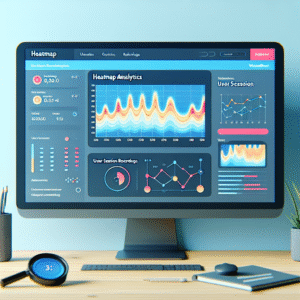
Heatmaps use color to represent data values, offering a visual understanding of website interactions.
User Behavior Analysis
Identify user navigation patterns and optimize site layout to enhance user engagement and satisfaction.
Plugin Integration
Easily integrate heatmap tools into WordPress for real-time data and site performance improvements.
Choosing the Right Heatmap Plugin
Ease of Use
A heatmap plugin should be intuitive with a straightforward setup process, allowing you to start capturing data quickly without a steep learning curve.
Privacy
Prioritize privacy-focused options that comply with GDPR and offer data anonymization to protect visitor information.
Lightweight
Choose plugins that are lightweight to avoid slowing down your site and negatively impacting user experience and SEO.
Features
Consider the features offered, such as real-time data, A/B testing, or detailed filtering to suit specific audience analysis needs.
Implementing Session Recording
Implementing session recording on your website is like having a magnifying glass into the user experience. It captures the nuances of what visitors do, complementing the broader picture painted by heatmaps.
While heatmaps provide a static overview, session recordings offer dynamic, real-time playback of user journeys. This reveals a comprehensive narrative of user interactions beyond what heatmaps might miss.
Why Consider Session Recording?
-
Observe multi-page navigation, pauses, and hesitations.
-
Identify elements users struggle to interact with.
-
Optimize pathways for enhanced engagement and conversion.
Choosing the best session recording plugin, like “record user activity WordPress plugin,” involves assessing integration ease, data security, and detail level. It captures crucial data without impacting site performance. By combining session recording with heatmaps, gain essential user insights for improved decision-making and increased conversions.
Contact UsPlugin Comparisons: A Detailed Review
Navigating the vast ocean of WordPress plugins can often feel overwhelming. Whether you’re a seasoned developer or a beginner, knowing which plugins truly stand out can save time and enhance your user’s experience.
Rank Math SEO
A powerful and user-friendly SEO tool. Comes with an intuitive setup wizard and smart automation features, suitable for SEO novices and experts alike.
Elementor
Celebrated for its drag-and-drop functionality, empowering users to create custom layouts without coding. Ideal for maintaining consistent branding.
WooCommerce
Perfect for e-commerce sites. It allows you to set up a fully functional online store with ease, offering customizable, responsive online shops and secure payment gateways.
Wordfence Security
Essential for maintaining your site’s security with real-time vulnerability checks and malware scans, ensuring a safe user experience.
Best Practices in Plugin Usage
Select the Right Plugins
Ensure your chosen plugins are frequently updated and backed by robust support. For tracking user behavior, ‘MonsterInsights’ offers insightful analysis to enhance decision-making.
Limit Plugin Quantity
Avoid plugin overload to keep your site efficient. Opt for multifunctional plugins to achieve more with less impact on load times.
Keep Plugins Updated
Regular updates prevent security vulnerabilities and compatibility issues. Always backup your site before applying updates.
Monitor Performance
Use tools to identify resource-heavy plugins and make timely adjustments for smoother performance.
Test on Staging Sites
Testing plugins on a staging site helps prevent conflicts, ensuring smooth integration without disrupting current site functionality.
Troubleshooting Common Issues
Encountering issues with WordPress plugins is common, but with effective strategies, you can turn frustrations into manageable tasks.
Conflict with Other Plugins
If a plugin isn’t working as expected, try deactivating all plugins and reactivating them one-by-one to find conflicts. This “Conflict Isolation” technique is often effective for pinpointing issues.
Plugin Updates
Before updating plugins, backup your website using tools like UpdraftPlus. If issues arise post-update, consider rolling back using WP Rollback.
Data Tracking Discrepancies
For plugins tracking user clicks, discrepancies may occur due to JavaScript conflicts or cached versions. Clearing cache and verifying JavaScript can resolve issues.
Leveraging Support
Use forums, community support groups, and document site changes systematically to troubleshoot effectively. Consult professionals for unresolved complex issues.
Case Studies and Success Stories
A Local Bakery’s Online Transformation
Discover how a local bakery boosted its online presence by integrating a booking system and contact form through free WordPress plugins. With ‘Amelia’ and ‘WPForms,’ they saw a 30% increase in bookings within three months.
Boutique Hotel’s Enhanced Engagement
Learn how a boutique hotel improved user interaction by switching to ‘Crazy Egg’ as a Hotjar alternative, resulting in longer visitor engagement and a 20% increase in room bookings.
Browse Categories:
You may also like
The Ultimate Guide to Tracking User Behavior on WordPress
Discover the best tools and practices for tracking user behavior on WordPress to enhance user experience and site performance.

Top Plugins for Tracking User Clicks and Behavior on WordPress
Discover top WordPress plugins for tracking user clicks and boosting your site's performance with our easy-to-follow guide.

Boost User Engagement with the Best WordPress Heatmap Plugins
Discover top WordPress heatmap plugins to boost engagement and improve user experience on your site.