The Ultimate Guide to WordPress Heatmaps and User Interaction Plugins
Understanding Heatmaps: A WordPress User’s Guide
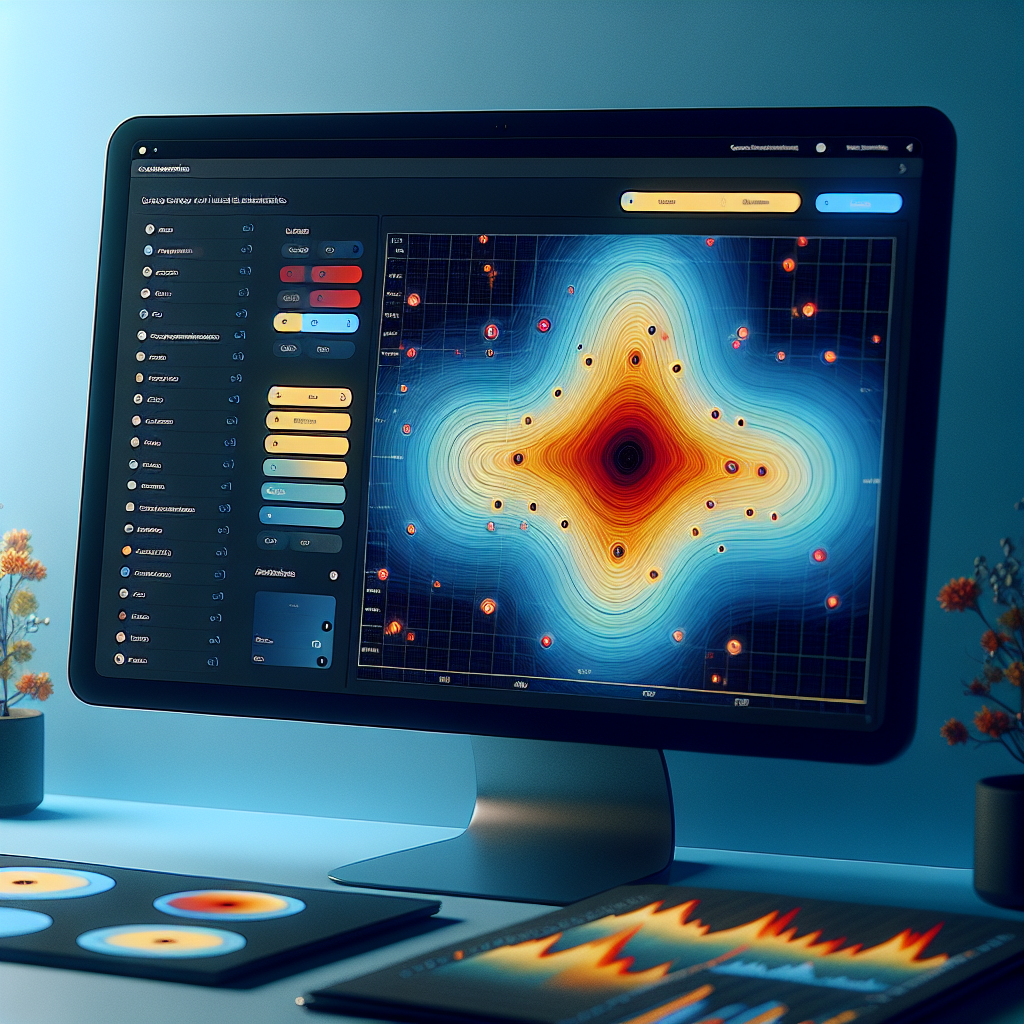
Heatmaps are powerful visualization tools that allow you to see how visitors interact with your website. For WordPress users, understanding heatmaps can provide invaluable insights into user behavior, helping you enhance your site’s design and improve user experience.
A heatmap presents data in a visual format where colors denote activity levels; warmer colors like red or orange typically indicate higher engagement, while cooler colors like blue signify lesser activity.
Integrating a WordPress heatmap plugin into your site allows you to track and analyze visitor interactions in detail, helping you make informed design changes and optimize for higher conversion rates.
Why Use Heatmaps?
- Visualize visitor engagement and activity
- Identify potential issues on your site
- Optimize content placement for better visibility
- Enhance user experience and conversion rates
Top Heatmap Plugins for WordPress
Hotjar
Offers comprehensive heatmaps, session recordings, and surveys. Known for user-friendly interface. Ideal for high-traffic sites.
Learn MoreLucky Orange
Includes dynamic heatmaps, session playback, and conversion funnels. Great for deep customer journey analysis.
Learn MoreMouseflow
Offers detailed session replays and heatmaps. Helps identify bottlenecks and improve navigation.
Learn MoreCrazy Egg
Features clear heatmaps and ease of use. Includes scrollmaps and confetti reports for targeted analysis.
Learn MoreHeatmap
A free option offering basic click, move, and scroll heatmaps. Ideal for budget-conscious users.
Learn MoreHow to Integrate Heatmap Plugins Safely
Choose a Reputable Plugin
Start by selecting a well-reviewed heatmap plugin like Crazy Egg, Mouseflow, or Plerdy. Consider user reviews, compatibility, features, and the level of support and security offered.
Prepare Your Site
Ensure your WordPress is updated to the latest version, and always back up your site before installing new plugins to prevent data loss.
Install and Activate
In the WordPress dashboard, go to Plugins > Add New, search for your chosen heatmap tool, install, and activate it. Configure the settings to fit your goals.
Prioritize User Privacy
Ensure compliance with GDPR or other regulations by not collecting unnecessary personal data and providing a clear privacy policy.
Monitor Performance
Check the impact of the new plugin on your site’s performance with tools like Google PageSpeed Insights or GTmetrix to maintain optimal loading times.
Stay Updated
Regularly update the plugin and apply security patches to prevent vulnerabilities and leverage new features effectively.
Tracking User Behavior with Advanced Plugins
Expand on user tracking, comparing plugins for more profound insights into user interactions.
MonsterInsights
Integrates with Google Analytics while offering simplified reports and actionable insights directly from your dashboard.
Heap Analytics
Automatically records user activity without predefined events, capturing comprehensive user behavior patterns.
WP Activity Log
Reveals user actions within your site, such as content changes and logins, enhancing site management and security.
Using Session Recording to Enhance User Experience
Gain in-depth knowledge to elevate your website’s user experience through insightful session recordings.
Why Session Recording Matters
Session recording captures detailed user interactions, offering insights beyond basic metrics. It reveals navigation patterns and highlights user frustrations.
Real user interaction insights
Identify usability issues
Visualize user interactions
Streamlining UX with Visual Data
WordPress plugins with session recording capabilities aid in identifying design flaws and enhancing navigation by providing heatmaps and visual data.
Uncover unknown barriers
Confirm assumptions about user behavior
Proactively improve site design
Addressing Privacy Concerns in User Tracking
In today’s digital landscape, user tracking is a double-edged sword. While it provides essential insights to enhance user experience, it also raises privacy concerns among users. Businesses must navigate these challenges smartly by maintaining transparency and trust.
Privacy Issues
- Lack of transparency in data collection.
- Concerns over misuse of personal information.
- Need for clear communication about data practices.
Solutions
- Adopt privacy-focused heatmaps.
- Provide opt-out mechanisms and anonymized tracking.
- Implement transparent privacy policies.
Integrating these solutions not only complies with data protection laws but also builds trust with users, fostering a mutually beneficial relationship. Your priority should be gaining insights without infringing on privacy.
Transforming Insights into Conversions
Understanding user behavior is essential for enhancing site conversions and engagement. By analyzing user patterns and preferences, you can make informed decisions to boost your website’s performance.
Leverage Cart Abandonment Insights
Track user abandonment to implement strategies like streamlined checkout processes and targeted emails, enhancing conversion rates.
Implement A/B Testing & Real-Time Analytics
Use plugins that offer A/B testing and real-time analytics to refine your approach and customize CTAs for better user experiences.
Visualize User Interactions with Heatmapping
Employ heatmapping to gain visual insights into user navigation, allowing you to optimize your site layout and content positioning.
Enhance Site Interface with Personalized Experiences
Use data-driven insights to tailor marketing efforts and improve website interface, fostering ongoing user loyalty and satisfaction.
Case Study: Success Stories from Heatmap Use
E-commerce Retailer Transformation
An e-commerce retailer struggling with low conversion rates discovered through heatmap analysis that visitors abandoned the checkout process due to confusing button placements. Simplifying the interface led to a 25% increase in purchases within a month.
Increased user conversions
Media Company Engagement Boost
A media company improved video viewership by repositioning content and optimizing performance, guided by insights from a user click tracking plugin, resulting in a 40% increase in video views.
Boosted video engagement
Browse Categories:
You may also like

Maximize User Engagement with Top WordPress Heatmap Plugins and 3D Viewers
Discover the best WordPress plugins to enhance user engagement through heatmaps and 3D viewers.
Unlocking Insights: The Best WordPress Heatmap Plugins for 2025
Discover the top heatmap plugins for WordPress in 2025 to enhance user experience and drive conversions, with privacy and performance…

Transforming WordPress User Engagement with Click Tracking Plugins
Enhance user interaction on your WordPress site with click tracking plugins. Discover the best tools, benefits, and setup guides for…