Optimize User Engagement with WordPress Click Tracking & Heatmap Plugins
Understanding the Importance of User Click Tracking
User click tracking is a powerful tool for optimizing website engagement, offering invaluable insights that can significantly improve user experience and business outcomes. By monitoring how visitors interact with various elements on your website, you can identify what’s working well and what isn’t, allowing you to make data-driven decisions that enhance overall functionality and user satisfaction.
Businesses leveraging click tracking effectively can increase conversion rates by as much as 200% by fine-tuning their websites based on actual user behavior.
Learn MoreCase Study: E-commerce Conversion
An e-commerce website struggling with high cart abandonment rates used click tracking to discover areas of user confusion. By addressing these insights, they successfully reduced abandonment and increased sales.
Plugin Options
Plugins such as MonsterInsights or Crazy Egg provide features like heat maps and user journey tracking, which can propel your website optimization efforts to new heights.
Introduction to Heatmap Plugins for WordPress
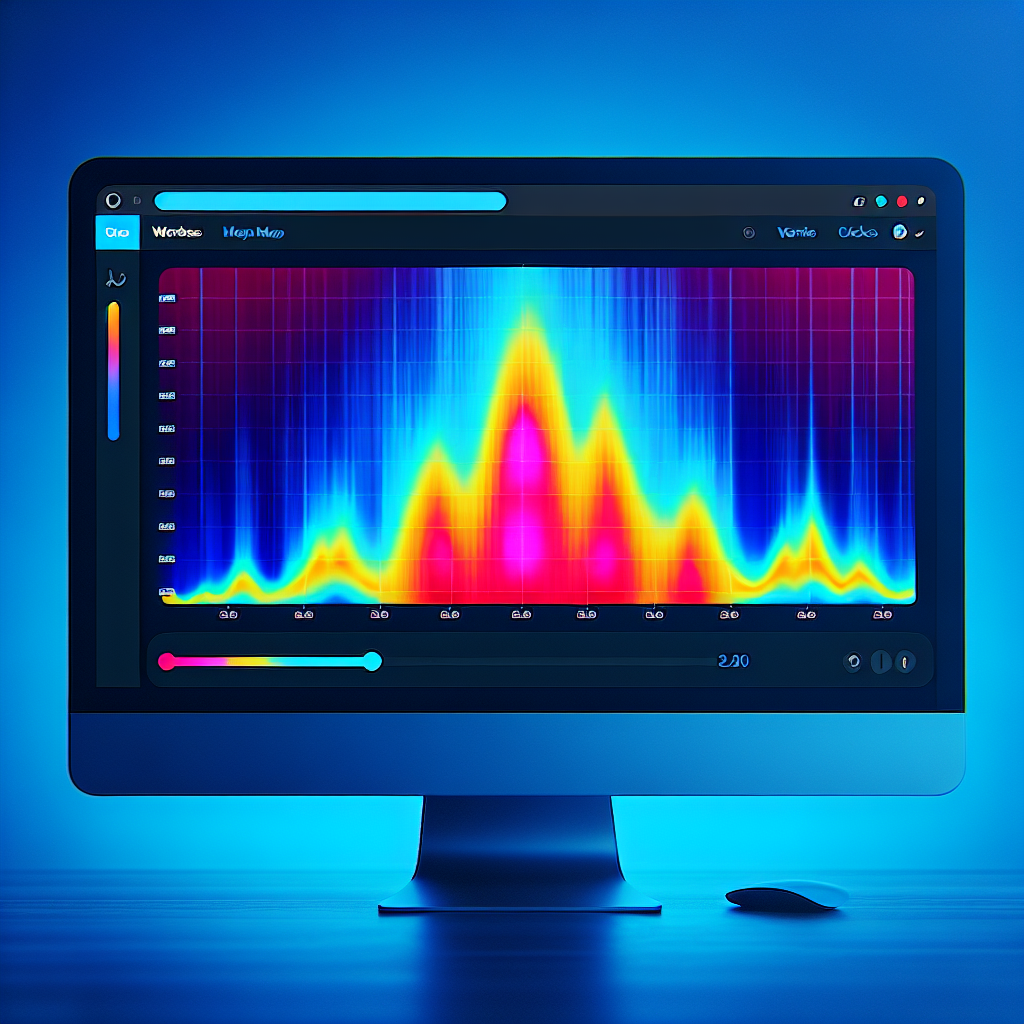
Heatmap plugins for WordPress provide an innovative way to visualize how users interact with your website. Imagine being able to see exactly where your visitors are clicking, how far they scroll down a page, and which parts of your website are capturing the most attention. This is the power of heatmaps — they transform data into visual maps that are easy to interpret, even if you’re not a data analyst.
Why Use Heatmaps?
A WordPress heatmap plugin integrates seamlessly with your site, offering insights that help you understand user behavior on a deeper level. This understanding is crucial for improving the user experience, increasing engagement, and ultimately driving conversions.
Choosing the Right Plugin
When choosing a plugin, consider factors like ease of use, data accuracy, and the specific insights you wish to gain. By aligning these factors with your goals, you can select the best tool to optimize and grow your WordPress website effectively.
Key Features of the Top WordPress Click Tracking Plugins
Heatmaps
Visualize where users click the most on your page, highlighting high engagement areas and spots needing improvement.
Real-Time Analytics
Observe user activity as it happens, essential for adapting content strategy during high-traffic events.
Comprehensive Reporting
Detailed reports featuring metrics like click frequency and user flow, presented in an easy-to-understand format.
A/B Testing Capabilities
Experiment with different layouts or CTAs to see what encourages the most user interaction.
Integration with Analytics Platforms
Combine click tracking data with other metrics through seamless integration with tools like Google Analytics.
Customizable Tracking Options
Tailor your tracking to specific elements, ensuring the data collected aligns with your site goals.
Comparing Free and Paid Heatmap Plugins
Free Plugins
Free WordPress heatmap plugins are ideal for beginners or small businesses. They provide essential functionality like click tracking and basic user interaction insights without any financial commitment.
- Basic functionality
- Click tracking and simple reports
- Plugins like “WP Visitor Statistics”
Paid Plugins
Paid plugins, like Hotjar or Crazy Egg, offer comprehensive features for detailed analytics and enhanced user behavior understanding, ideal for larger businesses.
- Advanced segmenting and analytics
- Real-time user recording
- Options for A/B testing and more
Privacy Considerations with Heatmap Tools
Understand the privacy implications to make informed decisions about your website analytics.
Ensuring User Consent and Compliance
- Prioritize user consent aligning with GDPR, CCPA regulations
- Employ tools with robust privacy features for data anonymity
- Opt for heatmap solutions providing data masking options
Selecting Responsible Heatmap Tools
- Select tools with transparency in data handling
- Ensure seamless integration with privacy policies
- Look for audit trail capabilities to assure data practice integrity
Step-by-Step Guide to Installing Click Tracking Plugins
Select the Right Plugin
Choose a click tracking plugin like Crazy Egg, Hotjar, or Mouseflow that meets your specific needs and is compatible with your WordPress site.
Download the Plugin
In your WordPress dashboard, search and install your chosen plugin like ‘Crazy Egg’ through the ‘Plugins’ menu.
Activate the Plugin
Ensure your plugin is activated; this step is crucial for its functionality.
Configure the Plugin
Access the new menu in the dashboard, enter API keys, and connect your account to start configuration.
Integrate Tracking
Insert a tracking script into the website’s header, or use the plugin’s wizard feature for seamless setup.
Verify and Start Tracking
Verify that the plugin is tracking correctly by checking the dashboard or heat maps for accurate data collection.
Best Practices for Using Heatmap Data Effectively
-
Define Clear Objectives
Establish specific goals before analyzing heatmap data for usability, conversion, or layout improvements.
-
Segment Your Audience
Tailor insights by segmenting data according to different audience demographics and behaviors.
-
Combine with Other Analytics Tools
Gain a holistic user behavior view by integrating heatmap data with tools like Google Analytics.
-
Assess Mobile vs Desktop Behavior
Analyze device-specific behaviors to optimize design for both mobile and desktop platforms.
-
Regular Monitoring and Iteration
Use real-time insights and keep an iterative approach with lightweight plugins.
-
Prioritize High-Traffic Pages
Focus improvements on your highest traffic and conversion-critical pages first.
Case Studies and Success Stories
XYZ E-Commerce Success
XYZ E-Commerce, a medium-sized online retailer, transformed its performance with a conversion optimization plugin. After integrating a smart popup plugin, they achieved a 35% increase in conversion rates within three months.
ABC Consulting Case Study
ABC Consulting used an A/B testing plugin to fine-tune their landing pages based on real-time data. This resulted in a 20% uplift in client acquisition rates, enhancing user experience and driving growth.
Browse Categories:
You may also like

Enhance User Engagement with the Best WordPress Heatmap and Click Tracking Plugins
Discover the best plugins to track user interaction and enhance engagement on your WordPress site with heatmaps and click tracking…
Maximize User Engagement With The Best WordPress Heatmap Plugins
Discover the power of WordPress heatmap plugins and boost your site's engagement with our expert guide.

Enhance User Interaction: The Ultimate Guide to WordPress Heatmap and Tracking Plugins
Discover the best WordPress plugins to track user clicks and enhance site interaction with our ultimate guide.