
Maximizing User Experience: The Best Heatmap and Recording Plugins for WordPress
Introduction to Heatmap Plugins for WordPress
In today’s digital landscape, understanding how visitors interact with your website can be a game changer. Heatmaps reveal where users are drawn, ensuring your site is both engaging and intuitive.
What Are Heatmap Plugins?
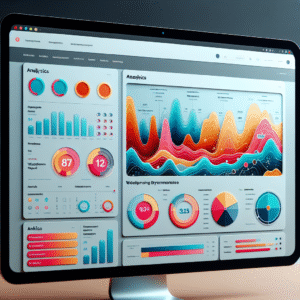
Heatmap plugins provide valuable visual insights by showing you where users are clicking, hovering, and scrolling. This allows you to pinpoint what’s capturing attention and what elements are being overlooked on your site.
Empower Your Design Decisions
Imagine launching a new homepage design without the expected conversions. Heatmaps identify issues like unclicked images posing as buttons, helping refine your design for better user experiences.
As we delve into specific heatmap plugins, understanding these foundational benefits will reveal their true potential in refining your WordPress site for optimal performance. Ready to unlock actionable insights?
Why User Click Tracking Matters
Understand the transformative power of user click tracking and heatmaps to enhance user experience and drive engagement.
Gain Deep Insights into User Behavior
User click tracking provides businesses with invaluable insights into how users interact with their websites. Understand which elements attract attention and which are overlooked to fine-tune your site’s design and content.
Optimize design by repositioning call-to-actions based on real user data, transforming your platform into a more engaging and user-friendly experience.
Identify Roadblocks and Enhance User Journeys
Use click tracking to pinpoint potential user journey roadblocks. Real-world examples show how e-commerce sites have improved conversion rates by addressing funnel drop-off points and simplifying checkout processes.
In a competitive digital environment, investing in reliable click tracking is a strategic move, leading to impactful data-driven decisions.
Leading WordPress Heatmap Tools
Understand user interaction through top heatmap plugins and find features that align with your site needs.
Hotjar
Combines heatmaps, session recordings, and feedback tools. Renowned for its insights and user-friendly interface.
- Visual heatmaps for clicks, moves, scrolls
- Requires strong privacy policies
Crazy Egg
Offers click tracking, scroll maps, and A/B testing. Ideal for optimizing user experience and increasing conversions.
- Click and scroll maps
- A/B testing and conversion analysis
Mouseflow
Excels in session replay, offering heatmaps for clicks, movements, and scroll with GDPR compliance.
- Session replays
- GDPR compliant
Lucky Orange
Dynamic heatmaps, session recordings, and form analytics. Offers real-time analytics and visitor tracking.
- Real-time visitor tracking
- Focus on data privacy
Plerdy
Privacy-focused analysis tools with SEO audits, heatmaps, and session replays for a comprehensive overview.
- SEO audit features
- Privacy-oriented tools
Session Recording Benefits
Unlock Deeper Insights
Session recording and heatmaps together offer a powerful blend of macroscopic and microscopic insights into user behavior, revealing not just where users click, but why. While heatmaps vividly demonstrate user interaction hotspots, session recordings deliver detailed narratives of user journeys.
Understanding User Journeys
- Capture real-time videos for comprehensive user journey insights.
- Identify and resolve frustration points and navigation issues.
- Analyze decision paths and user pauses to enhance conversions.
Benefits of a Dual Approach
The combination of session recordings and heatmaps not only helps pinpoint what users are focusing on, but also unveils motivations and barriers to engagement. By embracing this dual analysis strategy, WordPress site owners can make data-driven improvements that elevate user experience and boost site performance.
Elevate Your Analytics
Get Started“Unlock the full potential of your analytics by integrating session recordings with heatmaps. Now is the time to enhance user experiences and improve engagement metrics.”
Privacy and Compliance Considerations
In today’s digital landscape, ensuring privacy and compliance with tools like WordPress plugins is paramount to fostering user trust.
Why Privacy Matters?
Privacy laws like GDPR and CCPA demand robust measures to protect user data, emphasizing transparency, user consent, and secure data handling practices.
-
Data Minimization
Collect only the data you need. Privacy-focused heatmap plugins ensure minimal data collection.
-
User Consent
Implement clear methods for obtaining user consent with a well-designed consent banner or privacy notice.
-
Data Anonymization
Use plugins that anonymize user data, ensuring no PII is stored or processed.
Instill Confidence and Trust
Leverage privacy-focused tools to deliver insights while maintaining compliance.
Contact Us for More InfoChoosing the Right Plugin for Your Needs
Navigate the vast universe of WordPress plugins with confidence and make informed choices to elevate your site’s functionality.
Improving Conversion Rates
To boost conversions, consider plugins with A/B testing, analytics, and CRM integration. Optimize your landing pages and call-to-action buttons effectively.
- Advanced A/B Testing
- Seamless CRM Integration
- Enhanced Analytics
Gaining User Insights with Heatmaps
Utilize heatmap plugins to visualize user interaction. Discover patterns in clicks and scrolls to refine user experience and boost site engagement.
- Visual Representation of Clicks
- User Interaction Insights
- Targeted UX Improvements
Installation and Setup Tips
Support users with clear, actionable steps for installing and configuring plugins, minimizing obstacles and enhancing confidence in usage.
Begin with Research
Ensure the plugin meets your needs by checking reviews, ratings, and support forums for reliability and functionality assessments.
Download and Install
Navigate to ‘Plugins’ on your WordPress dashboard and click ‘Add New’. Search, install, and activate the plugin you need, such as a heatmap tool.
Initial Configuration
Access the plugin’s settings via the dashboard and input necessary information for your heatmap or another plugin’s specific parameters.
Customization and Testing
Explore customization options and test the plugin to align it with your site’s specific needs, such as defining data collection parameters for heatmaps.
Check for Conflicts
Ensure smooth operation by verifying functionality and deactivating other plugins if necessary to identify conflicts.
Regular Updates
Keep plugins updated to maintain security, performance, and access to new features. Regular updates prevent issues from outdated scripts.
Maximizing Plugin Value for Your Business
Empower your business through strategic plugin usage, driving growth and achieving key objectives without needing extensive coding knowledge.
Boost Conversions with Smart Plugins
To elevate your conversion rates, consider integrating plugins like OptinMonster or Thrive Leads. They offer customizable forms, A/B testing, and advanced targeting to turn visitors into loyal customers.
Enhance User Interaction Insights
Understand user interactions by using tools like Hotjar or MonsterInsights. Gain insights from clicks, heatmaps, and form analytics to optimize engagement.
Stay Ahead with Proactive Plugin Management
Regularly evaluate your plugins to ensure they align with business goals and adapt to emerging trends, keeping your digital tools effective and up-to-date.
Browse Categories:
You may also like

Mastering User Engagement: The Best WordPress Heatmap Plugins and How to Use Them
Explore the top WordPress heatmap plugins to improve user engagement, featuring setup guides, analysis tips, and common troubleshooting scenarios.

Top WordPress Plugins to Enhance User Experience and Track Behavior in 2025
Discover essential WordPress plugins for 2025 to elevate user experience and track visitor behavior effectively. Ensure optimal engagement.
Unlocking User Experience: The Best Plugins for WordPress User Click Tracking
Discover the best plugins to track user clicks and improve your WordPress site's user experience with actionable insights.