
Maximizing User Engagement: The Best WordPress Plugins for User Tracking and 3D Showcases
Understanding User Interaction on WordPress
Enhance your user experience by diving deep into how visitors engage with your site. Discover the power of user behavior tracking and make data-driven improvements.
Track User Behavior
- Uncover visitor patterns through mouse movement and click heatmaps.
- Track user behavior plugins reveal engaging site areas and those needing improvement.
Capture Click Data Effortlessly
- Understand the effectiveness of calls to action and content placement.
- Optimize landing pages by analyzing attention-capturing elements and potential frustrations.
Benefits of User Tracking on WordPress Sites
Understanding user behavior is key to enhancing conversion rates and user satisfaction on your WordPress site.
Gain Valuable Insights
Track user interactions to gain insights into behaviors, preferences, and pain points, enabling strategic improvements that resonate with your audience.
Improve Usability
Implement heatmaps to visually represent interactions, identifying engaging areas and sections needing improvement for better user journeys.
Personalize Experiences
Use tracking data to tailor content and offers, enhancing user satisfaction by meeting specific needs and encouraging longer site visits.
Select the Best Plugins
Choose plugins with comprehensive tracking features, including analytics and heatmaps, to refine strategies and build lasting user relationships.
Top Heatmap Plugins for WordPress
Hotjar
Widely popular for its comprehensive suite of user behavior analytics, Hotjar offers a robust heatmap tool that integrates seamlessly into WordPress. Its ability to visualize clicks, taps, scrolling, and even recordings of sessions makes it a favorite for detailed insights.
Crazy Egg
With its simple setup, Crazy Egg is a lightweight heatmap plugin for WordPress offering impressive visualization options like Scroll Maps and Confetti reports to deliver deeper insights into user engagement.
Mouseflow
Mouseflow stands out with its real-time heatmaps and detailed session replay capabilities, ideal for understanding UX weak spots for conversion optimization strategies.
Lucky Orange
Featuring an intuitive dashboard, Lucky Orange provides visualization tools including heatmaps and live chat support for both behavior analysis and direct user interaction.
WP Live Heatmaps
A free plugin ideal for beginners, WP Live Heatmaps lets users generate heatmaps directly within WordPress without complex installations.
Essential Session Recording Tools
Integrating session recording tools into your workflow can vastly enhance your website’s performance by providing actionable insights into user behavior. These tools go beyond merely tracking visits or clicks; they capture the entire user journey, allowing you to visualize how users interact with your site.
Hotjar
Provides detailed heatmaps, visitor recordings, and feedback polls. Use heatmaps to see exactly where users click, hover, and scroll.
Crazy Egg
Offers comprehensive heatmaps and unique confetti reports, breaking down clicks by source and medium.
FullStory
Combines session replay with powerful analytics tools, surfacing friction points and converting them into actionable insights.
Privacy-Focused Tracking Solutions
In the era where user data privacy is a pinnacle concern, balancing user interaction tracking with data protection is crucial for online businesses. Privacy-focused solutions offer the answer, allowing website owners to gain insights while ensuring GDPR and CCPA compliance.
Anonymized Heatmaps
- Analyze user behavior without storing personal data
- Ensures compliance with privacy laws
- Respect user privacy while improving site usability
Leading Solutions
- Mouseflow: Compliance with control over data collection
- Clarity by Microsoft: Open-source tool prioritizing privacy
- Solutions align with user demands for transparency
Incorporating 3D Viewer Plugins into WordPress
Discover how 3D viewer plugins can transform user engagement with interactive visual content.
Enhance Shopping Experiences
Imagine allowing customers to explore products with a 360-degree view.
- Increase customer satisfaction and conversions.
- Provide an immersive experience with 3D models.
Educational Advancements
Bring complex concepts to life with interactive learning.
- Visualize anatomical structures and mechanical components.
- Foster deeper understanding through exploration.
Best Practices for Showcasing 3D Portfolios
Choose the Right 3D Plugin
Select plugins that are both comprehensive and user-friendly, like ‘3D Viewer’ or ‘Sketchfab’. For lighter options, try ‘WP VR View’.
Learn MoreOptimize for Performance
Optimize models by reducing file sizes and using lazy loading techniques to enhance site speed.
Learn MoreFocus on User Interaction
Design intuitive controls for rotating, zooming, and exploring models. Use hotspots to engage users interactively.
Learn MoreEnsure Accessibility
Provide alternative descriptions and keyboard navigation options to make your portfolio universally accessible.
Learn MoreHighlight Your Unique Style
Utilize plugin customization features to tailor your portfolio’s appearance in line with your brand’s style.
Learn MoreConclusion and Next Steps
Embracing the power of the best WordPress plugins can significantly enhance your site’s functionality and engagement. These tools are vital for boosting site performance, user experience, and security. By carefully choosing plugins that improve SEO, load times, or provide interactive content, you’ll elevate user satisfaction leading to higher retention and conversion rates.
Implement the Right Tools
Understand your specific site needs to align plugins effectively. Whether your focus is on visibility, security, or audience engagement, targeted use of these tools is key to maximizing their impact. Start now by reviewing your current setup and researching new trends to match your 2025 goals.
Browse Categories:
Tags for this post:
You may also like
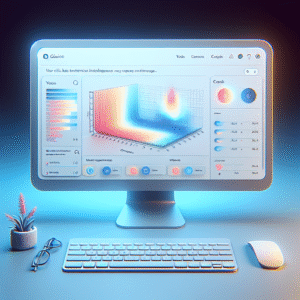
Unlocking User Insights: Top WordPress Plugins for Tracking Clicks and Behavior
Discover the best WordPress plugins for tracking user clicks and behavior to enhance site experience and boost conversions effectively.

Mastering User Interaction: Top WordPress Heatmap Plugins for 2025
Discover the best WordPress heatmap plugins to enhance UX and track user behavior for greater insights in 2025.

Boost Your WordPress Site’s User Experience with Click Tracking and Heatmaps
Discover how to enhance your WordPress site's user experience with top click tracking and heatmap plugins. Learn how to optimize…