
Maximizing Engagement: Top WordPress Plugins for User Interaction
Why User Interaction Matters
User interaction is at the heart of a successful WordPress website, leading to better user experiences, retention, and conversions. Learn how enhanced interactivity can transform your web presence into a vibrant community.
Improved User Experience
Interactions signify a user-friendly environment, encouraging more engagement and seamless navigation.
Analytics & Insights
Plugins like Hotjar offer deep insights into user behavior, helping identify areas for strategic improvement.
Community Building
Interactive features encourage discussions, sharing, and collaborations, fostering a strong community connection.
Increased Conversions
Engaged users are more likely to convert, making interactive sites crucial for boosting sales and reaching business goals.
Understanding Heatmaps for WordPress
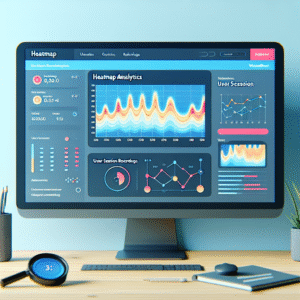
Heatmaps are powerful visualization tools that help website owners understand how users interact with their site. For WordPress users, integrating a heatmap can unlock valuable insights into user behavior, such as which areas of a webpage are getting the most clicks, hovers, or interactions.
A heatmap illustrates user interactions using a color-coded system—the ‘hotter’ areas illustrate where the majority of interaction happens, while ‘cooler’ areas receive less attention. This visual representation makes it easier for website owners to spot patterns and identify parts of a page that may need improvement.
Employing a WordPress heatmap plugin can simplify the integration of these analytics directly into your admin dashboard. Tools like “Heatmap for WordPress” offer robust tracking capabilities, displaying where users click or move their cursors.
Evaluate features such as ease of use, compatibility with your existing theme, and the level of detail in reporting for selecting the best plugin to see where users click WordPress.
Top Heatmap Plugins: An In-depth Comparison
Hotjar
A comprehensive tool offering heatmaps and session recordings. Ideal for in-depth visitor journey insights, though may impact performance due to resource needs.
Crazy Egg
User-friendly with robust heatmaps, scrollmaps, and A/B testing features. Perfect for those wanting straightforward optimization processes.
Lucky Orange
Combines heatmaps with real-time analytics for comprehensive insight into site activity. Best for users needing multi-channel support.
Inspectlet
Features heatmaps and screen recordings. The free version is appealing for small businesses, but the tool might be challenging to master.
Mouseflow
Known for user path insights, funnel tracking, and form analytics. Best suited for thorough analysis needs beyond basic heatmaps.
Recording User Sessions on WordPress
Enhancing User Behavior Insights
Understanding user interactions on your WordPress site is vital for enhancing user experience and optimizing conversion strategies.
- Session recordings provide detailed user journey insights, supplementing static heatmaps.
- Tools like Hotjar and Mouseflow offer seamless session recording with powerful analytics.
Applications and Advantages
Session recording tools allow website admins to track user activity, offering insights for usability enhancements and effective content strategies.
- Identify areas causing user hesitation, aiding in improving navigation and conversion paths.
- Resolve hidden UI issues not apparent through heatmaps alone, such as form abandonment.
Balancing Speed with Plugin Functionality
Discover how to enhance your website’s functionality while maintaining top performance.
The Key Trade-offs
Plugins can transform your WordPress site, but excessive or unoptimized ones can slow down your site. Balance is crucial for maintaining a seamless user experience and high search engine rankings.
-
Prioritize Essential Plugins: Focus on plugins contributing directly to goals like user engagement and conversion.
-
Optimize Your Plugins: Ensure plugins are updated for performance improvements and security.
-
Use Caching Solutions: Implement caching to decrease load times and improve site speed.
-
Leverage Lazy Loading: Defer media loading for faster site performance.
-
Reduce Plugin Overhead: Use multifunctional plugins to minimize conflicts and load.
Ensure Speed and Functionality
By choosing the right plugins and optimizing their use, you can maintain both the speed and functionality of your site, ensuring a positive experience for your users.
Learn MorePrivacy Considerations with User Interaction Data
A guide to maintaining privacy while tracking user interactions, linking to essential privacy-focused plugins.
The Balance of Privacy and Analytics
- Understand GDPR & CCPA requirements for transparent data practices.
- Effectively use privacy-conscious analytics tools.
- Ensure data remains anonymized and cannot be reverse-engineered.
Recommended Plugins
Consider these privacy-focused alternatives to enhance user experience while respecting privacy:
- 🔒 Crazy Egg
- 🔒 Matomo – Offers self-hosting to keep data under your control.
Enhancing 3D Experiences on WordPress
Imagine a website where visitors not only view static images of your products but can explore them as if they were holding them in their hands. This level of interaction isn’t just a futuristic dream; it’s a reality with the right tools and strategies for your WordPress site.
WordPress 3D Viewer Plugin
The “3D Viewer” plugin supports various 3D file formats like STL, OBJ, and FBX, giving visitors an interactive 3D display that they can rotate, zoom, and pan.
Learn MoreSketchfab Integration
Sketchfab offers animations, annotations, and VR support with a simple shortcode for a rich 3D experience on your WordPress site.
Learn MoreModel-Viewer Tag
Developed by Google, this HTML element allows you to easily embed 3D models, ensuring smooth performance across devices and browsers.
Learn MoreStrategic Plugin Selection for Success
Selecting the right plugins for your WordPress site is crucial to creating a dynamic, interactive, and functional web presence that aligns with your business goals. Start by defining your specific requirements to narrow down the overwhelming number of options available.
Whether you’re looking to enhance e-commerce capabilities, improve site speed, or cultivate community interaction, a strategic approach can help you avoid unnecessary complexity. Stay updated with user reviews and community forums to gauge the performance of plugins.
Get in Touch-
Evaluate the “best WordPress plugins 2025” to stay ahead with new trends and technologies.
-
Consider “free WordPress plugins for small business” as cost-effective yet powerful solutions.
-
Ensure any plugin chosen is regularly updated to maintain security and compatibility.
-
Align your objectives with the functional capabilities of selected plugins for optimized interaction.
Browse Categories:
You may also like

Maximize Engagement: Top WordPress Plugins for User Behavior Tracking
Discover top WordPress plugins to track user behavior and improve site engagement with heatmaps and session recording tools.
The Ultimate Guide to Tracking User Behavior on WordPress
Discover the best tools and practices for tracking user behavior on WordPress to enhance user experience and site performance.

Maximizing User Interaction Insights: The Best WordPress Plugins for Behavior Tracking
Explore top WordPress plugins to track user behavior and enhance experiences with heatmaps, session recordings, and privacy-focused options.