
Maximize WordPress Engagement: Best Plugins for Heatmaps and Click Tracking
Understanding the Importance of User Engagement
In today’s digital landscape, understanding how users interact with your website is more crucial than ever. Monitoring user engagement provides invaluable insights into what captures your audience’s attention, how they navigate your content, and where they might be dropping off.
User engagement metrics such as click-through rates, time spent on page, and scroll depth offer a window into the effectiveness of your site’s design and content strategy. Embracing these insights doesn’t just improve the website’s performance; it ultimately enhances the user’s experience.
Contact Us-
Real-time Insights
Tools like a WordPress user click tracking plugin empower you with real-time insights into user behaviors and interactions.
-
Privacy-Focused Tools
Leverage privacy-focused WordPress heatmaps to gather critical data while respecting user confidentiality.
Top WordPress Plugins for User Click Tracking
Understanding where users interact most on your website can be a game-changer in optimizing your site’s layout and features. Implementing a WordPress user click tracking plugin can give you these insights, making it essential for any website looking to enhance its user experience.
Crazy Egg
Known for its visual heatmap and click reports, Crazy Egg makes it easy to see which parts of your site attract the most attention.
Learn MoreHotjar
Offers click, move, and scroll heatmaps, giving you a comprehensive overview of user interaction on your website.
Learn MoreMouseflow
Provides session replays that let you watch how users navigate through your site, helping identify friction points.
Learn MoreLucky Orange
Provides dynamic heatmaps that adjust as your site changes, plus features like live chat and visitor recordings.
Learn MoreClicky Analytics
Known for real-time analytics with a specific click heatmap feature to tailor your site’s design.
Learn MoreUsing Heatmaps and Session Recording Effectively
Understanding User Interaction
Heatmaps and session recordings provide rich insights into user behavior. By visualizing where your users click, hover, and scroll, these tools can highlight the most engaging areas of your website.
- Pinpoint attention areas
- Optimize content layout
- Redesign navigation paths
Capturing User Journeys
Session recordings provide playback of user journeys, helping you identify barriers and improve usability. Discovering issues like cart abandonment through these recordings can lead to actionable site improvements.
- Reveal user frustrations
- Address interface issues
- Enhance user satisfaction
Privacy-Focused Tools for Sensitive Websites
In today’s digital age, ensuring user privacy while gathering valuable insights from your website visitors is a priority for many site owners. The balance between understanding user interactions and respecting their privacy is delicate. This is where privacy-focused tools come into play, offering solutions that align with the growing expectations for ethical data usage.
Privacy-Focused Heatmaps
Heatmaps are a popular method to track user behavior, providing visual representations of site interactions. Privacy-focused WordPress heatmap tools prioritize user privacy by anonymizing data and obtaining explicit consent.
- Anonymize user data
- Require explicit consent
- GDPR compliant
Alternatives to Hotjar
For those seeking an alternative to Hotjar for WordPress, consider tools like Crazy Egg or Piwik PRO, which emphasize user privacy and customization.
- Mask user information
- Self-hosted data control
- Stringent data policies
By choosing privacy-focused analytics tools, website owners can uphold the trust of their users and foster a more responsible digital environment. Implementing these solutions not only adheres to legal standards but also reflects a commitment to ethical practices in a rapidly evolving digital landscape.
Why Choose Lightweight Plugins
Embrace the power of optimized website management with plugins that prioritize performance and efficiency.
Boost Website Performance
Lightweight plugins keep your WordPress site fast and responsive by reducing unnecessary code that can slow down loading times and degrade user experiences.
Maintain Low Server Load
Reduce Hosting Costs
Enhance User Experience & Conversions
Seamlessly integrate lightweight plugins to track, analyze, and act on user interactions, ensuring your site’s functionality is uncompromised.
Seamless Integration
Focus on Key Metrics
Alternative Plugins to Hotjar for WordPress
Crazy Egg
Experience superb Heatmap and A/B testing features. Crazy Egg provides insights through click-based heatmaps, scrollmaps, and visitor recordings, facilitating real-time page variation testing.
Learn moreMouseflow
A visitor analytics platform with heatmaps and session replays. With funnel analytics and form analysis, Mouseflow uncovers user drop-offs and suggestive improvements.
Learn moreLucky Orange
Provides real-time visitor recordings, heatmaps, and conversion funnels. Unique with a live chat feature for direct visitor feedback.
Learn moreSmartlook
Specializes in qualitative data with heatmaps and session recordings. Integrates analytics with survey data for a comprehensive user activity view.
Learn moreInspectlet
Delivers detailed visitor recording and playback. Features form analytics for deeper interaction insights.
Learn moreIntegrating 3D Models on Your WordPress Site
Transform your static web experience into a dynamic engagement platform by embedding 3D models into your WordPress site. Enhance user interaction by allowing customers to explore, rotate, and zoom in on virtual products, leading to increased purchase confidence.
Why Integrate 3D Models?
- Enable interactive product exploration.
- Increase user engagement and satisfaction.
- Collect valuable analytics on user interaction.
Real-World Applications
From automotive showcases to educational tools, 3D integrations offer innumerable possibilities:
- Automotive industry: Virtual car tours.
- Education: Interactive learning modules.
- Retail: Virtual furniture arrangements.
Free Tools for Small Businesses
Discover plugins that offer significant value, enhancing functionality without heavy investment.
MonsterInsights Lite
Integrate Google Analytics for insights without leaving your dashboard.
WPForms Lite
Create contact forms with a user-friendly drag-and-drop interface.
HubSpot Plugin
Automate marketing and manage customer relationships effortlessly.
Smush Image Compression
Compress images to maintain quality and improve site speed.
Hustle
Build email lists and manage pop-ups with ease.
Hotjar
Utilize heatmaps for insights on user interactions with your site.
Browse Categories:
You may also like
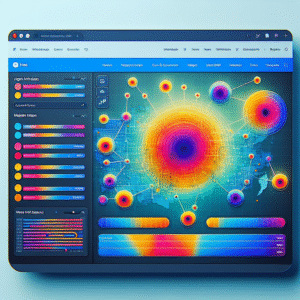
Top WordPress Heatmap and User Tracking Plugins to Enhance Your Site’s UX
Enhance your website's user experience with our top picks for WordPress heatmap and user tracking plugins, featuring tips and real-world…

Boost Your WordPress Site’s User Experience with Click Tracking and Heatmaps
Discover how to enhance your WordPress site's user experience with top click tracking and heatmap plugins. Learn how to optimize…
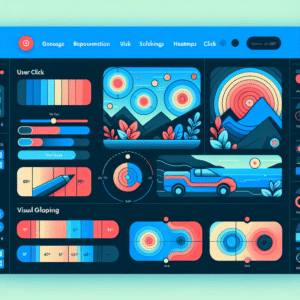
Unlocking User Insights: The Best WordPress Heatmap Plugins for 2025
Explore the best WordPress heatmap plugins for 2025 to improve user experience and track visitor behavior effectively.