
Maximize User Engagement with WordPress Heatmap Plugins: Compare and Choose the Best
Understanding Heatmap Plugins
Harness the power of WordPress heatmap plugins to transform your understanding of user engagement. These tools visualize click data to enhance decision-making and website optimization.
Visualize User Interaction
Heatmaps use color gradients to highlight user interactions, revealing where visitors click, move, and scroll on your webpage.
Identify Hot and Cold Zones
Determine which areas of your pages capture user attention and optimize those with the least interaction for better performance.
Why Use Heatmap Plugins?
Unlock the full potential of user behavior insights to enhance your site’s performance and user experience.
Understanding user behavior is crucial for optimizing any website’s performance, and heatmap plugins offer a powerful way to gain these insights. By visually tracking interactions like clicks, scrolls, and mouse movements, heatmaps present a detailed map of user engagement.
Imagine an e-commerce store owner utilizing heatmap tools. They might discover users stop scrolling halfway through a product page, where important details are missing. Armed with this insight, they can reposition key information to capture more attention.
Integrating a WordPress plugin for behavior tracking usually involves a straightforward setup, offering a user-friendly dashboard that doesn’t require deep technical skills. This can be an integral part of your analytical toolkit, essential for making data-driven improvements.
Consider investing in heatmap plugins as a strategy to optimize your site. Gain actionable insights and make improvements that drive engagement, conversion rates, and a seamless user experience.
Top Free Heatmap Plugins for WordPress
For website owners keen on optimizing their sites without breaking the bank, free WordPress heatmap plugins make an excellent starting point. These tools can reveal user interaction patterns through intuitive visual feedback, helping you to enhance user experience and conversions.
Hotjar
Offers a basic free version with unlimited access to heatmaps of up to 1,000 page views. See where users click, move, and scroll.
Mouseflow
Real-time data tracking, permits monitoring of up to 500 sessions per month with categorized data on clicks, movement, and scroll.
Crazy Egg
Provides a free 30-day trial with heatmaps and scroll maps. Excellent for trial runs before committing to a paid plan.
Advanced Features in Premium Plugins
Explore the features that make premium plugins indispensable for enhanced performance and conversions.
Enhanced Heatmap Functionality
Unlock segmented views of user behavior and tailor your content for specific audiences to boost conversions effectively.
Seamless CRM Integration
Premium plugins integrate smoothly with CRM tools for enhanced data flow, saving time and enriching your insights.
Advanced Analytics
Dive deeper with customizable metrics for detailed insights, empowering strategic decisions to elevate performance.
Superior Support & Updates
Invest in tools that offer ongoing improvements and support, ensuring your site remains at the cutting edge of technology.
Benefits of Session Recording
Understanding user behavior is crucial for any website’s success. While heatmaps provide a great visual representation of user interactions, they sometimes miss the nuances captured by session recordings.
Session recordings reveal detailed user journeys, highlighting clicks, taps, and even hesitations. This deeper insight allows you to see user experiences beyond what heatmaps offer, akin to watching a movie instead of glancing at a photograph.
Integrating both tools offers a comprehensive understanding of user behavior, enabling website optimization for better user experience, reduced bounce rates, and increased conversions.
Contact UsKey Insights
-
Session recordings capture complete user journeys, including mouse movements and clicks.
-
Combining with heatmaps provides a fuller picture, enhancing data-driven decisions.
-
Improving user engagement and conversion rates through data insights.
Integrating Click Tracking in WordPress
Integrating click tracking into a WordPress site opens up a treasure trove of actionable insights. By tracking user interactions, you can streamline content, enhance user experience, and ultimately boost engagement.
- Plugins like MonsterInsights or Clicky offer powerful solutions to track clicks efficiently.
- Analyze click patterns to optimize product placements and adjust navigation paths.
- Use click tracking data to tailor content strategies aligned with audience preferences.
Why Click Tracking?
Understand your audience better and make data-driven decisions to enhance both the user experience and your site’s performance.
Navigating Privacy Concerns
Reassure your users while leveraging insights from heatmap and session tools without compromising their privacy.
Transparency and Communication
Clearly articulate what data is collected and its usage. Regularly update users to foster trust and comply with GDPR.
Privacy-Focused Tools
Utilize tools that anonymize data, ensuring sensitive information is protected while gaining valuable insights.
User Control
Provide options for users to opt-out or manage their data to make them feel respected and valued.
Data Security
Conduct regular audits and employ data encryption to safeguard information and reinforce trust.
How to Choose the Right Plugin for Your Needs
Choosing the right plugin is vital for enhancing your website’s functionality to meet your unique objectives. Start by clearly defining what your site needs. Are you aiming to improve user engagement, increase security, or visualize user interactions?
Prioritize plugins that are well-rated and kept up-to-date. For visualizing user interaction on WordPress, look at options like “Crazy Egg” or “Hotjar”, which provide heatmaps and session recordings to offer intuitive insights into user engagement.
Quick Tips
Browse Categories:
You may also like

Top WordPress Plugins to Enhance User Interaction and Experience
Discover top WordPress plugins to boost user interaction and improve your site’s experience, from heatmaps to 3D viewers.

Boost Engagement and Conversions with WordPress Click Tracking: A Guide to Plugins
Learn how to enhance WordPress sites with click tracking plugins – from heatmaps to 3D viewers, improve user experiences and…
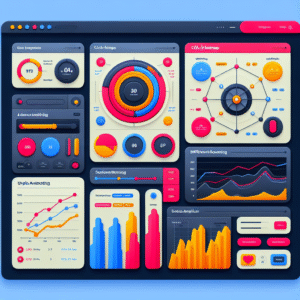
Unlocking User Insights: The Best WordPress Plugins for Click Tracking and Behavior Analysis
Discover the most effective WordPress plugins for tracking user behavior and enhancing user experience on your site.