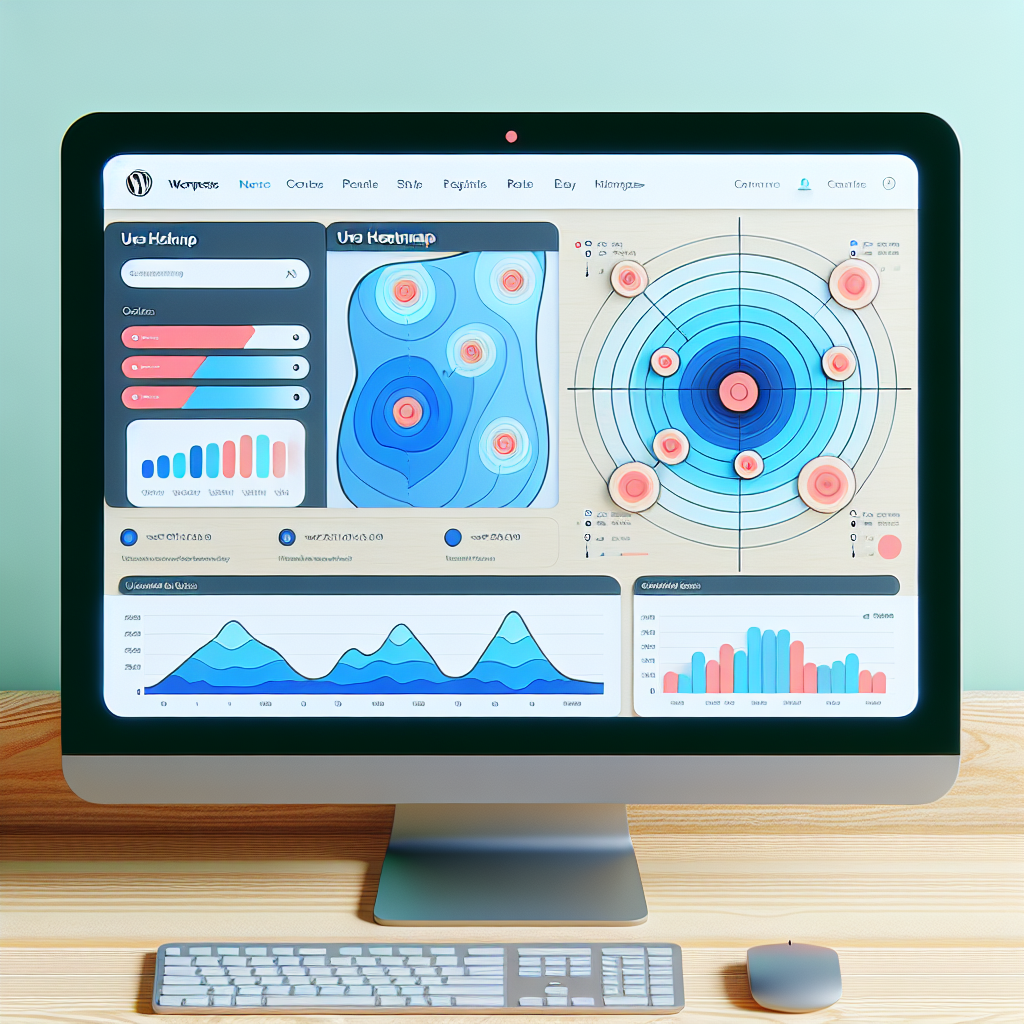
Maximize Engagement: The Best WordPress Heatmap Plugins for 2025
Introduction to Heatmap Plugins
In today’s digital landscape, understanding how users interact with your website is crucial for enhancing user experience and improving conversion rates. One powerful tool to achieve this is through the use of heatmap plugins. These plugins visualize data by showing a color-coded representation of how visitors navigate and interact with your web pages, highlighting areas of high and low engagement.
For WordPress users, heatmap plugins are particularly useful. By implementing a WordPress heatmap plugin, website owners can effortlessly track user behavior, gaining insights into which parts of their site capture the most attention and which are overlooked. This kind of data empowers site owners to make informed decisions about page designs, Call-To-Actions (CTAs), and content hierarchy, ensuring that they engage users more effectively.
Visual Insight for Optimization
Imagine knowing exactly where on your web page users click the most, whether they scroll past your key messages, or if they engage with your CTAs as intended. This knowledge provides a clear direction for optimizations that align with user behavior trends.
Thus, introducing heatmap plugins as a foundational step can significantly enhance your website’s engagement strategy, helping you to transform user interactions into actionable insights.
Why Use Heatmaps?
Heatmaps are a powerful tool for uncovering the unseen behaviors of your website visitors. By using heatmaps, you can visually track where users click, hover, and scroll on your web pages, providing a wealth of insights into user interaction that can be difficult to gather through other analytics methods.
-
Highlight which parts of a page draw the most attention and which areas are being overlooked.
-
Guide A/B testing strategies by providing clear evidence of user interaction patterns.
-
Enhance your understanding of user behavior and boost site performance and usability.
Integrating heatmaps with a WordPress user click tracking plugin helps create a more intuitive and effective user experience. Embrace real data insights to stay ahead of the competition.
Example Heatmap Insights
Gain insights into where users click, aiding in the repositioning of CTAs and redesign of layouts to maximize engagement.
Get StartedTop Plugins for Tracking Clicks
Hotjar
Known for its comprehensive heatmaps, Hotjar is widely used to visualize where users are clicking. Offers session recordings and feedback polls.
Explore HotjarCrazy Egg
Offers click tracking, scroll maps, and overlays. Features include A/B testing to enhance user experience.
Discover Crazy EggMouseflow
Integrates heatmaps, session replays, funnels, and user feedback. Detects behavior patterns for actionable insights.
Learn About MouseflowWP Heatmaps by Sumo
A free plugin offering simple heatmap visualization, perfect for smaller sites looking to test before investing in advanced tools.
Try WP HeatmapsLightweight and Effective Options
Hotjar
A feature-rich yet performance-optimized plugin offering heatmaps, session recordings, feedback polls, and surveys. Ideal for those needing comprehensive insights without compromising speed.
Learn MoreCrazy Egg
Balances lightweight performance with powerful insights, generating heatmaps and scroll maps efficiently to enhance site analytics without the server load.
Learn MorePlausible Analytics
Known for a privacy-focused approach, this plugin respects user privacy while providing essential heatmap data, compliant with modern privacy laws.
Learn MoreSelect the best plugin to maintain your site’s speed and improve your user insights seamlessly!
Contact UsSession Recording Plugins
While heatmaps provide insightful visual representations of where users spend their time on your site, they might not tell the whole story. This is where session recording plugins step in. These plugins allow you to record user activity by capturing video-like playback of how visitors move through your website, click by click.
- Capture video-like playback for precise interaction tracking.
- Complements heatmaps with interaction sequence understanding.
- Enable enhanced UX insights and site optimization strategies.
For WordPress users, choosing the best session recording plugin could transform how you understand user engagement. Combining heatmaps with session recording tools is akin to having a front-row seat into your website’s visitor activity.
Lucky Orange
Offers both heatmaps and session recordings. Features detailed playback, filtering by visitor type, location, and more for optimal user experience insights.
Improving Conversions with User Insights
Explore how insights from click tracking and session recordings can be turned into actionable strategies to boost conversion rates.
Click Tracking
Discover which elements on your page are most engaging to optimize design and layout, ensuring calls-to-action are prominent and appealing.
Session Recordings
Replay user visits to identify pain points, revealing any issues like complex navigation or slow-loading pages that may deter conversions.
By leveraging user insights and transforming them into strategic actions, improve your site’s conversion rates effectively. Utilize click tracking and session recording tools to open a window into your visitors’ behavior, enabling informed decisions to enhance user experience.
Get StartedPrivacy Considerations with Tracking Tools
Essential Privacy Factors
-
Data Anonymization: Convert identifiable data into anonymous datasets to protect user information.
-
Transparent Data Use: Choose plugins with clear data usage policies for ethical data handling.
-
User Consent: Ensure tools require explicit consent before data collection, adhering to legal standards.
-
Minimal Data Collection: Limit data gathering to essential information only to reduce risk and enhance security.
Free Options for Small Businesses
Hotjar
Known for its user-friendly interface, Hotjar provides heatmaps, click tracking, and session recordings even in the free tier, offering small businesses the insights needed to optimize website designs for better conversion rates.
Learn moreMouseflow
Mouseflow offers both heatmaps and session replays. These tools help visualize user navigation patterns, enabling businesses to identify drop-off points and areas needing improvement in the sales funnel.
Learn moreCrazy Egg
Although some advanced features are paid, Crazy Egg’s free tools provide elementary insights into user behavior through heatmaps, aiding small businesses in making data-driven decisions.
Learn moreChoosing the Right Plugin for Your Needs
Define Your Priorities
Clearly outline what you need the plugin to accomplish. If enhancing user interaction is key, explore the must-have WordPress plugins for user experience. Consider plugins like Elementor for design flexibility or WPForms for intuitive form building.
Check Versatility and Compatibility
Ensure the plugin is compatible with your WordPress theme and other plugins. Plugins like WooCommerce are popular for their robust features and wide compatibility.
Research Reviews and Ratings
Read reviews and ratings to gauge the plugin’s reliability. Pay attention to detailed reviews to uncover potential drawbacks.
Consider Support and Updates
Look for plugins with active support and regular updates. They often provide better security and fewer issues long-term.
Test Before Commitment
Test the plugin in a staging environment to ensure it integrates smoothly, minimizing issues when it goes live.
Browse Categories:
You may also like
Optimize Your WordPress Site with Heatmap & 3D Viewer Plugins
Discover how heatmaps and 3D viewer plugins can enhance your WordPress site, improve user interaction, and drive engagement.

Essential WordPress Plugins to Visualize and Enhance User Interaction
Explore essential WordPress plugins that visualize user interaction and boost site performance with our in-depth guide.

Mastering User Behavior: Top Tools for Tracking WordPress Clicks and Sessions
Discover essential plugins to track user behavior on WordPress, enhance user experience, and drive conversions effectively.