
Mastering User Insights: The Best Heatmap and Recording Plugins for WordPress
Introduction to User Tracking on WordPress
Understanding how users interact with your WordPress site can be crucial to your online success. By tracking user behavior, you can gain invaluable insights into visitor actions, optimize your site layout, improve user experience, and ultimately increase your conversion rates.
Gain Insightful Metrics
- Discover how users navigate your site
- Identify which features they interact with
- Recognize which pages might drive them away
Utilize WordPress Plugins
Imagine being able to see where your visitors click, how far they scroll, or which paths they follow. WordPress offers a variety of plugins designed for tracking user behavior, illuminating user intentions and preferences.
These tools not only offer metrics but give you a profound understanding to tailor your site’s content and layout effectively.
Unlocking Insights with Heatmap Plugins
Discover how understanding your visitors’ interactions can transform website strategy and enhance engagement.
Visible User Engagement
Heatmap plugins show user interaction, highlighting popular areas where visitors click, scroll, or stop.
Optimize Layout & Content
Make data-driven decisions to improve layout, reposition CTAs, and enhance content visibility.
Cost-effective Solutions
Explore free plugins offering powerful analytics, helping even small sites gain competitive advantages.
Enhance User Experience
Reduce bounce rates by pinpointing bottlenecks, improving navigation paths, and increasing engagement.
Top Heatmap Plugins for WordPress in 2025
Enhance your website with the best heatmap plugins of 2025, giving you the ability to see exactly where visitors are interacting on your site.
Hotjar
A favorite for its comprehensive features, combining heatmaps with session recordings and surveys.
- Lightweight plugin
- Robust data analysis
Crazy Egg
Track clicks, scrolls, and segment heatmaps with an easy-to-use interface.
- A/B testing feature
- User demographics insights
Mouseflow
Offers real-time user activity views with session replays complementing heatmaps.
- Lightweight option
- In-depth user pathways
Lucky Orange
Includes live chats, session recordings, and highly customizable dynamic heatmaps.
- Customizable functionality
- Comprehensive suite
Smartlook
Provides heatmaps and session replays with a focus on loading speeds and performance.
- Seamless integration
- Light impact on site
ClickTale
Ideal for enterprise-level monitoring with detailed analytics capabilities.
- Advanced analytics
- Mobile insights
Why Session Recording is Vital
Session recording provides insights that traditional analytics tools can’t offer by capturing how users navigate your site—where they pause, what catches their attention, and where they encounter hurdles.
- Identify friction points and enhance user experience.
- Look beyond bounce rates with detailed user path visuals.
- Test and refine new features with real user interactions.
Through these observations, transform your strategies with actionable insights, crafting user-centric experiences that drive engagement and conversion.
Reveal and rectify invisible site barriers with session recording insights for smoother user journeys.
Best Session Recording Plugins for WordPress
Harness the power of session recording plugins to gain invaluable insights into user behavior, enhancing both site performance and user experience.
Lucky Orange
A popular choice, offering session recordings, heatmaps, live chat, and more to optimize your website from visitor insights.
Mouseflow
Provides accurate session recordings. Features like heatmaps and funnel analytics serve as a great Hotjar alternative for WordPress.
Yandex Metrica
A free tool offering session recordings with heatmaps and analytics, perfect for small to medium-sized websites to gain cost-effective insights.
Inspectlet
Offers session recordings and insights into user behavior with features such as A/B testing and heatmaps for an in-depth user understanding.
FullStory
A robust alternative capturing the full user experience with analytical insight to improve UX design and boost conversion rates.
Ensuring Privacy and Data Security
In an era where data breaches and privacy concerns are becoming more prevalent, it is critical to ensure that your website’s tracking tools prioritize data security and user privacy. This is particularly important when using tools like heatmaps to analyze user interactions. A privacy-focused WordPress heatmap plugin can be your first line of defense.
Best Practices for Ensuring Data Privacy
- Opt for plugins that provide detailed privacy settings: Choose tools that allow you to customize what data is collected and how it is stored and processed.
- Regularly update and audit your tracking tools: Keeping your tools up-to-date ensures that they are equipped with the latest security features.
- Be transparent with users about data collection practices: Clearly communicate what data is collected and how it will be used. Consider adding a privacy policy that outlines these details.
By staying proactive about data privacy, you not only adhere to legal requirements but also enhance your website’s credibility and competitiveness. A conscientious approach to data security reinforces user trust, ultimately leading to more meaningful user interactions and loyalty.
Contact UsComparing Plugin Features and Pricing
Make informed decisions by evaluating the key features and pricing strategies of WordPress click tracking plugins.
Key Features to Consider
- Ease of Use: User-friendly with straightforward installation and tutorials.
- Customization Options: Ability to generate heatmaps and detailed analytics reports.
- Integration Capabilities: Smooth integration with tools like Google Analytics.
- Real-time Data Tracking: Immediate feedback and responsive to user behavior.
Pricing Strategies
Choosing the right plugin involves understanding the pricing model and evaluating the value of premium features:
- Freemium Models: Basic tracking for free, with premiums for advanced features.
- Scalability: Plans available for different business sizes and needs.
- Trial Periods: Free trials can assess effectiveness before financial commitment.
Conclusion and Next Steps
Choosing the right WordPress plugins can dramatically enhance your website’s functionality and elevate the user experience. As we have explored, understanding your specific needs and leveraging the power of must-have WordPress plugins for user experience can set your site apart. Whether it’s optimizing for speed, improving SEO, or enhancing security, the right plugins can make a profound difference.
For small business owners, taking advantage of free WordPress plugins for small business can be a cost-effective way to add essential features without straining your budget. Many free plugins can significantly enhance your website’s capabilities, ensuring that your business not only survives but thrives in a competitive digital landscape.
Now that you have a clearer understanding, it’s time to take action: Evaluate your current website, identify what areas need improvement, and start exploring the plugin options that align best with your goals. Keep in mind user reviews and updates when selecting plugins to ensure they’re reliable and well-supported. By taking these next steps, you’ll be well on your way to crafting a superior online presence that meets both your needs and the needs of your users.
Browse Categories:
You may also like

Maximizing User Engagement: The Best WordPress Plugins for Click Tracking & 3D Visualization
Explore essential WordPress plugins to track user engagement and visualize in 3D, enhancing your site's interactivity and insights.

Optimize Your WordPress Site with User Click Tracking and Heatmaps
Optimize your WordPress site by effectively tracking user clicks using heatmap tools and selected plugins.
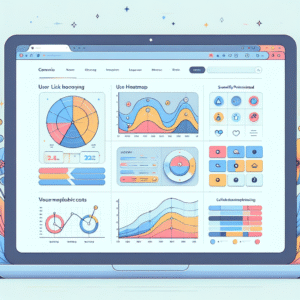
Unlocking Insights: The Best WordPress Heatmap & User Behavior Tracking Plugins
Explore the top WordPress plugins for tracking user behavior and optimizing engagement using heatmaps and session recordings.