
Mastering User Engagement: Top WordPress Plugins for Click Tracking and Session Recording
Introduction to Tracking User Behavior
Understanding how users interact with your WordPress site is crucial for optimizing both content and user experience. Just as a business analyst uses data to guide strategies, website owners need insights into user behavior to make informed decisions.
Tracking which pages attract the most attention or noting where users drop off before completing a purchase can highlight areas of your website that need improvement. By using a robust track user behavior WordPress plugin, site owners can gather this essential data.
MonsterInsights
Provides seamless integration with Google Analytics, enabling you to see exactly how visitors interact with your site directly within your WordPress dashboard.
These insights empower you to stay ahead of the curve and meet your website goals more efficiently. Embrace the power of data-driven decisions and watch as your website transforms into a more effective platform for your objectives.
Learn MoreBenefits of Heatmap Plugins
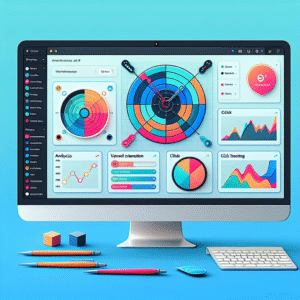
Heatmap plugins are powerful tools that help webmasters visualize user activity, translating data into color-coded graphics that make patterns and trends easy to spot. These visual insights are invaluable for understanding how visitors interact with your website, from where they click to how far they scroll down a page.
- Visualize user activity effortlessly
- Identify key engagement areas
- Optimize action-driven design elements
- Enhance navigation and content flow
By leveraging a WordPress heatmap plugin, businesses can gain crucial insight into user behavior without diving into complex data sets. E-commerce websites utilize heatmaps to optimize product pages, ensuring higher conversion rates and better content placement.
Choosing the Right Heatmap Plugin
Gain valuable insights with the perfect balance of effectiveness and privacy. Select a heatmap plugin that’s right for your needs.
Cost vs. Features
Determine whether you need a free or paid solution. Free plugins might have limitations; paid versions usually offer advanced features and customization.
Learn MorePrivacy Focus
Ensure your chosen plugin is privacy-compliant, offering features like data anonymization that meet GDPR and CCPA standards.
Learn MoreIntegration & Scalability
Evaluate how well the plugin integrates with your current tools and if it can scale as your traffic grows.
Learn MoreSession Recording Plugins Overview
Discover the power of session recording plugins for WordPress and learn how they can revolutionize your understanding of user journeys.
Why Session Recording?
Session recording plugins provide a detailed view of how users interact with your site. Unlike heatmaps that aggregate data, these plugins allow you to watch individual user sessions in real time, offering insights into scrolling behavior, navigation patterns, and more.
- Identify usability issues through session replays.
- Spot moments when users abandon their shopping carts.
- Refine form designs and page features based on observed behavior.
Choosing the Right Plugin
When selecting a session recording plugin, consider factors such as ease of use, integration capabilities, and reporting detail. A well-chosen plugin can transform your website into a highly optimized platform, enhancing user experience and conversions.
Get in TouchComparing Top Session Recording Plugins
Improve user experience by understanding visitor interactions on your WordPress site. Discover the right session recording plugin tailored to your needs.
Crazy Egg
Session recordings, heatmaps, A/B testing, and user feedback. It’s intuitive for beginners seeking comprehensive insights.
SessionCam
Offers customization, funnel analysis for enterprises to enhance specific user journeys.
Smartlook
Affordable power combining session recordings, heatmaps, and event tracking for cross-device analysis.
Mouseflow
Captures multi-user activity with real-time insights, ideal for managing multiple digital touchpoints.
Integrating 3D Viewer Functionalities
A dynamic and engaging website requires elements that captivate visitors, and integrating a 3D viewer is an effective way to achieve this. By allowing users to interact with 3D models directly on your site, you transform their browsing experience into an immersive exploration.
Integrating a WordPress 3D viewer plugin can dramatically enhance your visual storytelling and interactive capabilities. Real-world benefits include presenting products or concepts in a manner static images can’t match. A plugin, for instance, can allow potential customers to rotate, zoom, and explore furniture pieces, significantly aiding purchasing decisions.
Moreover, 3D viewers are valuable tools in education and virtual galleries, helping to showcase interactive models of complex molecular structures, enhancing the learning environment and making complex concepts more accessible.
By embracing 3D interactivity, you’re not just updating your visual strategy, you’re crafting a captivating and memorable user experience that can set your site apart from competitors.
Contact Us to Learn MoreCase Studies & Success Stories
E-commerce Site Boosts Conversions
A popular e-commerce platform utilized the ‘WooCommerce Conversion Tracking’ plugin, enabling specific user behavior tracking. This strategic move led to a 20% increase in conversion rates over six months by facilitating data-driven marketing strategy improvements.
+20% Increase in conversionsContent Site Triples Page Views
By integrating the ‘MonsterInsights’ plugin, a content-focused site streamlined its Google Analytics integration. This capability provided profound insights into audience behaviors, tripling page views and enhancing user retention over one year.
✓ Improved Audience engagement and retentionConclusion and Next Steps
Throughout this journey, we’ve explored how implementing plugin tools can significantly enhance engagement and overall user experience on your WordPress site. These digital enhancers aren’t just technological add-ons; they are vital components that can transform a standard website into an interactive, responsive, and user-friendly platform. By incorporating these tools, businesses can expect not only higher engagement but also improved retention rates and customer satisfaction.
The variety of must-have WordPress plugins for user experience provides a foundation for creating a site that resonates with its audience. These tools help streamline navigation, improve load times, and ensure accessibility across various devices. Moreover, for small businesses on a budget, leveraging free WordPress plugins can provide the needed functionality without incurring additional costs, helping them remain competitive in a digital arena.
Now is the perfect time to take action and enhance your website by exploring and implementing these innovative plugin solutions. As you embark on this next step, consider starting with the plugins we’ve discussed, evaluating your specific needs, and gradually integrating them to maximize your site’s potential. Taking these first steps will pave the way for a more engaging and effective online presence.
Don’t wait for the change—create it today and watch your site thrive.
Browse Categories:
Tags for this post:
You may also like

Top Plugins to Enhance User Interaction and Conversions on WordPress
Explore top WordPress plugins to track user behavior and enhance site interaction, from heatmaps to 3D models, for improved conversions.

Enhance User Interaction: The Ultimate Guide to WordPress Heatmap and Tracking Plugins
Discover the best WordPress plugins to track user clicks and enhance site interaction with our ultimate guide.
Guide to Enhancing User Experience with WordPress Heatmap and Click Tracking Plugins
Explore top WordPress heatmap and click tracking plugins to boost user engagement and site performance with actionable insights.