
Finding the Best Plugins for User Behavior Tracking and 3D Viewing in WordPress
Introduction to User Behavior Tracking
Understanding user behavior is crucial for optimizing your WordPress site to meet your business goals. In today’s digital landscape, where user experience can make or break online success, knowing how visitors interact with your website is invaluable.
Insightful Interactions
Identify engaging site components and pinpoint where users lose interest. User behavior tracking provides insights for design, content, and strategy decisions.
- Refine site navigation paths
- Highlight critical actions
Personalized Journeys
Tracking user behavior enables personalization based on past interactions, increasing satisfaction and driving conversions with tailored content.
- Identify bottlenecks in user flow
- Enhance user experience
Benefits of Heatmap Plugins
Visual User Insights
Heatmap plugins provide a graphical depiction of user interactions, highlighting areas with high engagement. This helps in refining site designs.
Privacy-Focused Options
Choose plugins that protect user data while offering detailed insights, ensuring both compliance and enhanced user experience.
Aid in A/B Testing
Visualize the impact of design changes on interaction, enabling informed decisions to improve engagement and user satisfaction.
Top WordPress Heatmap Plugins
Crazy Egg
A comprehensive tool for optimizing design with heatmaps, scroll maps, and overlay reports, plus A/B testing.
Learn moreLucky Orange
Offers dynamic heatmaps, live chat, and visitor recordings for a broad view of user interactions.
Learn moreMouseflow
Detailed analytics with a focus on privacy compliance including heatmaps and session replays.
Learn moreHeatmap for WordPress
A free, easy-to-use plugin for straightforward visualization of user activity on your WordPress site.
Learn moreSessionCam
Provides detailed sessions recording and analytics—ideal for businesses focused on performance optimization.
Learn moreSession Recording and Its Importance
Harness the power of session recording plugins to elevate your website’s user experience and design strategy.
Understand User Behavior
Gain insights into user interactions to differentiate between assumed and actual usage, leading to a superior web experience.
Boost Conversion Rates
Identify bottlenecks in critical processes like checkouts and reduce cart abandonment by addressing user hesitations captured in recordings.
Enhanced Security
Monitor unusual behavior with activity tracking to safeguard against fraudulent activities and unauthorized accesses.
Exploring WordPress 3D Viewer Plugins
The digital landscape is continuously evolving, and with it, the ways we can showcase our creativity online. Imagine a world where your audience can interact with your content in three dimensions, exploring every contour and angle as if it were right in front of them. This is the magic of using a WordPress 3D viewer plugin, opening up exciting possibilities for developers, artists, educators, and entrepreneurs alike.
For Artists
Artists can display their sculptures in virtual galleries, enabling visitors to rotate and zoom in from every perspective.
For Real Estate
This technology can revolutionize property listings, offering potential buyers a virtual tour right from their browser.
For Businesses
Furniture stores might allow customers to visualize a sofa in their living room before making a purchase.
For Education
Educators might embed 3D models to bring complex scientific models to life, making subjects more accessible.
Implementing a 3D viewer on your WordPress site is simpler than one might think. With user-friendly plugins, you can enhance your site’s interactivity in just a few clicks. These plugins support various file formats and allow customizing the viewing experience for your audience.
Discover More on Our Home PageBest Plugins for 3D Portfolios
WPVR
Perfect for designers and architects, WPVR enables you to create stunning 360-degree virtual tours, enriching your portfolio with interactive elements like hotspots and navigation options.
Sketchfab
This free plugin supports various 3D formats, allowing real-time rendering and embedding 3D models directly onto your pages, ensuring vivid and realistic presentations.
3D Model Viewer
Offering powerful customization, this plugin supports annotations, lighting adjustments, and multi-texture features, ideal for showcasing detailed 3D creations.
Integrating Behavior and 3D Tools
Enhance user experience and site performance by combining behavior tracking with 3D viewers. Follow these actionable steps for a holistic site optimization approach.
Select the Right Plugins
Choose plugins that specialize in behavior tracking and 3D viewing capabilities, such as Hotjar, Crazy Egg, or AR for WP to enhance user engagement.
Install and Configure Plugins
Ensure plugins are properly installed and configured. Use setup guides to align analytics with 3D interactions.
Define Tracking Goals
Establish clear objectives like increasing engagement time, reducing bounce rates, or driving conversions to guide your analysis.
Analyze User Interaction Data
Utilize heatmaps and session recordings to understand user pathways and effective elements on your site.
Optimize Based on Insights
Use interaction data to tweak 3D presentations, emphasizing appealing angles and features, optimizing navigation for a better user experience.
Regularly Update Content
Keep your 3D content fresh with new models or seasonal updates to re-engage visitors and attract new ones.
Concluding Thoughts and Next Steps
As we draw to a close, it’s clear that integrating the best WordPress plugins is pivotal for crafting a highly functional and engaging website. Whether you’re focusing on enhancing security, improving SEO, or streamlining your site’s performance, these tools can transform your WordPress experience from ordinary to extraordinary.
As you consider the next phases of your website strategy, explore and integrate these plugins for optimized site experiences. Begin by selecting a few of the best WordPress plugins 2025 has to offer, testing their impact, and observing how they meet your specific website needs.
Remember, the pursuit of a superior online presence is ever-evolving. Stay informed about updates in the plugin community, and don’t hesitate to seek advice from forums or join WordPress groups to share experiences and best practices.
Browse Categories:
You may also like

Enhance Your WordPress Site with Free Plugins for User Experience and Interaction Tracking
Discover how free WordPress plugins can boost user experience with heatmaps, session recording, and 3D content integration. Start enhancing today!
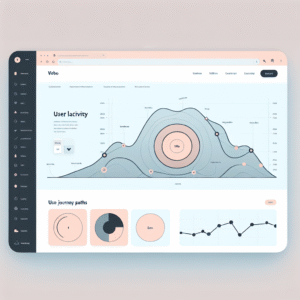
Enhancing User Experience with the Best WordPress Click Tracking and Heatmap Plugins
Discover top WordPress plugins for click tracking and heatmaps to enhance user experience and optimize your site's design.

Unlocking Insights: The Best Heatmap and User Behavior Plugins for WordPress
Discover top heatmap and behavior tracking plugins for WordPress to boost your site's user engagement and conversions.