
Essential WordPress Plugins to Boost User Interaction and Insights
Introduction to Tracking Plugins
Unlock the power of user interaction insights with WordPress tracking plugins.
Importance of User Interaction Tracking
Understanding user interactions is paramount in creating an engaging online presence. With tracking plugins, WordPress users can gain vital insights to make data-driven decisions, optimizing layout and content engagement.
Privacy-Focused Insights
Choose privacy-conscious plugins to ensure compliance while visualizing user behavior through heatmaps, turning insights into actionable strategies without compromising user data integrity.
Why User Click Tracking Matters
Understanding how users interact with your website is crucial for improving engagement and conversion rates. Tracking user clicks provides insights into which elements attract attention and which are ignored.
For instance, noticing frequent clicks on non-converting elements can help strategize enhancements. This feedback loop facilitates continual improvements, optimizing content layout and CTAs for maximum interaction and lead generation.
WordPress heatmap plugins visualize user clicks with color-coded representations, pinpointing where adjustments are needed. They aid in placing CTAs strategically and ensuring key content engages users effectively.
Integrating these plugins with analytical tools offers a comprehensive view of user behavior, elevating marketing strategies and enhancing user experiences, thus boosting business success.
Top WordPress Click Tracking Plugins
MonsterInsights
With its comprehensive tracking capabilities, MonsterInsights seamlessly integrates with Google Analytics, offering a user-friendly interface that extends beyond click tracking.
Learn MoreCrazy Egg
A powerful alternative to Hotjar, Crazy Egg offers heatmaps and session recordings, enabling a visual deep dive into user interactions.
Discover MoreWP Click Tracker
Perfect for beginners, WP Click Tracker offers simple click tracking with detailed analytics, ideal for understanding user engagement.
Find Out MoreHeatmap for WordPress by Sumo
Sumo’s free heatmap solution is essential for tracking user interactions, great for budget-conscious beginners needing key insights.
Explore MoreFullStory
FullStory’s session recordings and AI insights uncover significant user experience issues, making it ideal for comprehensive analysis.
Discover InsightsHow to Choose the Right Plugin
Define Your Needs
Start by clearly identifying what you want the plugin to achieve. For analyzing user interactions, consider a ‘WordPress user click tracking plugin’.
Check Ratings and Reviews
Investigate user feedback to find reliable and effective plugins. High ratings and positive reviews are good indicators.
Inspect Update Frequency
Regular updates ensure compatibility with the latest WordPress version, keeping your site secure.
Evaluate Support and Documentation
Ensure access to comprehensive documentation and responsive support to save time and reduce frustration.
Test for Compatibility
Ensure the plugin is compatible with your theme and other plugins to avoid performance issues.
Consider Performance Impact
Choose plugins optimized for performance to maintain a fast-loading site. Test post-installation for any slowdowns.
Opt for Simplicity
Look for plugins with intuitive interfaces and easy set-up processes, especially if you lack technical expertise.
Real-World Examples and Success Stories
Online Retailer’s Transformation
An online retailer boosted sales by 20% in just three months by using a “plugin to see where users click WordPress”. By recognizing that users were trying to click images as links, they redesigned with linked images to product pages.
Sales Increase: 20%
Blog’s Bounce Rate Reduction
By leveraging a “record user activity WordPress plugin”, a blog identified and addressed high bounce rates. Implementing a ‘related articles’ section and CTAs retained visitors and boosted engagement.
Visitor Retention & Engagement: Improved
Troubleshooting and Avoiding Plugin Conflicts
Common Issues & Solutions
Plugin conflicts are a common hurdle for WordPress users, but they don’t have to derail your website’s performance.
Firstly, identifying the presence of a plugin conflict is crucial. Common symptoms include visualization issues, unexpected errors, or slow site performance.
Prevention Strategies
- Limit the number of plugins: Each new plugin increases the risk of conflict. Only install essential ones.
- Research before installation: Review plugin ratings and comments for potential issues noted by other users.
- Backup regularly: Keeping regular backups ensures you can revert back to a stable version if something goes wrong.
- Use a staging environment: Testing new plugins in a staging area helps identify potential conflicts without risking your site’s performance.
Need More Help?
If updating doesn’t resolve the problem, consider reaching out to the plugin’s support forum or us directly for assistance.
Contact UsExploring 3D Viewer Plugins
3D viewer plugins are revolutionizing digital content by offering an interactive and immersive experience. Integrating such plugins into your website can enhance user engagement strategically, making your content more dynamic and interactive.
In WordPress, implementing a 3D viewer plugin can elevate your site’s design and functionality. It allows seamless embedding of 3D models, providing visitors a rich experience akin to exploring actual artifacts or products.
- Museums use them to let visitors explore artifacts from all angles.
- Online retailers enhance product exploration.
- Real estate benefits from virtual property tours.
- Education and training become more engaging with 3D models.
With many plugins available for free, like Sketchfab or 3D Max, it’s an accessible way to include engaging content. Keep your site cutting-edge and stand out in the digital landscape with a 3D viewer plugin.
Tips for Integrating 3D Content
Integrating 3D content can significantly enhance user engagement and provide a captivating experience. Discover how to embed 3D models effectively on your WordPress site.
Learn MoreChoose the Right Plugin
Select lightweight 3D model plugins supporting formats like GLTF, OBJ, and STL. Ensure they align with your site’s needs and theme.
Optimize Performance
Utilize compression tools and CDNs to optimize load times of 3D assets, ensuring a smooth user experience.
Integrate Seamlessly
Ensure 3D models blend with your site’s existing theme, enhancing visual appeal without overwhelming other elements.
Consider AR Capabilities
Leverage augmented reality capabilities in plugins to provide immersive experiences, increasing user interaction.
Browse Categories:
Tags for this post:
You may also like

Essential User Behavior Tracking Plugins for WordPress in 2025
Discover essential plugins to track user behavior on WordPress, boost conversions, and ensure privacy in 2025.

Unveiling User Behavior: Top Plugins for Heatmaps and Click Tracking on WordPress
Discover the best plugins to track user behavior and click on WordPress, enhancing site experience and unlocking actionable insights.
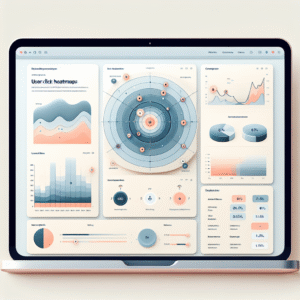
Enhance Visitor Insight with Top WordPress User Tracking Plugins
Explore the best WordPress tracking plugins to enhance user insights and optimize your site's performance with targeted, privacy-focused solutions.