
Essential WordPress Heatmap Plugins to Enhance User Engagement
Introduction to WordPress Heatmaps
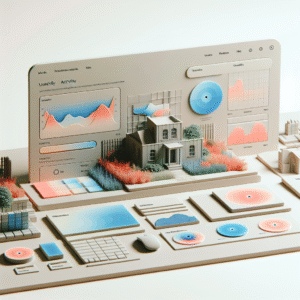
In the digital realm, understanding how visitors interact with your website is pivotal to enhancing user experience. This is where heatmaps come into play. Heatmaps are visual representations that illustrate user activity on a web page, typically using varying colors to depict levels of engagement, such as clicks, taps, and scrolls.
Why Heatmaps
By harnessing the power of heatmaps, businesses can gain insights into user behavior, identifying which areas of a page capture attention and which are often overlooked. This knowledge optimizes layout, design, and content.
WordPress Integration
For WordPress site owners, heatmaps offer an intuitive means to delve deeper into user interaction patterns, allowing for effortless visualization of these patterns and informed decisions based on actual data.
Benefits of User Click Tracking
Comprehensive Insights
User click tracking provides detailed insights that transform your website’s design and optimize user experience, offering a clear map of visitor activity.
Enhance Engagement
Identify underperforming sections to refine content placement and increase engagement and conversions effectively with precise data.
Improved Navigation
Create intuitive navigation paths by identifying and removing features that clutter user journeys with the help of a WordPress plugin.
Targeted Content Strategy
Focus on content that resonates, enhancing user satisfaction and boosting SEO by reducing bounce rates and increasing dwell time.
Top Heatmap Plugins for WordPress
When it comes to enhancing your website’s performance, utilizing a WordPress heatmap plugin can provide you with critical insights into user behavior. This allows you to optimize design and content placement for better engagement.
Hotjar
A widely popular tool with features like session recordings and conversion funnels, helping you understand user behavior through clicks, taps, and scrolling.
Crazy Egg
Known for its user-friendly interface, Crazy Egg offers scroll maps, confetti tools, and user recordings, alongside seamless A/B testing capabilities.
Lucky Orange
A comprehensive solution combining heatmaps, live chat, visitor recordings, and conversion funnel tools for a holistic view of the user journey.
Mouseflow
Provides heatmaps that segment data by traffic source and time intervals, ideal for understanding how different visitor segments interact with your site.
WP Visitor Statistics
A free plugin allowing you to track and visualize user activity, perfect for small websites needing basic analytics.
Comparing Heatmap Tools: Free vs Paid
Weigh the differences between free and paid plugins to make an informed decision, balancing budget with performance.
Free Heatmap Plugins
-
Cost-Effective
Ideal for startups or personal projects with limited budgets.
-
Easy to Implement
Straightforward to install and start using, perfect for beginners.
-
Limited Features
Lacks advanced analytics tools for deeper insights.
-
Support and Updates
Often without dedicated support or frequent updates.
Paid Heatmap Plugins
-
Comprehensive Features
Offers detailed analytics, segmenting options, and integrations.
-
Customer Support
Ensures prompt assistance with challenges or queries.
-
Regular Updates
Keeps plugins updated with latest features and security patches.
-
Cost
Expense can be a concern for smaller projects or businesses.
Exploring Advanced Heatmap Features
Discover how advanced heatmap features are revolutionizing site analysis by offering precise insights for targeted improvements, enhancing user experience and site performance.
Dynamic Heatmapping
Real-time adaptation reflects user interactions on fluctuating content, optimizing design strategies by analyzing engagement with interactive elements.
Segment Analysis
Differentiates user interactions by traffic source, device type, or location, enabling tailored experiences to boost engagement and conversions.
Session Recordings
Combining top session recording plugins with heatmaps provides a comprehensive view of user journeys, identifying navigation and engagement hotspots.
AI-Powered Forecasting
Utilizes predictive analytics to anticipate user behavior and suggest optimizations, enhancing strategy with actionable insights from raw data.
Balancing User Privacy with Heatmap Usage
Understanding the Balance
As websites increasingly employ tools like heatmaps to understand user behavior, striking a balance between data collection and user privacy is critical. Heatmaps can provide invaluable insights but pose potential privacy risks if not implemented responsibly.
- Choose privacy-focused heatmap tools.
- Implement strong privacy policies.
- Ensure compliance with GDPR or CCPA.
- Allow user opt-out options.
Ethical Tracking Practices
Adopt a privacy-first mindset by anonymizing data and providing consent options. Regularly audit your data to remove personal information.
Building trust with your users not only protects them but also enhances your brand’s reputation.
Installation and Setup of Heatmap Plugins
Step 1: Plugin Installation
Log into your WordPress dashboard. Navigate to the “Plugins” section and click on “Add New.” Type “Heatmap” in the search bar to explore options like Crazy Egg, Hotjar, and Mouseflow. Select a plugin that fits your requirements and click “Install Now.”
Step 2: Activation
Post-installation, go to the “Plugins” menu, find your chosen plugin, and click “Activate.” This integrates the plugin into your WordPress site. Most plugins require platform registration, so log in or sign up as necessary.
Step 3: Configuration
Access the “Settings” or “Integration” section of the plugin. Configure preferences such as which pages to track. For high-traffic pages, adjust settings accordingly. Crazy Egg, for instance, lets you create multiple snapshots for interaction comparisons.
Step 4: Analyzing Metrics
Utilize the plugin dashboard to analyze metrics, such as the ‘click map’ showing frequent click areas. Such insights help optimize user experience. Address issues like clicks on non-interactive areas to improve site design.
Optimizing User Engagement with Heatmaps
Heatmaps serve as a powerful tool in understanding user behavior, helping you gain insights into how visitors interact with your website. By visually representing data, heatmaps illuminate where users click, scroll, or hesitate, allowing you to make informed decisions on website design and functionality.
Incorporating heatmaps into your strategy isn’t only for troubleshooting. They provide a continuous feedback loop as you implement changes, so you can see precisely how adjustments impact user interactions over time. Enhancing user engagement requires ongoing analysis, and tools like heatmaps make it easy to track user behavior and assess the effectiveness of your strategies.
Transform Visitors into Customers
With WordPress plugins like Crazy Egg and Hotjar, seamlessly integrate heatmaps to transform casual visitors into devoted customers. Utilize comprehensive features like scroll maps, click reports, and session recordings to refine user experiences.
Get StartedBrowse Categories:
You may also like
Maximize User Experience with WordPress Click Tracking and 3D Viewing Plugins
Discover how click tracking and 3D plugins can elevate your WordPress site's user experience.

Transforming User Experience: Best WordPress Plugins for User Behavior Tracking
Discover the top WordPress plugins for tracking user behavior and enhancing site performance with heatmaps, click tracking, and 3D visualization.

Enhance User Experience with Heatmap and Activity Tracking Plugins for WordPress
Discover how to boost your WordPress site's UX with top heatmap and activity tracking plugins. Learn about features, installation, security,…