
Enhancing Your Site with WordPress User Click Tracking & 3D Viewing
Introduction to User Behavior Tracking
Understanding user behavior is crucial for optimizing a website’s performance. By tracking user behavior, businesses gain valuable insights into site interaction, what draws attention, and potential obstacles. This information is foundational for making informed decisions on website enhancements.
WordPress plugins can track user clicks, reveal popular elements, and suggest optimization strategies. For instance, prominent call-to-action buttons can be identified for increased engagement.
Tracking can also illuminate user pathways, identifying areas of friction. Addressing these can enhance navigation and potentially increase conversions. Implementing these insights into your strategy is essential in a competitive online landscape.
Contact UsTop WordPress Heatmap Plugins
In the digital age, understanding user behavior on your website is crucial for enhancing the user experience and driving engagement. Heatmaps, which visually represent how users interact with your site, are an essential tool for web developers and marketers alike.
Hotjar
Hotjar offers detailed heatmap data that allows you to see where clicks, taps, and scrolling occur. It provides session recordings, conversion funnels, and feedback polls.
Learn MoreCrazy Egg
Crazy Egg offers basic heatmap capabilities with visual reports to understand user interaction. It’s a great choice for small businesses or startups.
Learn MoreLucky Orange
This privacy-focused plugin offers traditional heatmaps along with live chat and dynamic heatmaps that respect privacy standards.
Learn MoreWhy Use Heatmap Plugins?
Incorporating a WordPress heatmap plugin can provide actionable insights that are essential for refining the user journey. From improving call-to-action placements to understanding user attention, these plugins are invaluable for website optimization.
Benefits of Session Recording
Understanding precisely how users interact with your website is pivotal to optimizing their journey and enhancing conversion rates. Session recording tools capture live interactions, enabling detailed playback of visitor behaviors.
-
Capture live interactions like clicks, scrolls, and navigation paths to step into your users’ shoes.
-
Identify conversion barriers, such as confusion during checkout, to reduce cart abandonment rates.
-
Supplement traditional analytics with context-rich insights that tell you the “why” behind user behavior.
-
Guide UI/UX improvements by revealing areas where users struggle to enhance user satisfaction and boost conversion rates.

Implementing Click Tracking
Guide readers through choosing and setting up click tracking plugins to collect actionable data to optimize site layout and content.
Understanding User Interactions
Effectively implementing click tracking can transform your insight into user interactions on your website. Using the right plugins is key to optimizing content for better results.
- Heatmaps: Visualize interaction zones.
- Click Maps: Identify overlooked areas.
Top Plugins for Better Conversions
Choosing the right plugin can enhance how you tailor user experiences to improve conversions.
MonsterInsights
Integrates with Google Analytics for comprehensive click activity.
Crazy Egg
Offers visual reports and A/B testing features.
3D Viewing on Your WordPress Site
Embed 3D models effortlessly to enrich user experience and stand out with interactive, immersive content.

Enhanced User Interaction
Provide an engaging experience by allowing users to interact with content in a three-dimensional space.
Seamless Integration
WordPress plugins offer easy embedding of 3D models to create a seamless and rich visual experience.
User-Friendly Tools
Use plugins with intuitive drag-and-drop features to cater to both beginners and advanced developers alike.
Top 3D Viewer Plugins for WordPress
Enhance your WordPress site with cutting-edge 3D viewer plugins that transform portfolios and product displays into interactive experiences. Whether showcasing jewelry designs or architectural models, explore our curated list of plugins that bring sophistication and engagement.
Sketchfab
Seamlessly embed interactive 3D models on your site. Perfect for artists and engineers. Enjoy access to a robust library for effortless display.
Explore Sketchfab3D Product Viewer
Enhance e-commerce with 3D product interaction. Showcase from every angle to improve shopping experiences significantly.
Discover 3D Product ViewerVerge3D
Offers customizable interaction with animations and configurators. Perfect for developers desiring control and visual allure.
Learn About Verge3DIntegration Tips and Best Practices
Ensure optimal performance and speed on your WordPress site with strategic plugin integration. Follow these best practices to maintain a seamless user experience.
Prioritize Essential Plugins
Only install plugins that serve a necessary function. Multipurpose plugins can fulfill multiple roles efficiently.
Check Reviews & Updates
Consider the plugin’s reputation and ensure regular updates are provided for ongoing support and optimization.
Test in Staging Environment
Always test new plugins in a staging area to ensure no conflicts occur with existing plugins or themes.
Optimize Server Resources
Utilize tools like caching plugins, CDN and GZIP compression to bolster speed while using multiple plugins.
Future-Proofing with the Best Plugins
Proven Reliability
Opt for plugins with a strong history of updates and support to future-proof your site.
Learn MoreUp-to-date Features
Choose well-supported plugins that keep up with WordPress evolution for seamless integration.
Explore PluginsEnhance User Experience
Focus on plugins that enhance user interaction, such as drag-and-drop design tools.
See User ToolsBrowse Categories:
Tags for this post:
You may also like

The Ultimate Guide to WordPress User Experience: Harnessing Heatmaps and Session Recording
Unlock the potential of your WordPress site with heatmaps and session recording tools to enhance user experience and drive conversions.
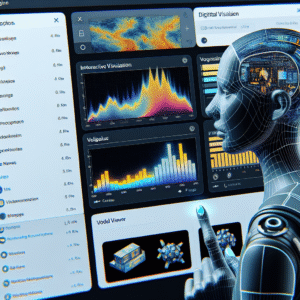
Top WordPress Plugins to Enhance User Interaction and Experience
Discover the top WordPress plugins for enhancing user interaction and experience in 2025, from heatmaps to 3D viewers.

Unlock User Insights: Best WordPress Heatmap and Recording Plugins for 2025
Discover top WordPress heatmap and recording plugins for 2025 to enhance user experience and track behaviors efficiently.