
Enhancing User Interaction with WordPress: Heatmaps and 3D Viewers
Introduction to User Interaction Tools
Understanding user behavior is crucial in optimizing the user experience on your WordPress site. By comprehending how visitors interact with your website, you can identify potential pain points, enhance engagement, and ultimately increase conversions.
Track User Behavior
Utilizing a WordPress user click tracking plugin allows site owners to gain in-depth insights into these interactions. Imagine having the power to visualize where your users are focusing their attention or which buttons get the most clicks.
Enhanced Engagement
With this information, you can make informed decisions on redesigning your site layout or improving certain call-to-action placements, and gain a competitive edge in today’s digital landscape.
Unveiling Heatmaps for WordPress
Leverage the power of heatmaps to understand user interactions and improve your WordPress site.
What are Heatmaps?
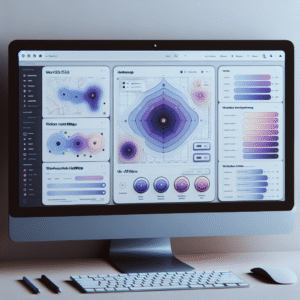
Heatmaps are powerful tools that visually represent user interaction on your website, offering insights into where visitors click, scroll, and hover. These colorful data visualizations simplify complex user engagement metrics by highlighting hot spots and areas of high activity.
- Highlights where users click, scroll, and hover
- Simplifies complex user engagement metrics
- Identifies hot and cold areas on your site
Why You Need Them
Heatmaps are essential for site improvement by providing intuitive visual feedback crucial for optimizing conversion rates and boosting performance. They highlight areas that engage users enough to click and pinpoint elements that may need refinement.
- Optimize conversion rates through intuitive feedback
- Enhance user experience and site usability
- Empower your analytics strategy with visual insights
Top WordPress Heatmap Plugins
Gain insights into visitor behavior with top heatmap plugins for WordPress. Visualize where users click, scroll, and engage to inform decision-making and enhance user experience.
Hotjar
Comprehensive suite with heatmaps, recordings, and surveys. Subscription may be required for advanced features.
Crazy Egg
User-friendly heatmaps and A/B testing for improved conversions.
Mouseflow
Capture sessions, create real-time heatmaps, and track mouse movement paths.
Lucky Orange
Affordable plans offering heatmaps, session recordings, and live chat features.
WPFomify
Primarily for conversions, offers heatmap functionality to boost user engagement.
Recording User Sessions on WordPress
Gain insights into user behavior and preferences with session recording plugins, enhancing your website’s user journey and driving business success.
Understand User Interactions
Use session recording plugins to capture real-time user actions such as clicks, scrolls, and navigation paths, providing a comprehensive view of user behavior.
Identify User Journey Roadblocks
Discover potential roadblocks in the user journey and improve navigation, calls to action, and page design for a frictionless user experience.
Enhance Conversion Rates
Optimize your conversion funnel by observing user interactions with site touchpoints, improving processes to increase conversions and user satisfaction.
Session Recording Plugins Comparison
Revolutionize your website optimization with insights into user behavior. Compare the top session recording plugins of 2025 and make informed decisions.
Hotjar
Integrates seamlessly with WordPress to provide heatmaps, session recordings, and user feedback.
- User-friendly interface
- Comprehensive insights
Ideal for understanding visitor interactions
Crazy Egg
Excels with visual reports like heatmaps and scroll maps for visualizing user behavior.
- Visual click data segmentation
- User-friendly insights
Great for visualizing user interaction
Mouseflow
Provides advanced funnel tracking and form analytics for detailed insights into conversion.
- Extensive session recordings
- In-depth funnel analysis
Perfect for conversion path analysis
FullStory
Enables video-like playbacks of user sessions for replay and analysis of real user interactions.
- Powerful segmentation options
- Detailed user interaction replays
Ideal for identifying user-specific issues
Introduction to 3D Viewers for WordPress
Enhancing Visual Storytelling
In today’s digital landscape, capturing and retaining the attention of your website visitors can be quite challenging. A WordPress 3D viewer plugin significantly enhances visual storytelling, engaging users beyond static images.
Interactive models can be embedded directly, turning ordinary pages into immersive experiences.
Consumers can rotate and zoom in on products, examining details and making informed decisions.
Boosting User Engagement
For artists and designers, 3D viewer plugins are the best means to showcase 3D portfolios, enhancing the perception of craftsmanship and nuance.
Prospective clients can view artworks closely, increasing the perceived value of the work and opportunities for commissions.
Interactive content captivates visitors, leading to higher retention rates and commercial success.
Exploring Top 3D Viewer Plugins
Learn about the leading 3D viewer plugins available for WordPress, and make informed decisions on tools to elevate your site’s 3D content presentation.
Sketchfab 3D Viewer
- Extensive model library
- Responsive design
- Supports multiple formats
3D View Plugin
- Free and budget-friendly
- Supports WebGL & HTML5
- Customizable settings
3D Model Viewer WP
- High-speed performance
- Advanced customization
- Suitable for interactive content
Integrating and Optimizing User Insights Tools
Guide your site’s performance to new heights with user insights tools. Understand your visitors better and optimize every interaction.
Visualize User Interaction
Use heatmaps and session recordings to discover how visitors interact with your content. Tools like Hotjar and Crazy Egg offer invaluable insights to enhance user engagement.
Maintain Performance
Choose lightweight plugins like MonsterInsights and WPForms to keep your site running smoothly while gathering critical data insights right from your dashboard.
Continue Your Journey
Regular updates and proactive maintenance lead to superior user experiences. Keep exploring to enhance your site’s performance.
Back to HomeBrowse Categories:
You may also like
Maximize User Interaction: The Best WordPress Heatmap Plugins to Track and Enhance User Behavior
Discover the best WordPress heatmap plugins to track user behavior and improve your site's engagement and conversions.

Enhance User Experience with WordPress Click Tracking and 3D Viewer Plugins
Discover essential plugins to track clicks and view 3D models on WordPress, enhancing user experience and boosting site conversions.

Enhance Your Website with the Best WordPress User Click Tracking Plugins
Discover the best WordPress plugins for tracking user clicks and enhancing your site's performance and user experience effectively.