
Enhancing User Experience: The Ultimate Guide to WordPress Click Tracking & 3D Viewing
Introduction to User Click Tracking
Discover how user click tracking can transform your website’s performance by leveraging data-driven strategies to understand visitor interaction.
Why Track User Clicks?
User click tracking is a powerful method for gaining valuable insights into how visitors interact with your website. Monitor actions like links clicked, buttons pressed, and paths followed to optimize your site’s performance.
Real-World Applications
E-commerce sites use click tracking to enhance the user experience by identifying popular products and potential bottlenecks. News sites tailor content to audience preferences based on article engagement data.
Benefits of WordPress Click Tracking Plugins
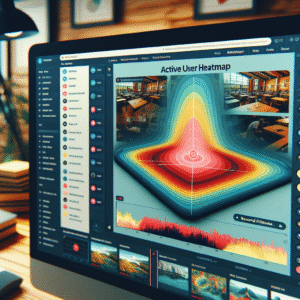
- Visualize click patterns through heatmaps for better design decisions.
- Gain insights into user behavior to refine content and improve satisfaction.
- Make data-driven adjustments beyond guesswork for effectiveness.
How to Implement Heatmaps in WordPress
Choosing a Heatmap Plugin
Start by selecting a plugin that suits your needs. Consider options like Hotjar or a free option like Crazy Egg’s Basic Plan, both beginner-friendly.
Installation
Download your chosen plugin from the WordPress repository and upload it via your WordPress dashboard. Activate it to initialize its features.
Configuration
Navigate to the plugin’s settings to configure tracking pages or elements. Plugins usually offer guidance for optimizing configuration.
Connecting with Your Site
Copy a unique tracking code into your site’s header, manageable via theme options or a script plugin. This enables tracking actions on your site.
Analyzing Results
After setup, let the data accumulate. View insights like clicks and scroll depth directly from your dashboard to make informed UX decisions.
Implementing a WordPress heatmap plugin is a strategic step towards a data-driven approach in user experience optimization.
Get Started NowRecord User Sessions Effectively
Understand User Behavior
Implementing session recording tools provides invaluable insights into user interactions, helping you optimize the digital experience by showcasing where users linger and drop off.
Spot interest areas and obstacles by viewing real-time user journey visualizations.
Use heatmaps and click tracking to understand detailed interaction patterns.
Transform mysterious behaviors into clear narratives for improved conversion paths.
Leverage WordPress Plugins
Take advantage of WordPress plugins designed for seamless session recording, offering analytics without the technical jargon.
Seamlessly integrate into your dashboard with minimal setup effort.
Categorize sessions by demographics or channels for tailored content delivery.
Enhance customer satisfaction and retention by aligning offerings with user expectations.
Choosing the Right Click Tracking Tool
Empower your website optimization with the perfect click tracking tool tailored to your needs and priorities.
Privacy-Focused Tools
For those prioritizing privacy, choosing a WordPress tool with robust anonymization features over traditional options ensures user integrity. Explore tools that align with your privacy commitments while providing comprehensive data insights.
Alternatives to Hotjar
Explore alternatives that offer straightforward WordPress integration and focus on enhancing security. These tools can reduce the setup complexity while delivering essential features for effective data tracking.
Cost vs. Benefits
Small to medium-sized businesses can benefit from affordable options without compromising on essential features like heatmaps and session recordings. Seek a balance between budget constraints and robust functionality.
Informed Decisions
Ultimately, choosing a click tracking tool that aligns with your specific business priorities can save time, resources and enhances your site optimization efforts, leading to more informed decision-making.
Introduction to WordPress 3D Viewing
Envision a website that’s not just about reading content or viewing static images but about interacting with three-dimensional objects that create a dynamic and immersive experience. This is precisely what a WordPress 3D viewer plugin can offer.
Integrating 3D models, such as with plugins like “Sketchfab” or “3D Viewer,” transforms your content presentation from flat to engaging, making your digital environment unforgettable. Whether for an online store, a virtual exhibition, or education, 3D viewing captivates and retains viewers.
Discover MoreEmbedding 3D Models into Your WordPress Site
Integrating 3D models into your WordPress site allows you to provide an interactive experience that captivates viewers and enhances user engagement. Follow these steps to effectively embed 3D models and elevate your site’s visual content.
Step 1: Choose the Right Plugin
Select a lightweight 3D model plugin like Sketchfab or 3D Viewer for efficient integration without overloading your site.
Step 2: Install and Activate the Plugin
Go to ‘Plugins’ on your dashboard, search, install, and activate your chosen plugin to start embedding models.
Step 3: Upload Your 3D Model
Upload your 3D model in formats like .glb or .obj directly to WordPress or use external links if supported.
Step 4: Embed the Model
Utilize shortcode or block in the editor to display your 3D content. Tailor dimensions and interaction capabilities as needed.
Step 5: Customize and Optimize
Adjust visual details like rotation, scale, or lighting. Ensure your models load efficiently for a smooth user experience.
Best Practices for Enhanced User Experience
The Power of Click Tracking
Understanding how visitors interact with your site through click tracking allows you to optimize your design and content placement for improved navigation and interaction. Critical elements like CTAs should be strategically placed where users are most likely to engage with them. Observing user journeys can guide you in refining paths, leading to higher conversion rates.
3D Viewing for Immersive Experiences
Incorporating 3D viewing technology enhances engagement, especially for e-commerce sites. Users can explore product details and dimensions more interactively, reducing ambiguity and improving satisfaction, often resulting in better purchase decisions.
Must-Have WordPress Plugins
-
MonsterInsights – Provides in-depth insights with user-friendly analytics, ensuring alignment with user needs.
-
WP VR – Brings advanced 3D viewing to your WordPress site, enhancing the overall user experience.
Conclusion and Next Steps
As we’ve explored, leveraging plugins to enhance your WordPress site’s functionality can unlock powerful new opportunities. Whether you’re looking to visualize user interactions or improve your conversion rates, the right plugin can make a significant difference.
Implementing a WordPress plugin to visualize user interaction lets you gain valuable insights into how users engage with your content, enabling data-driven decisions that optimize user experience. Finding the best plugin to improve conversions on WordPress platforms can transform your website into a streamlined conversion machine, helping to achieve your business objectives more efficiently. Embrace these tools as part of your digital strategy.
Your next steps are simple yet impactful. Begin by identifying your specific needs or areas for improvement on your site. Conduct thorough research to find the right plugins that align with these requirements. Install, test, and analyze the performance improvements closely. This proactive approach will not only enhance your website’s effectiveness but also provide a better user experience for your visitors.
Take action today and elevate your WordPress site to new heights. Remember, the tools are at your fingertips — use them wisely to drive growth and success.
Browse Categories:
You may also like

Mastering User Behavior Insight: The Complete Guide to WordPress Heatmap and Session Tracking Plugins
Explore essential plugins for tracking user behavior on WordPress sites, boosting engagement and conversions through heatmaps and session recordings.

Enhance User Experience with The Best Heatmap and 3D Viewer Plugins for WordPress in 2025
Discover top plugins to track user clicks and enhance interactivity with 3D viewers in 2025 for improved WordPress user experience.
Choosing the Best WordPress Plugins to Boost User Interaction and Engagement
Discover the best WordPress plugins for boosting user interaction, from heatmaps to 3D models, while maintaining user privacy.