
Enhancing User Engagement with the Best WordPress User Click Tracking and 3D Viewer Plugins
Introduction to User Interaction Plugins
In the digital realm where first impressions can make or break your engagement with visitors, understanding user interaction on your WordPress site is crucial. It’s not just about the aesthetics or the content — it’s also about how users navigate and interact with your site.
User interaction plugins, such as a WordPress heatmap plugin or a WordPress user click tracking plugin, offer invaluable insights into visitor behavior. These tools empower you to transform raw data into actionable strategies, ensuring a more intuitive and engaging user experience.
Click Tracking
Pinpoint exactly where users are clicking to improve navigation paths and CTAs.
Heatmaps
Visualize data on page areas that attract the most attention for better design insights.
Understanding Heatmap Plugins
Discover the essentials of heatmap plugins and learn how they can transform user behavior tracking on your website.
What Are Heatmap Plugins?
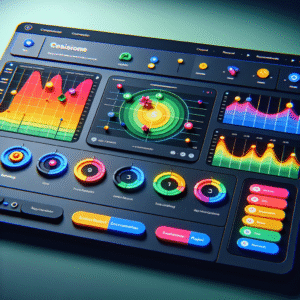
Heatmap plugins visually represent user interactions on your site by transforming data into color-coded maps. These tools help identify user focuses, click patterns, and scrolling behaviors, which are crucial for optimizing site layout for better user engagement.
Why Use Heatmap Plugins?
With these insights, determine whether your call-to-action is gaining traction or if certain webpage areas are overlooked, allowing for strategic enhancements.
Popular Options
-
Crazy Egg: Comprehensive tracking with an intuitive interface ideal for deep analysis.
-
Hotjar: Known for its robust capabilities and user-friendly design.
-
Heatmap for WordPress: Lightweight and efficient, perfect for minimal site performance impact.
Top WordPress Heatmap Plugins in 2025
Smartlook
Smartlook offers a comprehensive analytics suite with a seamless WordPress integration. Track clicks, scrolls, and movement in real-time in its user-friendly interface.
Learn MoreHotjar
Hotjar combines heatmaps with user session recordings, offering a dual approach to understanding navigation patterns. Features an easy setup and powerful survey tools.
Learn MoreCrazy Egg
Crazy Egg stands out with its snapshot feature, A/B testing capabilities, and overlay reports. Optimize page elements with detailed user activity insights.
Learn MoreInspectlet
Inspectlet focuses on privacy-friendly session recording and analytics, masking sensitive data while providing deep insights crucial for sites handling private information.
Learn MoreLucky Orange
Lucky Orange provides an all-in-one platform with dynamic heatmaps, chats, polls, and form analytics. Its dashboards offer cross-device insights for maximizing engagement.
Learn MoreLeveraging Session Recording Plugins
Unlock deeper insights into user behavior with session recording plugins, transforming data into actionable improvements.
Hotjar
A leading choice for session recordings in WordPress, offering comprehensive features like heatmaps and user feedback.
- Seamless WordPress integration
- Intuitive user interface
- Comprehensive heatmaps and feedback
Mouseflow
Track every user interaction with detailed session replays, heatmaps, and conversion funnels to enhance user experience.
- Detailed session replays
- Visualize user paths
- Optimize conversion funnels
Introduction to 3D Viewer Plugins
Step into the future of web engagement with 3D viewer plugins that transform your WordPress site into a dynamic haven for interactive experiences.
Revolutionizing Visual Interactions
3D content integration is a game-changer, reshaping how users interact with online information. These plugins empower WordPress users to embed 3D models seamlessly, turning static pages into vibrant displays.
- Enhance e-commerce visuals with detailed product views.
- Transform educational content with immersive models.
- Revolutionize real estate listings with virtual walkthroughs.
Accessibility & Usability
These plugins are user-friendly, requiring no advanced skills. They make cutting-edge interactivity accessible to everyone, enhancing engagement and driving conversions effortlessly.
By utilizing 3D viewer plugins, you ensure your site remains at the forefront of digital innovation, attracting and retaining users with compelling visual storytelling.
Learn moreBest 3D Viewer Plugins for WordPress
3D Viewer
High compatibility, user-friendly. Supports various formats while keeping it lightweight.
- Easy 3D content integration
- Lightweight for optimal performance
VR Views
Simplicity and functionality for showcasing 3D VR content. Ideal for beginners.
- Immersive VR experience
- Great for 3D portfolios
Sketchfab
Leverage a vast 3D model library with seamless integration.
- Rich customization options
- Integrates directly with Sketchfab
WP Pano
Enhances panoramic and virtual tours effectively.
- Ideal for real estate views
- Maintains fast loading times
AR for WordPress
Enables real-time interaction with 3D models using augmented reality.
- Perfect for e-commerce applications
- Engages users with real-time interaction
Combining Plugins for Maximum Impact
User Interaction Insights
Implementing a plugin that tracks user interactions like clicks and scrolls provides valuable insights. Understand the sections that engage users and optimize your layout for better conversion rates.
- Mouse click heatmaps
- Scroll tracking
- Data-driven layout optimization
3D Viewer Engagement
Enhance user engagement with 3D viewer plugins, offering interactive views of products. Boost satisfaction and lower returns with detailed visualization before purchase decisions.
- Immersive 3D product views
- Increased customer satisfaction
- Enhanced user engagement
By integrating these plugins, create a dynamic, data-informed site that captivates visitors and drives conversions. Start combining today for impactful results.
Explore MoreConclusion and Next Steps
As you’ve discovered, several essential WordPress plugins can significantly amplify user engagement and improve the overall experience on your website. By leveraging these tools, you’re not just adding functionality—you’re crafting an interactive and intuitive environment that keeps users coming back.
Implementing a WordPress plugin to visualize user interaction can transform your data into actionable insights, allowing you to refine your content strategy and interface design for maximum impact. Start with must-have WordPress plugins to streamline the visiting process, enhance site performance, and contribute to a positive user journey.
Identify Key Areas for Improvement
Begin by pinpointing the key areas where your website could benefit most from enhancements. Whether it’s through enhanced analytics, improved design elements, or better security measures, there’s a plugin ready to meet those needs.
Customizing your website with these powerful tools not only improves user experience but also invests in future growth and success. Start implementing today to see a noticeable difference in user engagement and satisfaction.
Browse Categories:
Tags for this post:
You may also like
Maximize User Engagement: Best Free WordPress Plugins for Click Tracking and Session Recording
Discover the best free WordPress plugins for tracking user interactions and session recordings to boost conversions and enhance user experience.
How to Optimize User Experience on WordPress with Heatmaps
Learn to enhance user experience on WordPress with heatmaps, tracking user behavior for improved engagement and conversions.

Transform Your WordPress Experience with User Click Tracking and Heatmap Plugins
Discover powerful WordPress plugins to track user behavior, enhance UX, and boost conversions with heatmaps.