
Enhance WordPress User Engagement with Heatmap and 3D Viewer Plugins
Understanding User Engagement on WordPress
Discover why user engagement is the backbone of a thriving WordPress site and how tracking it can elevate your online presence.
What is User Engagement?
User engagement measures the interaction level a visitor has with your site’s content and features. It’s about time spent, pages visited, and actions taken like clicks and shares.
Why Does Engagement Matter?
High engagement signifies valuable content, increased trust, and high conversion rates, all contributing to better SEO rankings and successful user interaction.
Tracking Tools for WordPress
Utilize WordPress user click tracking plugins to gain insights into user behavior, optimizing the website for better engagement based on data-driven decisions.
Optimize for Success
By understanding engagement metrics, you can refine content and design to match visitor needs, fostering a more connected audience and thriving website.
The Role of Heatmaps in Tracking User Behavior
Discover how heatmaps transform user data into actionable insights for optimized user experience.
Visual Insights at Your Fingertips
Heatmaps simplify complex user interactions on your site, showing exactly where visitors click and scroll.
Uncover hidden patterns in user behavior.
Streamline data for actionable insights.
Enhancing Site Performance
Analyze heatmaps to identify underperforming areas and optimize them for increased engagement.
Improve layout by understanding click behavior.
Turn insights into strategic changes.
How to Choose the Best Heatmap Plugin for Your WordPress Site
Selecting the right heatmap plugin for your WordPress site can significantly impact your ability to understand user behavior and optimize your website’s performance. With numerous options available, it’s essential to identify a plugin that aligns best with your needs.
1. Identify Your Needs
Outline what you need the heatmap for: improve site navigation, boost conversions, or reduce bounce rates. Match the tool’s features to your goals.
2. Consider the Load on Site
Select a lightweight heatmap plugin that adds minimal load, ensuring a seamless experience for visitors without slow page loads.
3. Explore Alternatives to Hotjar
While Hotjar is popular, consider options like Crazy Egg, Mouseflow, and Inspectlet for potentially better pricing and features.
4. Examine Features and Usability
Look for features like real-time analytics, advanced filtering, click tracking, and ease of installation to avoid complex interfaces.
5. Budget Considerations
Choose between free and premium plugins based on your needs; start with free options and upgrade for advanced analytics if necessary.
6. Read Reviews and Testimonials
Gain real-world insights by checking WordPress forums, social media groups, and review sites for user feedback.
Recording User Sessions for Better Insights
Recording user sessions can be a game-changer for anyone managing a website or online business. With detailed insights into how users interact with your content, you can make informed decisions to enhance user experience and boost conversions.
Benefits of Session Recording
- Gain valuable visualizations of user journeys
- Optimize site navigation and improve engagement
- Empathetic UI through user activity tracking
Choosing the Right Plugin
- Look for heatmaps and journey replays
- Options for segmentation and analytics depth
Enhancing Interaction with 3D Viewer Plugins
Engage your users creatively with immersive 3D content on WordPress.
Transform E-Commerce Experiences
Allow customers to interact with 3D models of products, enhancing understanding and engagement, just like IKEA does with its realistic home previews.
- Explore every angle of a product
- Boosts purchase decisions
- Creates memorable interactions
Innovate Educational Content
Embed 3D models to help students interact with complex structures, similar to interactive modules on learning platforms.
- Enhances learning impact
- Makes abstract concepts tangible
- Captivates student attention
E-Commerce
Innovative product showcases.
Education
Engaging and interactive learning.
Design
Visualize designs in 3D.
Comparing Popular 3D Viewer Plugins
Choosing the best plugin to showcase a 3D portfolio on WordPress can significantly amplify the visual appeal of your work. Let’s delve into some of the most popular 3D viewer plugins that cater to different needs, from lightweight options to feature-rich powerhouses.
3DViewerOnline Embed
- Swift loading times, web-based.
- No unnecessary frills, lightweight.
- Efficient for showcasing intricate designs.
Sketchfab
- Embed interactive 3D models.
- Supports Animation and VR viewing.
- Extensive file format support.
WP 3D Models
- Comprehensive customization options.
- Optimized for mobile viewing.
- Ideal for photographers and architects.
Using Plugins to Boost Conversion Rates
OptinMonster
Enhance conversion rates with features like Exit-Intent Technology, strategically engaging visitors as they intend to leave.
MonsterInsights
Leverage analytics to understand user behavior, tailor content, and create effective CTAs, driving conversion improvements.
WPForms
Build user-friendly contact forms with a drag-and-drop interface, enhancing user experience and capturing leads efficiently.
Ensuring Privacy with Tracking Plugins
Address privacy concerns with confidence by implementing privacy-focused tracking plugins that maintain user trust while providing valuable insights.
Protect User Data
Use plugins that anonymize data, provide clear opt-in options, and align with GDPR and CCPA regulations.
Enhanced SecurityIncrease Engagement
By ensuring privacy, build trust which leads to higher user interaction and brand loyalty.
User TrustEnsure Compliance
Select and maintain plugins that stay compliant with privacy laws through regular updates and audits.
Legal StandardsBrowse Categories:
You may also like

Mastering Visitor Insights: Top WordPress Plugins for Heatmaps and User Tracking
Discover essential WordPress plugins for tracking visitor engagement through heatmaps and session recordings, optimizing user experience, and privacy compliance.
Guide to Enhancing User Experience with WordPress Heatmap and Click Tracking Plugins
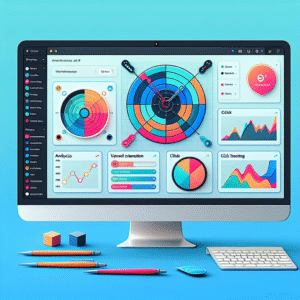
Explore top WordPress heatmap and click tracking plugins to boost user engagement and site performance with actionable insights.

Maximizing User Engagement: The Best WordPress Plugins for Tracking Clicks and Behavior
Discover essential WordPress plugins for tracking user clicks and behavior to enhance engagement and conversions.