
Enhance User Experience with WordPress Heatmap Tools
Introduction to Heatmaps
Heatmaps are powerful tools that provide a vibrant, visual representation of user interactions on a website. By using a gradient of colors, heatmaps indicate which areas of a webpage receive the most attention, clicks, or mouse movements.
For WordPress site owners, understanding these patterns through heatmaps can be immensely valuable. Utilizing a WordPress heatmap plugin enables site admins to track user behavior seamlessly and derive insights that are often not apparent through analytics alone.
Learn MoreWhy Heatmaps Matter
- Visualize user interactions with a clear, intuitive layout.
- Identify high and low engagement areas on your site.
- Gain insights to optimize the user journey and increase conversions.
Benefits of Using Heatmaps
Enhanced Site Usability
Heatmaps allow you to identify design elements that may hinder user engagement. Analyze user clicks and scrolls to optimize page layouts and improve overall usability.
Improved Conversions
By strategically placing call-to-action elements where users are most likely to interact, heatmaps help increase click-through and conversion rates, driving more effective user engagement.
Privacy-Focused
Maintain compliance with data protection regulations by using privacy-focused heatmap plugins, which ensure user interactions are anonymized and data is securely handled.
Data-Driven Optimization
Utilizing heatmaps facilitates a data-driven approach to design and marketing, continually enhancing your website’s capabilities and maximizing its potential for growth.
Choosing the Right Heatmap Plugin
Guide readers on selecting the ideal heatmap plugin by discussing key features and considerations, ensuring alignment with business needs and user privacy concerns.
Compatibility and Ease of Use
Ensure the plugin is compatible with your current WordPress setup. A lightweight heatmap plugin minimizes loading times and integrates easily into your workflow.
Features and Customization
Look for plugins offering features like click tracking, scroll depth analysis, and session recordings, customized to meet specific business objectives.
User Privacy
Select a plugin that respects user privacy and complies with regulations such as GDPR, possibly anonymizing IP addresses or offering user consent options.
Data Visualization and Reporting
Choose a plugin that provides clear, intuitive visual data representations and detailed reports to facilitate informed decision-making.
Cost and Support
Evaluate the cost-benefit ratio, and prioritize plugins with reliable customer support for quick resolutions to potential issues.
Example: Crazy Egg
Known for its comprehensive features and user-friendly interface, Crazy Egg offers insightful heatmap reports and ensures privacy policy adherence.
Top Heatmap Plugins for WordPress
Understanding how visitors interact with your WordPress site is crucial. Explore the top heatmap plugins to gain valuable insights and optimize your website for better user engagement and conversion rates.
Crazy Egg
Renowned for its robust features like scroll maps and confetti reports, Crazy Egg provides detailed insights into user engagement. Ideal for beginners and professionals alike.
Learn more →Mouseflow
Offering more than just heatmaps, Mouseflow includes session replays and funnel analysis to give in-depth insights into user behavior. Perfect for data-driven decisions.
Learn more →Hotjar
A popular choice for its free version offering heatmaps and visitor recordings, Hotjar is great for small businesses on a budget.
Learn more →Lucky Orange
With features like visitor profiles, chat, and polls, Lucky Orange is ideal for those focusing on UX optimization.
Learn more →Implementing and Using Heatmap Plugins
Why Use Heatmap Plugins?
Heatmaps visually depict how users interact with your site, providing a deeper understanding of user behavior. These insights are crucial for making informed decisions about design and content strategies.
Utilizing plugins like Hotjar, Crazy Egg, or Mouseflow allows for efficient tracking of clicks, scrolls, and mouse movements, optimizing the site for better engagement.
How to Implement
- Install the Plugin: Navigate to WordPress dashboard > ‘Plugins’ > ‘Add New.’
- Activate and Set Up: Follow setup prompts or configure settings. Insert tracking code or API key.
- Customize Settings: Focus on specific site areas for tracking.
Data Analysis
Monitor heatmaps regularly to understand user engagement and make data-driven adjustments. Identify areas of success and elements that are overlooked, and refine them for improved performance.
These insights spotlight unexpected user behaviors and pave the path for more effective optimization strategies.
Enhancing Conversions and UX
Leverage heatmap insights to optimize user experience and boost conversions with strategic tweaks.
Unlock the Power of Heatmaps
-
Analyze ‘hot spots’ to emphasize high-interaction areas improving exposure for CTAs and important links.
-
Identify low interaction zones to pinpoint usability concerns and adjust content placement effectively.
-
Combine with session recordings for an in-depth understanding of user journeys on your site.
Actionable Strategies
- Relocate key elements such as sign-up buttons to make them more visible.
- Streamline navigation by removing superfluous elements to enhance focus.
- Improve layout for better readability making conversion paths clearer.
Incorporate the best conversion plugins for WordPress to bolster these improvements.
Privacy and Ethical Considerations
Understanding the Balance
Explore the significant insights heatmaps bring in enhancing user experience while acknowledging the imperative of privacy protection. Balancing these elements is crucial in today’s data-driven landscape.
- Transparent data practices with updated privacy policies.
- Implement cookie consent banners for user autonomy.
- Choose plugins prioritizing data anonymization.
- Use insights to enhance rather than exploit user experience.
Steps for Responsible Use
Leverage heatmaps while staying aligned with ethical standards:
Update your privacy policy to reflect heatmap usage transparently.
Install a consent banner, giving users control over data tracking.
Opt for plugins that mask PII, like those matching GDPR compliance.
Case Studies and Success Stories
E-commerce Retailer’s 15% Sales Increase
An e-commerce retailer tackled high bounce and low conversion rates by integrating a WordPress heatmap plugin. Gaining insights into user engagement enabled strategic page redesigns, resulting in a 15% sales increase within three months.
Service Provider Boosts Form Submissions by 25%
A medium-sized service provider optimized its inquiry process with heatmap data, revealing critical form placement errors. By reducing distractions and repositioning key elements, form submissions increased by 25%, enhancing lead generation.
Browse Categories:
You may also like

Enhancing User Interaction with WordPress: The Best Heatmap and Recording Plugins
Discover the best plugins to track user behavior on WordPress, boost conversions, and enhance user experience.
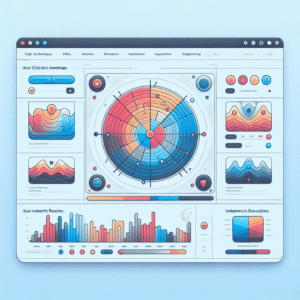
Maximize User Engagement With The Best WordPress Heatmap Plugins
Discover the power of WordPress heatmap plugins and boost your site's engagement with our expert guide.
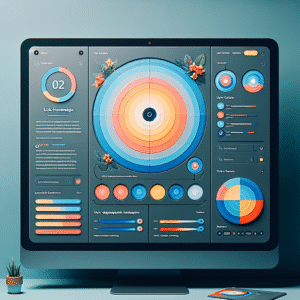
Revolutionize User Experience with the Best WordPress Heatmap and User Tracking Plugins
Discover the best plugins to track user behavior and enhance your WordPress site's performance with heatmaps and session recordings.