
Enhance User Experience with WordPress Click Tracking and Session Recording Plugins

Understanding Click Tracking and Its Importance

Dive into the world of click tracking and discover how it can transform user experience by providing actionable insights into user interactions.

The Role of Click Tracking

Click tracking is a digital roadmap that reveals user engagement patterns on your website. It shows which buttons, links, or images capture the most attention, allowing you to optimize layouts and navigation.

Learn More

Benefits for WordPress

Incorporating click tracking in WordPress is effortless with plugins. These tools offer real-time insights, enabling continual adaptation of strategies for enhanced user engagement and effective decision-making.

Contact Us

How Click Tracking Works in WordPress

Click tracking in WordPress monitors and records user interactions to gain insights into behavior and engagement patterns. This is typically done by embedding a small JavaScript code on the site, such as Google Analytics or a dedicated plugin, capturing clicks for analysis.

  • Captures interactions like link clicks and button presses.
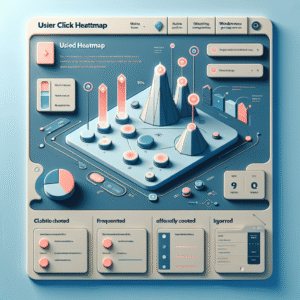
  • Advanced solutions create heatmaps to show frequent click areas.
  • Optimize UI and boost conversion rates with data insights.
  • Plugins like MonsterInsights simplify tracking and visualization.

Implementing click tracking highlights areas of friction and enhances the user experience by providing clear insights into user preferences and interactions.

Choosing the Right Plugin for Click Tracking

Understand Your Needs

Start by identifying what aspects are most crucial for your website. Focus on whether you need to optimize conversions, gather heatmap data, or analyze session recordings.

Explore Popular Tools

Consider ‘Heatmap for WP’ as a detailed WordPress heatmap plugin offering insights into where users click most effectively.

Evaluate Ease of Use and Integration

Select plugins that are easy to install and integrate, enhancing your team’s ability to utilize data efficiently.

Consider Advanced Tracking Features

Look into ‘FullStory’ or ‘Mouseflow’ for advanced session recording and analytics, hailed as leading plugins for in-depth user behavior analysis.

Analyze Cost vs. Value

Balance your budget with the plugin’s features. Premium versions often offer enhanced capacities that are vital for larger operations.

Top Click Tracking Plugins for WordPress

MonsterInsights

Track clicks with advanced analytics. Integrate with Google Analytics for detailed user activity reports without coding.

  • Affiliate link tracking
  • Intuitive dashboard

Crazy Egg

Free heatmap plugin offering click tracking, scroll and hover insights, plus A/B testing for user engagement.

  • Scroll & hover insights
  • A/B testing capabilities

Clicky Analytics

User-friendly interface providing real-time analytics and granular click reports for data-driven optimizations.

  • Real-time analytics
  • Heatmaps & reports

Hotjar

Offers heatmaps, session recordings, and surveys to understand user clicks and enhance UX without significant cost.

  • Essential tracking tools
  • Session recordings

ExactMetrics

Tracks clicks on buttons and forms, simplifying user interaction and conversion analysis without complicated setups.

  • Automatic click tracking
  • Simplified analysis

Step-by-Step Guide to Installing and Setting Up Plugins

Step 1: Choose the Right Plugin

Before installing any plugin, determine the functionality you need. Use phrases like “track user behavior WordPress plugin” to find suitable options on the WordPress repository.

Step 2: Installing the Plugin

Navigate to “Plugins” in your WordPress dashboard, click “Add New,” search for the plugin, and click “Install Now.” After installation, activate the plugin to enable it on your site.

Step 3: Configuring the Plugin

After activation, configure the plugin settings as per your needs. Check documentation for guidance on specific settings like API keys or tracking parameters.

Step 4: Testing and Optimization

Test the plugin functionalities to ensure everything operates smoothly and doesn’t slow down your website. Contact support if issues arise.

Privacy Considerations and Best Practices

Understand Data Privacy

In the digital age, data privacy is crucial, particularly when using click tracking technology. Respectful data practices not only comply with laws but foster trust.

  • Anonymize user data to safeguard individual identities.

  • Avoid tracking sensitive information to protect user privacy.

  • Opt for aggregated data to maintain confidentiality.

Implement Best Practices

Adhering to best practices ensures compliance and builds trust with your users through transparency and consent.

  • Provide clear privacy notices to inform users of data collection policies.

  • Obtain user consent before tracking actions and allow easy opt-out options.

  • Regularly audit data practices and update your privacy policies.

Troubleshooting Common Plugin Issues

Offer solutions to common issues encountered with tracking plugins, enhancing user confidence in handling challenges.

Compatibility Issues

Ensure compatibility with your software’s current version. Regular updates can prevent issues. Roll back recent updates if necessary and contact the developer.

Declined Permissions

Check that all required permissions are granted by reviewing the plugin’s documentation or settings.

Server Downtime

Monitor server status if the plugin is underperforming. Use website monitoring tools for alerts and quick resolution.

Overlapping Functions

Avoid plugins with overlapping features to prevent errors. Check for duplication to ensure optimal functionality.

Cache and Cookies

Clear your cache and cookies to resolve outdated or corrupted data issues.

Maximizing the Benefits of Click Tracking

To effectively leverage click tracking, start by setting clear objectives for what you want to learn from your data. This clarity will guide your analysis and enable data-driven decisions to boost your site’s performance.

Use a WordPress plugin to visualize user interaction. These tools, featuring heatmaps, provide detailed insights into user behavior, highlighting hotspots where users engage frequently. Refine your content layout and optimize navigation pathways based on these insights.

Engage in continuous testing, such as A/B testing, to evaluate changes in real-time and understand their impact. This iterative process helps in refining your site to meet user needs consistently.

Key Strategies

  • Analyze popular features & identify drop-offs
  • Use heatmaps for user behavior insights
  • A/B test to refine user engagement
  • Prioritize user experience in site strategies

You may also like