
Enhance User Experience with Top WordPress Plugins for Click Tracking and 3D Viewing
Introduction to User Experience Enhancement
Explore the importance of optimizing user interaction and engagement, especially on WordPress platforms, and discover tools to achieve a stellar user experience.
Why User Experience Matters
In the digital age, user experience is crucial for a website’s success. It converts casual visitors into loyal customers by ensuring seamless and enjoyable interactions, impacting everything from engagement to conversion rates and brand perception.
Leveraging WordPress Plugins
WordPress plugins are powerful tools that transform website functionality by enhancing navigation, speeding up loading times, and introducing interactive elements, which are essential for small businesses to deliver great digital experiences with limited resources.
The Importance of Click Tracking
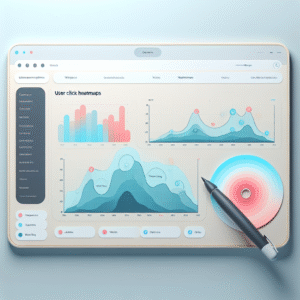
Understanding how users interact with your website is essential for any successful digital strategy. Click tracking provides valuable insights into user behavior, allowing you to see exactly where visitors are clicking on your site. This data reveals which areas of your website capture user interest and which sections get overlooked.
Improved navigation directly correlates with increased user satisfaction, as visitors are more likely to find what they’re looking for quickly and easily, which can lead to higher engagement and return visits.
Moreover, click tracking plays a pivotal role in boosting conversions. For WordPress users, employing a reliable “WordPress user click tracking plugin” can automate this process, providing detailed analytics and visualizations right from your dashboard.
Benefits of Click Tracking:
- Identify popular and underused site areas
- Enhance site navigation
- Boost user engagement and conversion
Exploring Heatmap Plugins for WordPress
Uncover the power of heatmap plugins and enhance your WordPress site with actionable user engagement data.
Crazy Egg
Comprehensive user engagement metrics through various maps including heatmaps, click maps, and scroll maps.
Segmentation by traffic sources or user characteristics.
Learn MoreHotjar
Offers a free option with session recordings and surveys for comprehensive user interaction insights.
Learn MoreMouseflow
Renowned for session replay and detailed heatmaps showing every interaction.
Combines metrics with user recordings for deeper insights.
Learn MoreLucky Orange
Dynamic heatmaps for deep insights, including interactions on hidden elements.
User-friendly dashboard and robust analytics features.
Learn MorePiwik PRO Analytics Suite
Focuses on data privacy while providing powerful analytics and heatmap functionality.
Ideal for enterprises needing compliant data solutions.
Learn MoreSession Recording Tools: A Deeper Dive
Session recording tools provide businesses with deep insights into user interactions on their websites. These tools enable companies to refine web strategies, enhancing user experience and boosting conversions by discovering every click, hesitation, and action taken by users.
- Identify usability issues, such as form abandonment, due to poor design, leading to immediate improvements.
- Combine qualitative insights with quantitative metrics to uncover patterns and trends beyond the numbers.
In the WordPress ecosystem, tools like “Lucky Orange” and “Hotjar” integrate seamlessly, enabling direct user activity recording. Such plugins support issue identification and resolution before they escalate.
By implementing session recording tools, businesses can continually enhance user journeys, providing more personalized experiences based on solid evidence of visitor interactions.
Comparing 3D Viewer Plugins for WordPress
Elevate your website by integrating interactive 3D models. Discover top WordPress 3D viewer plugins that transform static pages into dynamic showcases.
3D Viewer by Elementor
Seamlessly integrate 3D models with Elementor’s drag-and-drop capabilities. Supports OBJ & STL formats, offering abundant customization options.
- Elementor integration
- Drag-and-drop
- Various formats
Sketchfab
Embed models from a rich community platform with ease. Offers user analytics and hosts files to reduce your server load.
- Rich community platform
- User-friendly
- Analytics available
WooCommerce 360º Image
Ideal for e-commerce, allows comprehensive 360-degree product views reducing returns, boosting sales, and confidence.
- 360-degree view
- Boosts sales
- E-commerce focused
Embedding 3D Content for Enhanced Engagement
Unlock New Levels of Interaction
Embedding 3D models on your website can significantly boost user interaction and engagement, delivering a more immersive experience. It’s easier than ever, especially with WordPress plugins like WP VR or 3D FlipBook.
Benefits Across Industries
- E-commerce: Allow customers to visualize products in detail.
- Education: Provide interactive, 3D educational content.
- Architecture: Showcase detailed model designs.
- Entertainment: Create engaging visual experiences.
Effortless Integration
Use lightweight plugins to ensure fast load times without compromising on the quality of visual content. Customize display settings for both aesthetic and performance benefits.
Explore PluginsPrivacy Considerations in User Tracking
In today’s digital age, user data is a valuable commodity. Website owners must be mindful of privacy when utilizing tracking tools due to increased scrutiny and user awareness about data collection, storage, and usage.
Privacy-Focused Heatmaps
Opt for a privacy-focused WordPress heatmap as an alternative to traditional solutions. These tools prioritize user privacy by anonymizing collected data, ensuring visitor interactions are visualized without compromising individual privacy.
Alternatives to Hotjar
Consider using Simple Analytics or Fathom Analytics for WordPress as they adopt privacy-first approaches. These tools provide necessary insights while avoiding invasive tracking methods and personal data collection, aligning with GDPR and other data protection regulations.
Contact Us for More SolutionsFinal Thoughts on Plugin Use
In today’s fast-paced digital world, the smart use of plugins can dramatically enhance your WordPress site’s capabilities and optimize your users’ experience. Whether you’re a small business owner or a developer looking to stay ahead, recognizing and implementing the best WordPress plugins for 2025 can propel your site to new heights.
Boost Performance
From powerful SEO tools to seamless social media integrations, plugins offer options that cater to diverse needs. Enhance functionality and ensure your site remains competitive.
Secure and Speedy
Improve security and performance with plugins that offer quicker loading times and fortified security measures, essential for attracting and retaining customers.
By taking proactive steps to integrate the right plugins into your website architecture, you not only enhance site performance but also set the stage for robust online growth. Remember, every click and interaction on your site is an opportunity to leave a lasting impression – make sure it’s a great one.
Get in TouchBrowse Categories:
Tags for this post:
You may also like
Unlocking User Insights: The Ultimate Guide to WordPress User Click Tracking and Heatmaps
Discover the power of user click tracking and heatmaps for your WordPress site to enhance your user experience.

Elevate User Experience: Top WordPress Plugins for Click Tracking and 3D Viewing
Discover top WordPress plugins to enhance user experience with click tracking and 3D viewing functionality.

Top 10 Free WordPress Plugins to Track and Improve User Engagement
Discover top free WordPress plugins to enhance user engagement and track behavior, essential tools for 2025!