
Elevate Your WordPress Site with User Click Tracking: The Top Free Heatmap Plugins Revealed
Introduction to Click Tracking
Click tracking is a powerful tool that allows WordPress site owners to gain deeper insights into how their visitors interact with their website. By capturing data about where users click, site owners can identify which elements attract the most attention and make informed decisions that enhance user engagement.
Imagine having the ability to see exactly which parts of a page users find most compelling or identifying potential bottlenecks where users tend to lose interest. With this data at your fingertips, you can optimize your site’s design and interface to better serve your audience’s needs, potentially increasing conversions and improving overall user satisfaction.
For instance, a WordPress user click tracking plugin can reveal if visitors frequently attempt to click on non-clickable images or text, suggesting a need to update these elements to be interactive, thereby improving the user experience.
Furthermore, tracking clicks on CTAs can provide valuable feedback on the effectiveness of your copy and placement, guiding adjustments that lead to higher engagement rates. In a digital landscape where understanding user behavior is key to online success, integrating click tracking into your WordPress site isn’t just beneficial—it’s essential.
The Benefits of Using Heatmap Plugins
Insightful User Behavior Data
Heatmap plugins provide website owners with a visual representation of user interactions, illustrating where visitors are clicking, how far they scroll, and which parts of your page attract the most attention.
Real-Time Click Tracking
By tracking clicks in real-time, you can identify the key areas of your site that require optimization to align with business goals, like enhanced navigation and increased conversion rates.
A/B Testing Assistance
Use heatmaps to conduct effective A/B testing, analyzing which page variations lead to better user engagement, fostering informed, data-driven decisions.
Cost-Effective Options
With several free WordPress heatmap plugins available, businesses of all sizes can experiment with these tools to boost site performance without financial barriers.
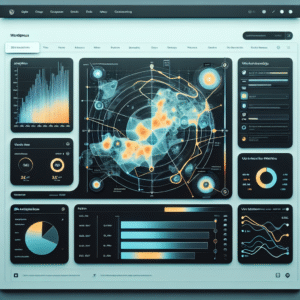
Illustrative visualization of heatmap data interaction.
Top Free Heatmap Plugins for WordPress
Discover how heatmap plugins can revolutionize your website insights and optimize user engagement with these top free WordPress options.
Hotjar
Ideal for small websites, Hotjar offers click, move, and scroll heatmaps with its free version, limited to 35 daily sessions.
Crazy Egg
Featuring a 30-day free trial, Crazy Egg’s confetti tool differentiates clicks, offering insights based on user demographics.
Lucky Orange
With a 7-day free trial, it combines heatmaps with session recordings for a comprehensive user interaction view.
User Heat
A seamless WordPress integration, offering free click heatmaps and page analysis tools, perfectly suited for basic interaction overviews.
Mouseflow
Offering a forever-free plan with five heatmaps, it includes session replay to enhance understanding of user pathways.
How to Install and Configure Your Heatmap Plugin
Choose Your Plugin
Start by picking a heatmap plugin that best suits your needs and budget. Popular plugins include Crazy Egg, Hotjar, and Mouseflow, noted for their user-friendly interfaces.
Install the Plugin
Log into your WordPress dashboard. Go to ‘Plugins’ > ‘Add New’, search for the plugin, click ‘Install Now’, and then ‘Activate’.
Sign Up and Configure
Sign up on the plugin website and get the API key or tracking code. Enter this information in the plugin settings.
Integrate with WordPress
Copy the tracking code and paste it into your site’s header file before the </head> tag.
Set Up Your First Heatmap
Navigate to the heatmap platform’s dashboard, choose the page(s) to track, and start your recordings.
Monitor and Adjust
Use heatmap insights to adjust your website’s layout and optimize areas with the most interaction.
Case Study: Successful Implementation of Heatmap Plugins
In today’s perceptive digital landscape, the use of heatmap plugins has become increasingly vital for businesses aiming to optimize user experience and drive conversions. A compelling case study highlighting the success of implementing heatmaps involves a medium-sized e-commerce website that sought to enhance customer engagement and reduce bounce rates.
Initially relying on basic analytics, the company decided to employ an alternative to Hotjar for WordPress that offered robust heatmap functionalities tailored to their needs.
- 20% reduction in bounce rates
- 15% increase in conversion rates
Armed with these insights, the company revised its checkout interface, simplifying the steps and making the call-to-action buttons more prominent and visually appealing. The results were transformative, showcasing the power of heatmap plugins in enhancing site performance and user engagement.
Addressing Privacy Concerns
Strategies and solutions to alleviate privacy concerns in tracking plugins.
Key Strategies
-
Anonymize Data
Ensure collected data is anonymized to focus on trends and protect individual privacy.
-
Obtain Explicit Consent
Implement clear consent forms to build trust and comply with regulations like GDPR and CCPA.
-
Regular Privacy Audits
Conduct audits to ensure compliance and identify data collection vulnerabilities.
-
Implement Privacy-First Tools
Choose tools with compliance features and options for data masking or blurring.
Your Role in Privacy
By choosing privacy-focused practices, you can enhance site reputation and build a loyal customer base.
Contact UsAlternatives to Heatmaps
Enhance your user engagement with these comprehensive tools beyond heatmaps.
Session Recording
Experience real-time playback of user sessions to garner deep insights into user behavior. Useful WordPress plugins offer seamless integration.
User Feedback Tools
Gain qualitative data through in-page surveys, feedback buttons, or exit-intent pop-ups. Understanding the ‘why’ behind user actions is invaluable.
A/B Testing
Compare two webpage versions in controlled experiments to optimize user engagement and conversion rates with data-supported decisions.
Analytics Platforms
Utilize Google Analytics or Adobe Analytics for a deep dive into page views, demographics, and traffic sources. Achieve a holistic site usage overview.
Event Tracking
Track specific user interactions like clicks or video plays. This allows fine-tuning of individual elements to enhance overall website performance.
Conclusion and Next Steps
Effectively tracking user behavior is pivotal to optimizing your WordPress site. A well-chosen WordPress plugin provides insights that help make informed, growth-driven decisions. Whether your goal is to boost conversions, enhance user experience, or tailor content to audience needs, user action tracking is your roadmap to success.
Get Started Today
Evaluate your requirements and select a plugin like MonsterInsights or Crazy Egg, which offer robust features and simple integration. Analyze the data to identify patterns and implement strategies that enhance website performance.
Dive into user behavior analytics confidently. With the right tools, enhance your site’s effectiveness and online presence.
Browse Categories:
You may also like
Enhancing User Interaction on Your WordPress Site with Heatmap Plugins
Learn how to enhance your WordPress site's performance and user interaction metrics using top heatmap plugins with this comprehensive guide.

Unlocking Insights: The Best Heatmap and User Behavior Plugins for WordPress
Discover top heatmap and behavior tracking plugins for WordPress to boost your site's user engagement and conversions.

Maximizing User Engagement: The Best WordPress Heatmap Plugins for 2025
Explore top WordPress heatmap plugins for 2025 to boost user engagement and optimize behavior tracking.