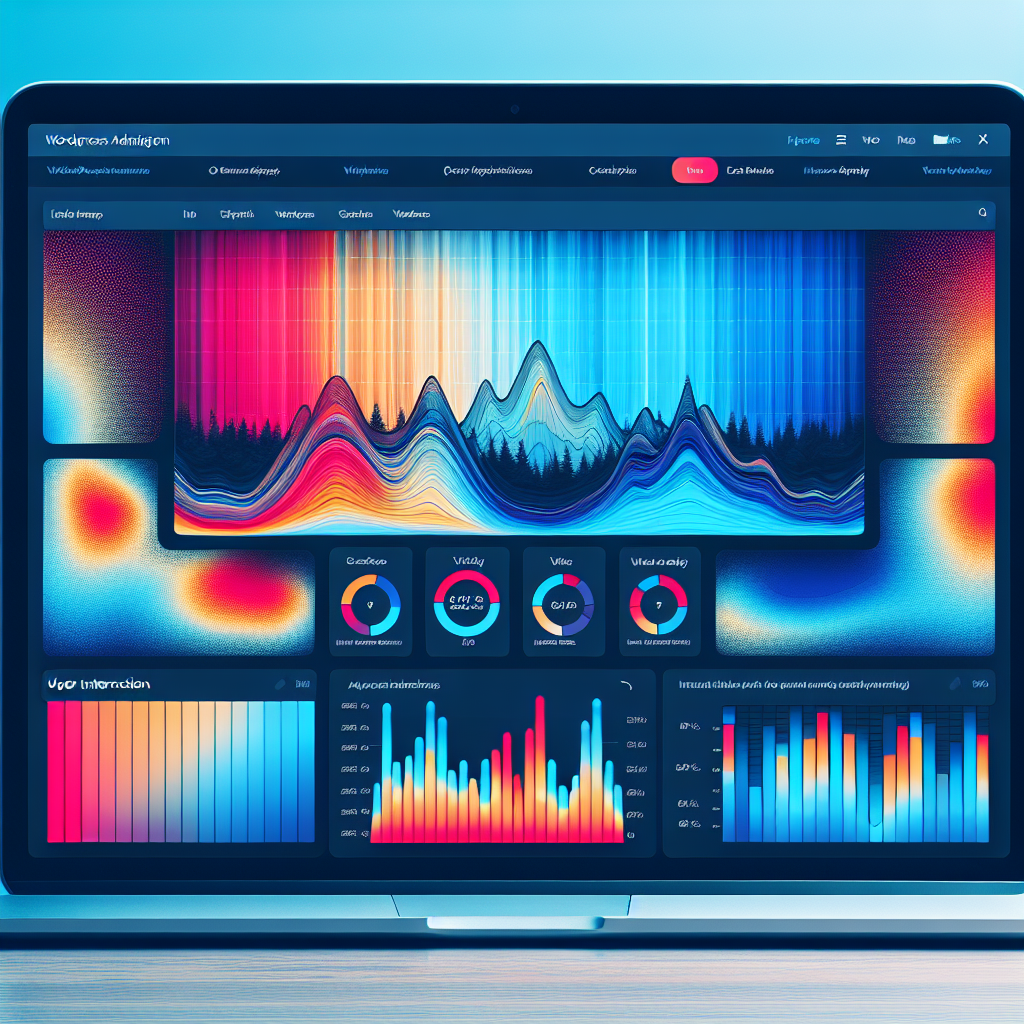
Boost Your Site’s Success: The Best WordPress Heatmap and User Tracking Plugins
Introduction to User Behavior Tracking
Understanding user behavior is pivotal for anyone aiming to boost their website’s performance effectively. Knowing how visitors interact with a site can unveil critical insights that fuel strategic decisions, from enhancing user experience to optimizing conversions.
Imagine being able to see which parts of your website attract the most attention, where visitors drop off, or what might be causing them frustration. This leads to more intuitive navigation, better content positioning, and ultimately, a website that meets the users’ needs more effectively.
One of the key methods to achieve this is through user behavior tracking. For WordPress users, employing a track user behavior WordPress plugin can be particularly advantageous. These plugins collect data points like page views, button clicks, and session duration, essential for creating a seamless user journey.
Understanding and leveraging user behavior tracking sets a crucial foundation as we dive into the specifics of using WordPress plugins that facilitate these insights. By doing so, you open the door to enhanced decision-making capabilities and create a more engaging environment for your visitors.
Why Heatmaps are Essential
Visualize user interactions and optimize your WordPress sites efficiently.
Visual Insights
Heatmaps provide profound insights into user behavior by showing which elements receive the most interaction.
Optimize Engagement
By identifying high-interest areas, you can optimize your web layout for better user retention and conversions.
Privacy-Focused
Leverage privacy-focused heatmaps to ensure user data is responsibly managed, complying with GDPR standards.
Data-Driven Decisions
Transform clicks into stories to make informed, actionable changes that enhance your site’s user experience.
Top WordPress Heatmap Plugins
Unlock insights into user interactions with these leading heatmap plugins, perfect for optimizing your WordPress site layout and boosting engagement.
Crazy Egg
A robust platform offering click tracking, A/B testing, and visual insights into user behavior for informed optimizations.
Learn MoreMouseflow
Beyond heatmaps: Includes session replays and funnel analysis, providing detailed real-time tracking of user engagements.
Learn MoreLucky Orange
Features dynamic heatmaps, session recordings, and chat tools for engaging directly with site visitors.
Learn MoreInspectlet
Focuses on session recording with heatmap capabilities to analyze high-traffic sites effectively.
Learn MoreHotjar
Comprehensive analytics features including free-tier heatmaps, session recordings, and conversion funnels.
Learn MorePage Analytics by Google
Integrates with Google Analytics for real-time activity analysis directly within WordPress.
Learn MoreEssential Benefits of Session Recording
Understanding user journeys on a deeper level beyond mere heatmaps.
Dynamic User Interaction Replay
Session recordings go beyond static heatmaps, offering a dynamic insight into user interactions on your site, crucial for understanding user journeys and identifying real-time friction points.
Pinpoint UX Issues
Track and pinpoint UX issues like confusing navigation, slow loading pages, or unresponsive buttons, allowing for targeted improvements that enhance overall experience and boost conversion rates.
Reveal Unexpected User Behaviors
Discover unexpected user paths and behaviors offering opportunities for innovative enhancements, potentially leading to new features tailored to user needs.
Identify Systematic Issues
Quickly identify and resolve recurring issues revealed by multiple session recordings, paving the way for improved feature functionality and user satisfaction.
Best Session Recording Plugins for WordPress
Investing in the right session recording plugin can significantly enhance your site’s conversion rates by providing deep insights into user behavior.
Hotjar
Hotjar provides intuitive heatmaps and session recordings to help you understand what users do on your site, identifying areas for improvement.
Improves conversion rates by analyzing user clicks and movements.
Mouseflow
Mouseflow excels in tracking capabilities, providing comprehensive session recordings along with heatmaps, click maps, and scroll maps.
Beneficial for setting up user surveys and feedback forms.
Lucky Orange
An all-in-one analytics tool providing session recordings, live chat, and conversion funnel analysis to understand user actions better.
Perfect for small to medium businesses aiming to optimize website functionality.
Smartlook
Offers simple yet powerful session recordings with event tracking. Helps in filtering recordings by custom events and funnels.
Streamlines analysis to enhance the user experience.
Crazy Egg
Equipped with heatmaps, A/B testing, and session recordings, Crazy Egg optimizes landing pages and understands visitor behavior efficiently.
Ideal for site owners looking for comprehensive analytics tools.
Balancing Privacy with User Tracking
As online businesses strive to better understand their users’ behaviors, tracking tools become essential components in their digital toolkit. However, balancing effective user tracking with privacy concerns is critical. In today’s digital age, users are increasingly aware of how their data is being used and demand more control over their privacy. This shift necessitates adopting a privacy-focused approach.
Hotjar
A privacy-focused WordPress heatmap tool that anonymizes user data and provides an opt-out feature, ensuring compliance with regulations and maintaining user trust.
Contact UsMouseflow
Mouseflow masks keystrokes and excludes sensitive data from analysis to respect user privacy, ensuring businesses comply with GDPR and CCPA.
Contact UsWhy Privacy Matters
By choosing privacy-conscious tools, businesses can gain insights into user behavior while protecting sensitive information, aligning with legal standards and fostering trust with customers.
Learn MoreTips for Implementing Tracking Plugins
Define Your Goals
Start by understanding what specific user behaviors you want to track to ensure your plugins collect the most relevant data.
Select the Right Plugin
Choose plugins like Hotjar or Crazy Egg that offer essential features, such as heatmaps and session recordings.
Optimize Plugin Settings
Customize tracking metrics to align with your objectives for more effective data collection and analysis.
Test the Setup
Ensure the plugin tracks user interactions accurately without impacting your website’s performance.
Regularly Monitor and Analyze Data
Continuously review data reports to make informed decisions and improve the user experience.
Incorporate Feedback Loops
Use user interaction insights to iteratively improve your site and boost conversion rates.
Conclusion and Next Steps
Understanding the power of must-have WordPress plugins for user experience is only the first step. Begin by pinpointing user pain points or functionalities that your site lacks. Consider what aspects of the user experience could be enhanced—whether it’s faster loading times, improved navigation, or more interactive content.
Get StartedWhy Integrate Now?
- Enhance site aesthetic appeal and functionality.
- Optimize search engine performance with Yoast SEO.
- Gather user feedback efficiently with WPForms.
- Maintain a competitive edge with strategic plugins.
Browse Categories:
You may also like
Enhance Your WordPress Site with User Click Tracking and 3D Integration
Discover how to enhance your WordPress site with user click tracking and 3D integration for improved engagement and experience.
The Ultimate Guide to Heatmap Analytics Plugins for WordPress
Explore the top heatmap analytics plugins for WordPress in 2025 and learn how to leverage them to understand user behavior…

Choosing the Best WordPress Heatmap Plugins to Enhance User Engagement
Discover the top WordPress heatmap plugins to boost user engagement and track interactions effectively on your website.