
Enhance User Experience with the Best WordPress Heatmap and 3D Viewer Plugins
Understanding User Interaction
In today’s digital landscape, effectively understanding and leveraging user interaction is pivotal for enhancing both website performance and the user experience. By meticulously tracking user behavior, businesses can gain profound insights into how users engage with their digital content.
Learn More- Gain insights into user preferences and navigation patterns
- Identify areas for site optimization and improvement
- Create empathetic digital environments for better experiences
- Stay ahead of the competition with strategic insights
Choosing the Right Heatmap Plugin
Selecting the right WordPress heatmap plugin can significantly enhance your website optimization efforts by providing insights into user behavior. Here’s a closer look at the critical aspects to guide your decision-making process.
Features
The functionality offered by a heatmap plugin can be the deciding factor. Some plugins provide click heatmaps and scroll heatmaps, while advanced ones include session recordings and real-time data tracking. Ensure the plugin aligns with your specific needs for analyzing user behavior.
Reliability
Reliable plugins not only ensure that the insights are accurate but also run seamlessly in the background. Check user reviews to gauge reliability, and watch for issues like bugs or compatibility problems that might affect your choice.
User Privacy
Privacy is a critical consideration. Choose a plugin that complies with data protection regulations like GDPR or CCPA. Look for plugins offering anonymized data collection to maintain user privacy while gathering valuable insights.
Comparing Free Heatmap Plugins
Hotjar
Track clicks, scrolls, and attention zones. Perfect for small websites needing basic analysis, yet may lack storage for larger businesses.
- Free basic features
- Visual interaction insights
- Limited to small-scale analysis
Crazy Egg
Simple setup with helpful visual reports to inform layout decisions. Free version lacks advanced A/B testing capabilities.
- User-friendly interface
- Visual engagement reports
- Upgrade for deeper insights
Mouseflow
Ideal for WordPress users with limited free data capture. Useful for tracking user attention and improving designs.
- Seamless WordPress integration
- Attention-tracking capabilities
- Free version limits session data
“Small businesses can gain substantial ROI by utilizing these heatmap tools, gaining insights to enhance user experience and conversion rates.”
Plugins to See Where Users Click
In today’s digital age, understanding user behavior is key to optimizing your content and enhancing user experience. Use plugins to track and visualize user clicks for invaluable insights, helping tailor strategies effectively.
Heatmap Plugin
Visualize where users are clicking. Identify high-traffic areas to strategically place CTAs and revise low-engagement sections.
Crazy Egg
Offers heatmap features for WordPress, showing click density with minimal setup. Essential for data-driven decisions.
Hotjar
Color-coded visualizations enhance user interaction analysis, aiding in conversion boosts and bounce rate reductions.
Session Recording for Better Insight
Understanding how users interact with your website is crucial for making informed decisions that enhance user experience and increase conversions. Session recording tools provide a window into the user journey by capturing every click, scroll, and interaction on your website.
For WordPress site owners, leveraging a “record user activity WordPress plugin” can be a game-changer. Imagine being able to see exactly where users pause, move quickly, or encounter friction, allowing businesses to pinpoint areas for improvement.
- Hotjar: Records sessions, offers heatmaps, and survey tools for comprehensive user insights.
- Crazy Egg: Provides A/B testing and user feedback options for enhanced learning.
- Mouseflow: Captures all interactions with unique features tailored to user analysis.
The Power of Session Recording
Pinpoint user challenges and refine offerings to better meet user needs. Optimize navigation and reduce bounce rates with insights derived from real user data.
Learn MoreIntroducing 3D Viewers for WordPress
Transform Your Website Experience
In the dynamic world of web development, keeping a user engaged is key to creating a memorable online experience. One innovative way to enhance interactivity on your WordPress site is by incorporating 3D viewer plugins.
- Embed 3D models directly into your site
- Offer immersive portfolio showcases
- Boost engagement rates and time spent
Popular Plugins
Several options are available such as “3D Viewer for WordPress”, “Sketchfab”, and “model-viewer”. Each offers unique features tailored for different levels of customization and complexity.
Best 3D Plugins for 2025
WP 3D Viewer
Simplify 3D model integration with its intuitive interface and WebGL technology. Ideal for displaying interactive 3D portfolios.
3D Space Explorer
Offers immersive navigation experiences, allowing users to explore 3D environments virtually. Enhances engagement substantially.
3DShop Pro
Integrates with eCommerce for 3D product displays, enriching the consumer experience by providing a comprehensive product view.
Combining Heatmaps and 3D Viewers for Maximum Impact
In the ever-evolving digital landscape, providing an interactive and engaging site experience is crucial for retaining visitors and driving conversions. By combining heatmaps with 3D viewers, you can offer a powerful, integrated approach that enhances user understanding and site effectiveness.
Unlock User Behavior Insights
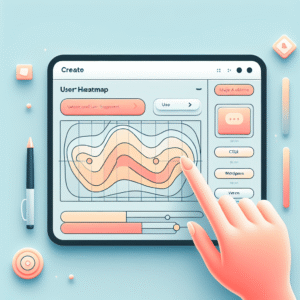
Heatmaps allow you to track where users are clicking and how they navigate your content. These visual representations reveal valuable insights into user engagement.
Engage with 3D Visuals
3D viewers add a tactile layer to website interaction by bringing static content to life. Users can explore products in a three-dimensional space, experiencing a deeper connection.
Imagine visualizing products in real-time, capturing every detail. This immersive experience can significantly enhance user engagement and satisfaction.
The fusion of heatmaps and 3D viewers offers a comprehensive and engaging solution for websites looking to maximize impact and user interaction.
Explore Our PluginsBrowse Categories:
Tags for this post:
You may also like
Track User Engagement: Top Heatmap and Session Recording Plugins for WordPress
Discover how heatmap and session recording plugins can enhance user engagement on WordPress. Find top tools for tracking and optimizing…

Unlocking User Insights: Top Heatmap Plugins for WordPress
Discover the best heatmap plugins for WordPress in 2025 to unlock user insights and enhance your site's user experience.

Transform Your WordPress Experience with User Click Tracking and Heatmap Plugins
Discover powerful WordPress plugins to track user behavior, enhance UX, and boost conversions with heatmaps.