
Enhancing User Experience with WordPress Heatmap and User Tracking Plugins
Understanding the Power of Heatmaps
Visualize interactions and enhance your website’s user experience with strategic insights.
Visual Insight
Heatmaps convert complex data into color gradients, illuminating user interaction and preferences at a glance.
Strategic Optimization
Identify “hot” areas to fuel decisions on layout changes, content focus, and call-to-action visibility for user enhancement.
Privacy-Focused Tools
Implement plugins that prioritize user privacy, ensuring compliance with modern data protection standards.
Choosing the Right Heatmap Plugin for WordPress
Explore top alternatives to Hotjar and enhance your site’s performance through effective heatmap tools.
Hotjar
Well-known tool for tracking visitor interactions through heatmaps and providing essential feedback data.
- Comprehensive analytics
- Feedback collection
Crazy Egg
A competitive alternative offering click tracking and scroll maps for intuitive site analytics.
- User-friendly interface
- Seamless WordPress integration
Lucky Orange
Includes session recordings and live chat features for a holistic understanding of user behavior.
- Real-time visitor insight
- Interactive engagement tools
Free vs Premium Heatmap Plugins: Making the Right Choice
Free Plugins
-
Cost-effective for initial steps into user interaction visualization.
-
Provides basic functionalities such as click tracking.
-
Limited data visualization and fewer integration capabilities.
-
Potentially limited customer support.
Premium Plugins
-
Offers comprehensive and detailed visitor behavior analysis.
-
Includes real-time data processing and CRM integration.
-
Responsive customer support available.
-
Higher cost but can significantly improve user experience.
Tracking User Behavior Beyond Clicks
Understanding user behavior extends beyond heatmaps — dive into session recording plugins that capture full user interactions to optimize and enhance user experience.
Hotjar
Capture detailed session recordings to understand the complete user journey and identify drop-off points within your WordPress site.
Crazy Egg
Integrate Crazy Egg for seamless insights with session replay abilities, pinpointing exact interactions and potential user hurdles.
SessionCam
Uncover friction points with robust session recordings, complementing heatmaps for a full picture of user engagement and behavior.
Enhancing User Experience with Tracking Insights
Understanding user interactions on your website is pivotal for enhancing their experience. Tracking insights offer a detailed view of user navigation, helping to identify improvement areas. For example, track user behavior plugins monitor clicks, scrolls, and page visits for better user journey analysis.
Insights from these tools enable you to tailor your site’s design and content effectively, ensuring intuitive and engaging interactions. A case study on e-commerce pinpoints cart abandonment during checkout, leading to changes that boosted successful transactions by 20%.
Get In TouchBoost Conversions
- A/B testing to optimize user paths
- Heatmaps for identifying interaction hotspots
- Session recordings to track journey flow
Privacy Considerations When Tracking Users
In an increasingly digital world, user privacy is a paramount concern, especially when tracking user interactions on websites. A privacy-first mindset not only builds trust but helps comply with regulations like GDPR and CCPA.
Best Practices for Privacy
-
Transparent Data Collection: Inform users about data collection practices through your privacy policy.
-
User Consent: Use consent banners or opt-ins to enforce compliance and respect user choice.
-
Data Anonymization: Choose plugins that anonymize personally identifiable information (PII).
-
Regular Audits and Updates: Conduct audits and keep plugins updated for compliance.
Integrating Tracking Plugins with Other Marketing Tools
Learn how to enhance your digital strategy by combining tracking plugins with key marketing tools for cohesive site performance improvements.
Comprehensive Analytics
Integrate WordPress user click tracking plugins with platforms like Google Analytics to unify user interaction data with your broader marketing metrics.
Understand customer journeys from discovery to conversion, optimizing areas for improvement.
Targeted Campaigns
Link click tracking plugins with social media and email campaigns to measure how effective different channels are in driving engagement and sales.
Align marketing strategies and measure channel impact accurately.
Streamlined Automation
Combine plugins with CRM systems and automation software for personalized user experiences and efficient processes.
Foster a data-driven culture for continuous optimization and growth.
Maintaining and Updating Your Heatmap and Tracking Plugins
Keep your plugins in top condition for continuous insights and peak performance of your website.
Regular Updates
Keep plugins updated to improve functionality and security while maintaining WordPress compatibility.
Routine Monitoring
Watch performance metrics for accuracy. Address any discrepancies promptly to maintain data integrity.
Backup Your Data
Regular data backups prevent loss and protect insights from update-related issues.
Compatibility Checks
Ensure harmony between plugins and themes to keep your site’s performance at its best.
User Feedback
Gather user feedback to gain qualitative insights for informed plugin enhancements.
Browse Categories:
You may also like

Enhancing User Interaction with WordPress: The Best Heatmap and Recording Plugins
Discover the best plugins to track user behavior on WordPress, boost conversions, and enhance user experience.
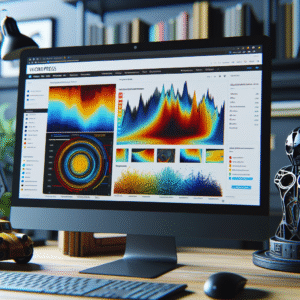
Enhance User Engagement with WordPress Heatmap and 3D Viewer Plugins
Discover how heatmap and 3D viewer plugins can enhance engagement and insights on your WordPress site.
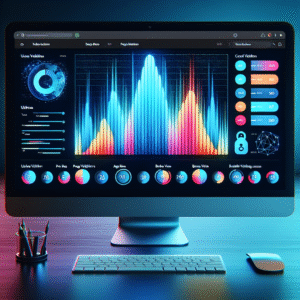
Enhance User Experience with WordPress Heatmap Plugins
Discover how WordPress heatmap plugins enhance user experience and boost conversions with insightful user behavior tracking.