
Enhancing User Experience with WordPress User Click Tracking Plugins
Understanding User Click Tracking
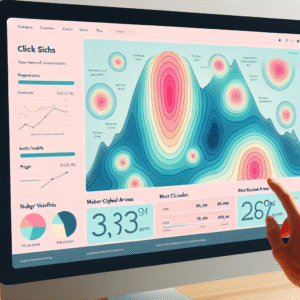
User click tracking is an essential tool for optimizing your website’s user experience. By analyzing user interaction, gain critical insights into behavior patterns and improve website features.
This data helps make informed decisions to enhance usability, navigation, and drive conversions. Discover how plugins offer heatmaps, reports, and insights to grow user engagement effectively.
Top Click Tracking Plugins for WordPress
Understanding where users click on your WordPress website provides valuable insights into user behavior, helping you optimize design and content strategies effectively. Here are some top click tracking plugins for WordPress that have garnered positive reviews from users worldwide:
Hotjar
More than just a click tracking tool, Hotjar offers heatmaps, session recordings, and feedback polls, providing a comprehensive solution for understanding user behavior.
Learn MoreCrazy Egg
Known for its user-friendly interface, Crazy Egg provides click tracking alongside heatmaps and A/B testing features to optimize your website’s design.
Learn MoreMouseflow
Mouseflow couples click tracking with real-time analytics, including user session replays, heatmaps, and form analytics to enhance user engagement.
Learn MoreLucky Orange
This all-in-one tool includes heatmaps, live chat, and surveys, providing comprehensive click tracking to optimize conversion rates and user interaction.
Learn MoreInspectlet
Focused on session recording and heatmapping, Inspectlet offers insight into user engagement with detailed segmentation by device and location.
Learn MoreChoosing the Right Plugin for Your Site
Guide readers in selecting plugins based on their specific needs and site goals, helping them make informed decisions.
Enhance Conversions
Improve site conversions by optimizing call-to-actions and user paths. Consider plugins like Thrive Leads or WPForms, known for their conversion-focused features.
Explore Conversion PluginsAnalytics Alternatives to Hotjar
For those seeking alternatives to Hotjar, consider Crazy Egg or Mouseflow for comprehensive heat maps and user recordings.
Discover Analytics ToolsConsiderations for Choosing Plugins
- Ensure compatibility with your WordPress version and other plugins.
- Check user reviews and ratings for insights into potential issues.
- Opt for plugins with regular updates and reliable support.
Privacy Considerations and Compliance
In today’s digital landscape, understanding user behavior through tracking can conflict with privacy considerations. Compliance with regulations like GDPR and CCPA is not just a legal obligation but also an ethical practice crucial for building trust.
User Consent
Ensure explicit permission from users before data collection through opt-ins or cookie banners.
- Opt-in consent forms
- Cookie banners
Data Anonymization
Anonymize data to protect identities and align with data laws.
- Maintain user privacy
- Enhance trust
Limited Data Collection
Gather only necessary data to achieve your goals and minimize misuse risks.
Transparent Privacy Policies
Communicate clearly what data is collected and how it is used, stored, and shared.
Case Studies and Success Stories
E-commerce Boost
An e-commerce company increased its conversion rate by 25% by making images clickable after using click tracking plugins to understand user interest.
Donation Page Success
A non-profit increased donations by 40% by optimizing their donation page after identifying drop-off points with a user click tracking plugin.
Blogging Triumph
A tech blog doubled its subscriber base by using click tracking data to refine content strategy according to audience engagement insights.
Integrating User Click Tracking with Other Tools
Learn to blend click tracking with analytics and conversion tools for a unified insight into user behavior.
Why Integrate?
Integrating click tracking with existing analytics tools offers a full view of user engagement, helping make educated decisions that drive conversions.
- Capture user interactions and sync with analytics.
- Merge click data with user metrics.
- Optimize the user’s journey with comprehensive data.
Steps to Integrate
Select Compatible Plugins: Ensure your plugins work with analytics tools like Google Analytics or Mixpanel.
Use APIs for Deep Integration: Seamless data flow and synchronization translates clicks into insights quickly.
Combine Data Sources: Map user journeys effectively to understand interaction outcomes.
Customize Data Reports: Tailor reports for performance metrics across channels.
Troubleshooting Common Issues
Plugin Conflicts
Deactivating all plugins and reactivating them one by one helps identify conflicts. Use alternatives that don’t clash.
Unexpected Behavior
Ensure all plugins, themes, and WordPress core are updated to enhance compatibility and functionality.
Incorrect Data Tracking
Check setup configurations and ensure tracking codes are properly placed. Review settings to capture the desired data.
Performance Issues
Use performance testing tools to identify slowing plugins. Consider optimizing with caching plugins or lighter alternatives.
Security Warnings
Download plugins from reputable sources. Conduct regular security scans to prevent vulnerabilities.
Future Trends in User Tracking on WordPress
Staying proactive in site optimization requires focus on emerging trends in user tracking. The future holds promising tools and methodologies to transform audience interaction.
-
AI-Driven Analytics Tools
Predictive insights and real-time experience tailoring to enhance user satisfaction and increase engagement time on site.
-
Privacy-Centric Tracking
Adapting to GDPR and CCPA by prioritizing user consent and anonymizing data, while ensuring transparency and valuable data collection.
-
Multi-Channel Analytics Integration
Seamless user experience across platforms with data combination from social media, mobile apps, and websites to understand the full journey.
-
Enhanced Personalization
Dynamic content based on user behavior for a more engaging experience, leveraging the best WordPress plugins of 2025.
“Align with these trends to future-proof your website, enhancing the ability to engage and convert users effectively. Leverage must-have plugins to deliver superior digital experiences.”
Explore PluginsBrowse Categories:
You may also like
Enhancing User Experience with WordPress Click Tracking Plugins
Discover the best WordPress plugins to track user clicks and improve site experience.

Unlocking User Insights: Your Guide to WordPress Click Tracking & Session Recording
Explore powerful WordPress plugins to track user clicks and record sessions, boosting your site's performance and conversion rates.

Enhance Your WordPress Site with Free Plugins for User Experience and Interaction Tracking
Discover how free WordPress plugins can boost user experience with heatmaps, session recording, and 3D content integration. Start enhancing today!