
Optimize User Engagement with the Best WordPress User Click Tracking Plugins
Understanding User Click Tracking
User click tracking is a crucial tool for anyone looking to optimize their website’s performance. By monitoring and analyzing where users click, you gain vital insights into user behavior and website effectiveness. This guide explores how understanding click patterns can enhance user experiences and boost conversion rates.
Optimize Web Performance
Analyze user interactions to discover which buttons and links capture attention. Adjust layouts and content based on these insights to enhance user experience.
- Enhance user engagement
- Increase conversion rates
- Boost brand loyalty
Easy Integration with Plugins
Incorporate a WordPress user click tracking plugin for seamless integration and detailed data analysis, even without extensive technical knowledge.
- Visualize click data with heatmaps
- Access comprehensive reports
- Make informed design improvements
Top Benefits of Using Heatmap Plugins
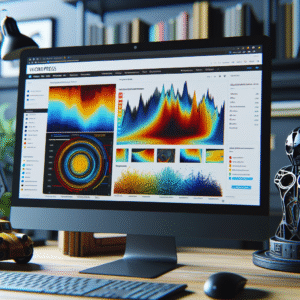
Using a heatmap plugin for your website offers numerous advantages, especially when you’re aiming to enhance user experience. Heatmaps provide a visual representation of user interaction, showing exactly where on a webpage users are clicking, how far they scroll, or which areas they tend to ignore.
Visual User Interaction Insights
Heatmaps highlight exactly which elements of your site are capturing attention, allowing for precise layout optimizations.
Enhance User Engagement
Identify which buttons and banners are frequently interacted with and adjust them to boost user engagement and conversions.
Identify and Address Problem Areas
Determine drop-off points and make improvements to retain more visitors by analyzing user behaviors.
Privacy-Focused Solutions
Ensure data privacy with plugins that anonymize data and comply with regulations, respecting user privacy while extracting insights.
Exploring Free WordPress Plugins for Click Tracking
Guide your small business with affordable tools improving user experience and engagement.
Heatmap for WordPress
Visually represents user interactions, helping improve areas of high engagement on your site without heavy costs.
- Track clicks for better layout optimization
- Highlight user attention areas
WP Click Map
Offers comprehensive click tracking that integrates with WordPress dashboards, simplifying data assessments.
- Seamless WordPress integration
- Empower data-driven decisions
Comparing Top Session Recording Plugins
When choosing the best session recording plugin for WordPress, it’s essential to consider the features that align with your specific needs and budget. Session recording plugins assist website owners in tracking and analyzing user behavior, providing insights that drive conversion rate optimization and user experience enhancements.
Hotjar
Hotjar offers a comprehensive suite of features, including heatmaps, visitor recordings, and conversion funnels. It’s ideal for visualizing user behavior. Free and paid plans are available for varying needs.
Mouseflow
Ideal for those needing detailed session replays and heatmaps. Offers flexible pricing and is suitable for all business sizes.
Lucky Orange
Provides real-time analytics, live chat, and surveys. Affordable plans start after a trial period, perfect for enhancing user interaction.
Crazy Egg
Strong visual mapping capabilities with heatmaps and overlays. Higher pricing justified by thorough analysis features.
Smartlook
Delivers qualitative and quantitative insights. Captures clicks and heatmaps, and is priced competitively for all business scales.
How to Install and Enable Click Tracking
Choose the Right Plugin
Several plugins allow you to see where users click, such as Hotjar, Crazy Egg, and Mouseflow. These plugins offer heatmaps and session recordings for insights into user interactions.
Install the Plugin
Navigate to your WordPress dashboard and go to ‘Plugins’ > ‘Add New’. Search for your chosen plugin and click ‘Install Now’, then ‘Activate’ to enable it.
Configure Plugin Settings
Access the settings page of the plugin to customize features. For Hotjar, create an account and link it by adding a tracking code to your site’s header.
Test Your Setup
After setting up, test the plugin by navigating your website like a visitor. Verify actions in the plugin’s dashboard to ensure click tracking accuracy.
Analyze and Optimize
Utilize heatmaps and session recordings to understand user patterns. Use data to enhance layout, navigation, and content placement for better engagement.
Advanced Tips for Using Heatmap Tools
Integrate with Google Analytics
Combine heatmap data with Google Analytics to analyze interactions alongside traffic and conversion metrics, providing a comprehensive user behavior overview.
Segment Your Data
Analyze different user segments such as new vs. returning or mobile vs. desktop to tailor strategies more effectively and enhance user experience.
Leverage Scroll Maps
Utilize scroll maps to understand page engagement depth and optimize CTA or key content placement for maximum visibility.
Personalize User Experiences
Use detailed heatmap insights to create personalized experiences by displaying targeted offers or recommending content based on user interactions.
Ensuring Privacy Compliance with User Tracking
As the digital landscape evolves, ensuring privacy compliance becomes essential. With more data collected than ever, maintaining privacy is critical when using tracking plugins like WordPress heatmaps.
Privacy-Focused Practices
- Transparency: Clearly communicate data collections and usage to users.
- Consent Management: Implement explicit consent and easy opt-outs.
- Data Minimization: Collect minimal necessary data, avoiding PII.
- Regular Audits and Updates: Ensure ongoing compliance with GDPR, CCPA.
- Use Trusted Plugins: Choose plugins with strong privacy features.
By implementing these practices, businesses can ensure compliance while building a reputation of trust. Managing user privacy effectively can empower you to continue collecting valuable insights ethically.
Conclusion and Next Steps
As we’ve explored throughout this post, click tracking plugins offer significant advantages for anyone looking to optimize their website’s performance. These tools provide valuable insights into user behavior, helping you understand what drives engagement and where users may drop off.
By integrating such plugins into your site, you can tailor content and design more closely to visitor preferences, ultimately fostering a more engaging user experience. One of the most compelling reasons to adopt a click tracking plugin is its potential to boost conversion rates.
By uncovering which elements on your site garner the most attention and which cause friction, you can make informed decisions that lead to enhanced user interactions and improved conversions.
-
Evaluate your current website setup for potential insights.
-
Research and choose WordPress plugins aligned with your goals.
-
Implement the tools to gain clearer insights and boost conversions.
Browse Categories:
You may also like

Top WordPress Plugins for Enhanced User Engagement: Heatmaps, Click Tracking, and 3D Viewing
Discover top WordPress plugins for enhancing user engagement through heatmaps, click tracking, and 3D viewing—all crucial for site success.

Transform Your WordPress Experience with User Click Tracking and Heatmap Plugins
Discover powerful WordPress plugins to track user behavior, enhance UX, and boost conversions with heatmaps.
Enhance User Engagement with WordPress Heatmap and 3D Viewer Plugins
Discover how heatmap and 3D viewer plugins can enhance engagement and insights on your WordPress site.