
Maximize Engagement with WordPress User Click Tracking and Heatmaps
Introduction to User Click Tracking
Understanding where users interact the most on your website can be a goldmine of insights. User click tracking refers to the process of monitoring and analyzing where users click on a web page. In the context of a WordPress site, this involves using specialized plugins that record these interactions to help you understand user behavior.
Enhanced Design Decisions
Use click tracking data to refine your design, ensuring that high-traffic elements are optimized for the best user experience and conversion.
Uncover User Behavior
Discover unexpected user behaviors, such as clicks on non-interactive elements, and adapt your site for better engagement.
Conversion Optimization
Use insights from click tracking to fine-tune your WordPress site’s strategy, boosting engagement and conversions effectively.
Benefits of Heatmap Analytics
Heatmap analytics offer invaluable insights into how users interact with your website by visualizing their clicks, taps, and scrolling behavior. This data-driven approach can transform your understanding of user behavior and lead to significant improvements in user experience and engagement.
Identify User Hot Spots
By utilizing a WordPress heatmap plugin, site owners can pinpoint hot spots of activity – the areas that draw the most attention and interaction, allowing data-informed decisions about content placement.
- Focus on high-traffic areas
- Optimize content layout
Uncover Problem Areas
Heatmaps can reveal areas causing user frustration, such as users clicking non-interactive elements, suggesting a design adjustment to better meet their expectations.
- Identify unintentional click zones
- Enhance navigation and UX
Enhance Engagement Metrics
Observing user navigation patterns helps streamline pathways leading to conversions, which directly impacts your site’s engagement metrics and ultimately the bottom line.
- Boost conversion rate
- Reduce user journey friction
Strategic Improvements
Leverage real user data to make strategic improvements. This ensures your site is more engaging and intuitive, aiding in the successful achievement of your website’s goals.
- Data-driven optimization
- Achieve targeted outcomes
Choosing the Right Plugin
Selecting the right plugin for your WordPress site can have a significant impact on your website’s functionality and user experience. Whether you’re aiming to increase conversions or enhance your site’s performance, make informed choices to meet your specific goals.
Improve Conversions
To increase conversions, consider “OptinMonster” which helps in building email lists and converting visitors into subscribers. This tool is vital for lead generation and enhancing user engagement.
Learn MoreBoost SEO
For those focusing on SEO, “Yoast SEO” is a must-have plugin. It boosts your site’s SEO capabilities without requiring technical expertise, making optimization accessible for everyone.
Learn MoreFree Solutions
Small businesses can benefit from cost-effective options like “WooCommerce”, which empowers you to create an online store, and “Contact Form 7” for crafting flexible contact forms with ease.
Contact UsMake the Right Choice
Ensure compatibility with your theme, check reviews and support. Use the right plugin to transform your site into an exceptional platform tailored to your business needs.
Visit Our SiteImplementing User Click Tracking
Understanding how users interact with your website can significantly boost your ability to tailor content, improve user experience, and increase conversions. Implementing a user click tracking system within WordPress is a straightforward and effective way to start gaining insights into user behavior.
-
Choose the Right Plugin
Select a plugin like “Crazy Egg,” “Mouseflow,” or “Hotjar” for comprehensive analytics and visualization.
-
Install and Activate the Plugin
Navigate to your WordPress dashboard to quickly install and activate your chosen plugin.
-
Configure Plugin Settings
Complete essential configurations, including entering tracking codes or API keys to enable tracking.
-
Implement Tracking
Specify pages or elements to track through the plugin’s user-friendly interface.
-
Analyze the Data
Use the plugin’s analytics dashboard to review data on user interactions such as click heatmaps and session recordings.
-
Make Informed Decisions
Utilize gathered insights to enhance user engagement and website effectiveness.
Analyzing Heatmap Data
Understanding how to analyze heatmap data can significantly enhance user engagement on your website. Heatmaps visually represent user interactions, highlighting which areas of your site prompt the most engagement through color gradations.
Identify Hotspots
Focus on areas where users click the most, indicated by warm colors like red or orange. Ensure these align with your key calls to action.
Analyze Scroll Maps
Scroll maps reveal how far users scroll down your page. Place important content higher on pages with low scroll rates.
Address Click Rage
Click rage highlights areas often clicked that aren’t interactive. Consider adding links or interactive elements here.
Integrating 3D Views
Elevate your WordPress site with 3D viewer plugins to create interactive and visually engaging content. Transform static pages into dynamic experiences and enhance your visitors’ interaction.
Why Use 3D Viewer Plugins?
- Showcase products or artworks to enrich user experience.
- Enhance ecommerce by allowing customers to view products in 3D.
- Provide educational sites with detailed visualizations and insights.
- Choose lightweight plugins to ensure smooth performance.
Top Features & Benefits
- Interactive features like zoom, rotate, and pan enhance user engagement.
- Supports multiple 3D file formats.
- Boosts site traffic and conversion by enriching multimedia content.
- Encourages longer and more meaningful visits to your site.
Case Study: Successful Integration
Transformative Impact
In the rapidly evolving digital landscape, understanding user behavior on your WordPress website is crucial for driving both engagement and conversions. A mid-sized e-commerce business implemented user click tracking and 3D product views using a tailored WordPress plugin, serving as an insightful alternative to Hotjar.
- Detailed analysis of user clicks and heatmaps to understand navigation paths and areas of interest.
- 3D view functionality for products, offering immersive customer experiences.
- Reported a remarkable 30% increase in conversion rates within months.

Further Optimizations
Continuous website optimization is key to keeping your audience engaged. Leverage user behavior data, like session recording and heatmaps, to gain insights into visitor interactions. This allows you to make data-driven enhancements to user experience.
- Integrate the best session recording plugin for WordPress to see where users spend time, enabling strategic enhancements.
- Utilize privacy-focused heatmap tools to visualize user engagement, optimizing your site’s layout for better conversions.
- Set up automated reports for real-time behavior alerts, enabling swift action to resolve user issues.
- Combine insights with customer feedback for comprehensive optimization strategies that meet audience expectations.
Conclusion and Next Steps
Integrating the right tools into your WordPress website can dramatically enhance the user experience, transforming it into a more dynamic and engaging platform. By selecting must-have WordPress plugins for user experience, you’re not only meeting user expectations but also setting your website apart in a crowded digital landscape.
- Plugins like page builders, SEO optimizers, and analytics tools offer significant enhancements in site performance, design flexibility, and user engagement metrics.
- Consider starting with a comprehensive audit of your current plugins to identify gaps in your site’s functionality or user experience.
- Explore the wide array of plugin options, noting user reviews and compatibility with your existing setup.
Remember that while plugins can greatly enhance your site, moderation is key to maintaining optimal site speed and security. Consistently evaluate their performance and make adjustments as necessary.
“By proactively optimizing your site with these essential plugins, you embark on a journey towards delivering an unparalleled user experience.”
Browse Categories:
Tags for this post:
You may also like
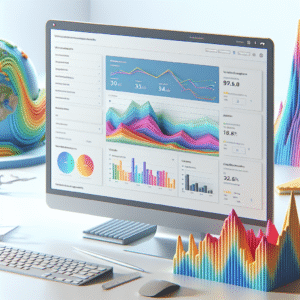
Boost User Engagement: The Best WordPress Plugins for Tracking and Improving User Experience
Explore the best WordPress plugins to track and enhance user experience, from heatmaps to session recordings and 3D viewers.

Boost Engagement: Top Plugins for Tracking User Interaction on WordPress
Explore top WordPress plugins to boost user interaction and enhance website performance with expert recommendations and user tracking insights.
The Best WordPress Plugins for Enhanced User Tracking and 3D Content
Explore top WordPress plugins to leverage user tracking and integrate dynamic 3D content to boost engagement and conversion rates.