
Unlocking Insights: Best WordPress Heatmap Plugins for Enhanced User Experience
Introduction to User Behavior Tracking
Discover the power of heatmaps for website optimization and conversions, and explore the plugins that make it all possible.
Why Track User Behavior?
User behavior tracking reveals invaluable insights into customer preferences and habits, enabling data-driven decisions critical for success.
The Role of Heatmaps
Heatmaps provide a visual representation of user activity, spotlighting areas of engagement and disengagement, crucial for optimization.
WordPress Plugin Solutions
Integrate plugins like the “track user behavior” or “click tracking” for seamless analytics and actionable insights on user interactions.
Benefits of Using Heatmaps
Transform abstract data into vivid visual insights with heatmaps, enhancing your website’s user experience and engagement.
Visual Insights
Heatmaps illustrate where users engage most, helping site owners optimize key areas and improve user interaction by highlighting overlooked elements.
Privacy Focus
Employ privacy-focused heatmaps that protect user data and comply with regulations like GDPR, ensuring ethical standards without losing valuable insights.
Strategic Enhancements
Use the data to identify critical changes, such as relocating content based on engagement, leading to higher interaction and conversion rates.
Real-World Success
Learn from success stories like retailers who leveraged visual data to boost user interactions, maximizing their website’s potential and increasing sales.
Top WordPress Heatmap Plugins
Discover the best tools to track clicks and optimize your WordPress site by visualizing how users navigate your pages with these top heatmap plugins.
Crazy Egg
Offers detailed heatmaps, scroll maps, and confetti reports. It includes A/B Testing to optimize landing pages.
Mouseflow
Provides heatmapping tools and session replay functionality to uncover hidden bottlenecks.
Lucky Orange
Provides multiple heatmap types, real-time chat features, and comprehensive visitor profiles.
Visme
Offers a straightforward setup for visual design integration with site optimization efforts.
Inspectlet
Tracks user interactions to deliver detailed heatmap data and session recordings.
Detailed Plugin Comparison
Hotjar
Features: Heatmaps, session recordings, feedback polls
Pricing: Free and paid tiers
Pros: Extensive feature set, ideal for various needs.
Cons: Resource-heavy, potential delays in reporting.
Crazy Egg
Features: Heatmaps, click reports, A/B testing
Pricing: Premium service
Pros: User-friendly interface, detailed insights.
Cons: Higher cost, but value justifies for data-driven sites.
Mouseflow
Features: Funnel analysis, form analytics
Pricing: Contact for pricing
Pros: Beyond basic tracking, comprehensive analytics.
Cons: Complexity may not suit all users.
Lucky Orange
Features: Heatmaps, session recordings, chat tools
Pricing: Affordable
Pros: Competitive pricing, modern interface.
Cons: May lack insight depth compared to competitors.
Heatmap for WordPress
Features: Lightweight heatmap functionality
Pricing: Free
Pros: Minimal impact on loading times, simple interface.
Cons: Basic features, not as comprehensive.
Each plugin fits different needs. Consider your site’s requirements and budget. Most offer free trials or demos for hands-on assessment.
How to Choose the Right Plugin
Define Your Goals
Understand what you aim to achieve with a heatmap plugin. Are you looking to improve user experience, increase conversion rates, or simply understand user behavior better?
- Improve user experience
- Increase conversion rates
- Understand user behavior
Budget Considerations
Assess your budget. A “free WordPress heatmap plugin” is a good starting point if budget constraints are a concern.
Technical Requirements
Check the plugin’s compatibility with your current WordPress version and theme to ensure seamless integration.
Consider server configurations that might be needed.
User Reviews and Support
Read user reviews and consider the level of support provided by the plugin’s developers for peace of mind.
Feature Set
Evaluate the features offered. Decide what features are essential for your goals and if they justify any potential additional cost.
Implementing Heatmaps Effectively
Implementing heatmaps on your website can revolutionize the way you understand user behavior. These visual tools illustrate how visitors interact with your site by highlighting where they click, scroll, and linger.
- Identify Key Areas: Focus your analysis on landing pages, high-traffic blogs, or crucial product pages.
- Choose the Right Tool: Opt for a heatmap plugin like “Hotjar” or “Crazy Egg” for seamless WordPress integration.
- Configure Settings: Set recording settings to capture user interactions over a few weeks for comprehensive data.
Case Studies and Success Stories
ABC eCommerce
Faced with high cart abandonment rates, ABC eCommerce used heatmaps to discover users were trying to click product images for details. By making these images interactive, they slashed abandonment by 25% and boosted conversion rates.
Learn MoreXYZ Travel Agency
After observing low engagement with their call-to-action, XYZ redesigned their landing pages with heatmap insights. Moving their CTA button above the fold led to a 30% increase in bookings, highlighting the value of user-centric design.
Discover StrategiesFor WordPress enthusiasts, the integration of tools like WP Heatmap can transform how user interactions are visualized, offering vital insights for improvements.
Explore IntegrationsConcluding Thoughts and Next Steps
Heatmaps offer a profound level of insight into user behavior on your WordPress site, highlighting visitor engagement and helping you optimize for better conversion rates.
Why Use Heatmaps?
- Visualize User Engagement: Identify precisely where visitors click and spend most of their time.
- Enhance Content Placement: Optimize layout based on heatmap data to improve conversion rates.
- Pinpoint User Friction: Use insights to identify and eliminate obstacles within the user journey.
Getting Started with Free Tools
For small business owners, start integrating free WordPress plugins that offer robust heatmapping features. These tools are a gateway to making data-driven enhancements without significant investment.
Contact Us for SupportStay Updated with Best Practices
Ensure your WordPress site remains on the forefront by regularly updating your tools with some of the best WordPress plugins 2025 has to offer. Tap into resources and community support to maximize these tools’ potential.
Explore Our ResourcesBrowse Categories:
You may also like

Get Insightful Data with the Best WordPress User Click Tracking Plugins
Discover top WordPress user click tracking plugins to optimize your site and enhance user experience. Follow our guide for the…

Harness the Power of AI: Best WordPress Plugins for 2025
Harness the Power of AI: Best WordPress Plugins for 2025 In the rapidly evolving digital landscape, it’s crucial to stay…
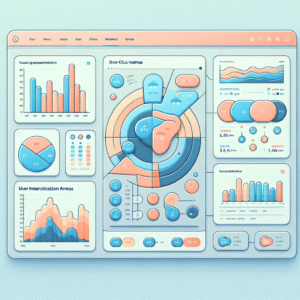
Mastering User Insights: The Best WordPress Heatmap Plugins for 2025
Explore essential WordPress heatmap plugins to optimize your site user experience and conversions in 2025.