
Enhance User Interaction with Essential WordPress Plugins for 2025
Understanding User Interaction
Unlock new opportunities for growth by analyzing user behavior to optimize your site and improve conversion rates.
Importance of Tracking User Behavior
In today’s digital landscape, understanding user interaction with your site is key to delivering an optimal experience and boosting conversion rates.
- Gain insights into user preferences and engagement patterns.
- Identify potential friction points on your site.
Features of User Tracking Plugins
Plugins offer a comprehensive view of the user journey, transforming actions into actionable data:
- Visualize visitor navigation paths and heatmaps.
- Access session recordings to understand real-time user behavior.
Choosing the Right Plugin
When it comes to enhancing your WordPress site’s analytics, selecting the right plugin is crucial for capturing and understanding user behavior. With diverse options available, it’s vital to choose plugins that not only fit your needs but also deliver reliable insights.
- If you’re looking to track visitor navigation, a session recording plugin can be highly beneficial, offering features like visitor heatmaps, session replays, and funnel tracking.
- Consider plugins that record specific user activities, logging actions such as page views and form submissions to optimize user experiences.
Key Features to Evaluate:
- Compatibility and Integration: Ensure the plugin integrates seamlessly with your site setup.
- Ease of Use: A user-friendly interface allows for easy data interpretation and action.
- Data Security and Privacy Compliance: Choose plugins that comply with regulations like GDPR.
- Scalability: Ensure the plugin can handle traffic growth without affecting performance.
Free vs. Premium Plugins
Free Plugins
- Great entry point for hobbyists and small businesses.
- Backed by enthusiastic communities and regular updates.
- No financial commitment required.
Premium Plugins
- Advanced features and dedicated support.
- Extensive customization and improved security.
- Direct correlation to increased revenue potential.
Understanding your site’s needs and aspirations is key. Explore options and grow your platform with confidence.
Integrating 3D Viewers for Enhanced Engagement
Discover the transformative power of 3D viewing plugins in elevating your website’s engagement. Whether you’re in e-commerce, real estate, or education, integrating a 3D viewer allows users to interact with your content in a more immersive and meaningful way.
- Improve user interaction and dwell time with detailed visual explorations.
- Boost conversion rates with product views from every angle, reducing return rates.
- Enable virtual walkthroughs for remote real estate experiences, expanding your audience.
- Enhance learning with interactive 3D models in educational sectors.
When to Use a 3D Viewer
Determine the right moments to incorporate a 3D viewer – when your content demands visual depth or if you wish to differentiate from competitors. The simplicity of WordPress plugins allows anyone to bring this interactive dimension to their site effortlessly.
Many plugins offer drag-and-drop functionality, responsive layouts, and plenty of customization choices to seamlessly integrate with your site’s existing design and usability goals.
Privacy-Focused Tracking
In today’s digital landscape, where user trust is paramount, maintaining privacy in tracking user behavior is not just a best practice but a necessity. Discover how integrating privacy-focused tracking solutions can enhance compliance with data protection regulations.
The Importance of Privacy
- With the increasing number of data breaches, users demand transparency in how their data is collected and used.
- Privacy-focused tracking helps comply with regulations like GDPR and CCPA, reducing legal risks.
Solutions for Compliance
- Privacy-focused WordPress heatmaps allow for anonymous data tracking and aggregate statistics.
- Plugins with data masking ensure user information is never exposed, building trust.
Optimizing Site Performance
Maintain site speed and performance while enhancing user engagement with multiple plugins.
Choose Lightweight Plugins
Select plugins that are lightweight and efficient, like a lightweight heatmap plugin for WordPress to maintain your site’s speed while gathering user insights.
Regular Updates & Audits
Ensure all plugins are up-to-date to prevent vulnerabilities and perform regular audits to remove unnecessary plugins to streamline your site.
Best Performing Plugins
Research and use the best WordPress plugins of 2025, vetted for optimal performance to enhance functionality without compromising speed.
Optimize Hosting Environment
Use a high-quality WordPress host that prioritizes speed to handle plugin integrations and traffic without affecting performance adversely.
Browse Categories:
Tags for this post:
You may also like

Enhancing Your Site with WordPress User Click Tracking & 3D Viewing
Learn how WordPress plugins for user tracking and 3D viewing can transform your website's user experience.

Enhance User Engagement: Best WordPress Heatmap and Session Recording Plugins for 2025
Discover top WordPress plugins for heatmaps and session recording to boost user engagement and site conversions effectively.
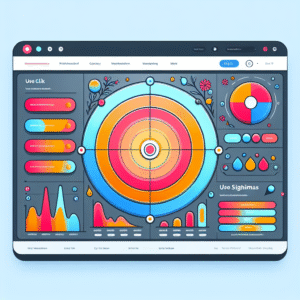
Improve User Experience on WordPress: Top Plugins for Click Tracking and Behavior Analysis
Boost your WordPress site with leading plugins for tracking user clicks and behavior analysis, improving user experience and conversions.