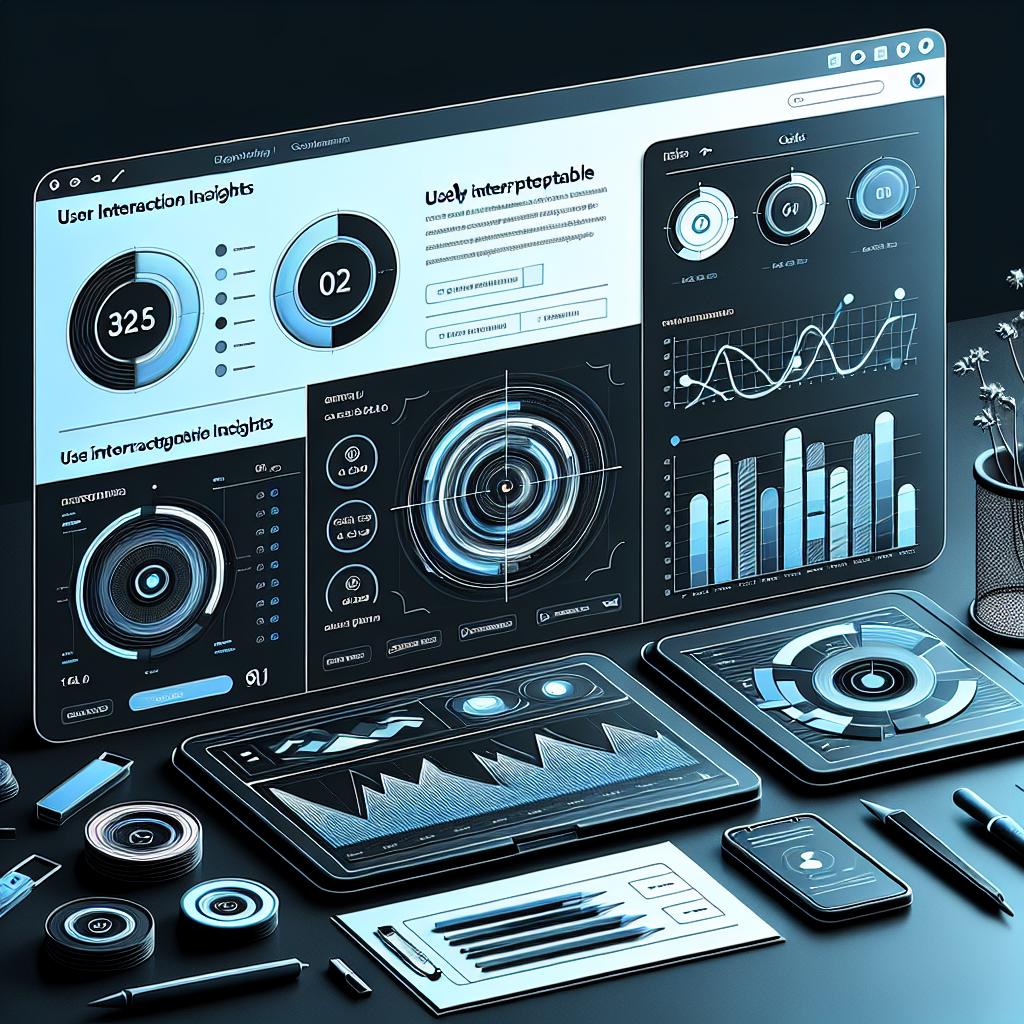
Enhance User Experience with WordPress Click Tracking and Heatmap Plugins
Introduction to Click Tracking on WordPress
Click tracking is crucial in understanding user interactions, providing insights into how visitors navigate your site. It highlights user preferences by monitoring clicks, enabling you to enhance site usability and engagement.
By observing which elements users interact with the most, such as CTA buttons or links, you can optimize design strategies. Employing WordPress click tracking plugins simplifies integration without extensive coding, offering deeper insights with tools like Google Analytics.
Learn MoreWhy Use Heatmap Plugins?
Understanding how visitors interact with your website is crucial for optimizing user engagement. Heatmap plugins offer a visual representation of user behavior, showing which areas attract attention and which are overlooked, allowing for strategic improvements.
Visual Representation
Heatmap plugins provide clear visuals of user interactions, showing click paths, scrolling depth, and areas of engagement directly on your site.
- Identifies which elements users are engaging with
- Shows how far users scroll down each page
Make Informed Decisions
Utilize heatmaps to detect underperforming elements so you can adjust for increased user engagement and conversions.
- Improve user interface layout based on data
- Enhance conversion rates with strategic changes
Leverage Affordable Options
Many plugins, including free WordPress heatmap options, empower small businesses and bloggers by offering valuable user insights without heavy investment. Gain a competitive edge and keep users engaged by embracing these dynamic tools.
Top Heatmap Plugin Recommendations
Guide readers through the best heatmap plugins, helping them choose the right tool to understand and maximize their website’s user experience.
Hotjar
Beyond basic heatmaps, offering session recordings and feedback polls. Hotjar provides detailed insights into user behavior, making it a leading choice for user engagement strategies.
- Session recordings
- Feedback polls
- Recognized as the best session recording plugin for WordPress
Crazy Egg
User-friendly interface offering heatmaps, scroll maps, confetti maps, and overlays for a holistic view of interactions.
- Heatmaps and scrollmaps
- Confetti maps for detailed insights
- Great for bloggers and businesses
Lucky Orange
Combines heatmaps with session recording and live chat, allowing real-time user navigation tracking.
- Heatmaps and session recordings
- Live chat for customer support
- Invaluable for real-time insights
Mouseflow
Lightweight and effective, Mouseflow offers session replay, funnels, and form analytics with minimal impact on site speed.
- Session replay and funnels
- Form analytics
- Lightweight performance
Heatmap* by Zuss*
Straightforward and no-fuss, offering simplicity and effectiveness for newcomers to heatmap analysis.
- Easy setup
- Real-time tracking
- Perfect for beginners
How Session Recording Complements Heatmaps
Understanding how users interact with your website is crucial for optimizing user experience and maximizing conversions. Two powerful tools in the arsenal of digital analytics are session recordings and heatmaps. When used together, they offer a synergistic insight into user behavior that neither can provide alone.
- Session recordings capture mouse movements, clicks, form interactions, and navigation paths.
- Heatmaps visually summarize areas of high engagement on a page with color-coded intensity levels.
- Together, they provide a holistic view of user interactions, guiding smarter digital strategies.
Free vs. Premium WordPress Plugins
Free WordPress Plugins
- Zero cost with essential features
- Vetted for security
- Basic features, limited support
- Infrequent updates may cause compatibility issues
Premium Plugins
- Advanced features with premium support
- Improved security and updates
- Dedicated customer service
- Pricier, subscription-based models
Balancing Privacy and User Experience
In today’s digital landscape, striking the right balance between user privacy and creating a seamless user experience is crucial. As developers and businesses grow increasingly reliant on data-driven strategies, the importance of respecting user privacy cannot be overstated.
Privacy-Focused Heatmaps
Privacy-focused heatmaps are designed to anonymize and aggregate data, providing actionable insights while ensuring that individual user identities remain protected. These tools show how plugins can effectively use data without infringing on user privacy.
- Transparency and user control are essential. Inform users about data collection processes.
- Opt-in features and data management options enhance user trust.
- Prioritize data minimization. Only collect what’s necessary.
- Implement robust data security measures.
- Regularly review and update privacy policies.
Embracing privacy practices not only fulfills ethical obligations but also enhances your brand’s reputation. Users are more likely to engage with platforms that respect their privacy.
Learn MoreIntegrating 3D Viewer Plugins for Enhanced Engagement
Explore the benefits of embedding 3D models on WordPress sites for modern engagement, prompting consideration of 3D plugins as a complementary feature.
Immersive Experiences
In today’s digital landscape, capturing user attention is crucial. A 3D viewer plugin allows interactive engagement, keeping visitors on your site longer.
- Real estate: Virtual tours for prospective buyers.
- E-commerce: 360° product views for informed purchasing.
Compatibility & Flexibility
Plugins like Sketchfab ensure seamless integration with WordPress themes, supporting various devices for a consistent experience.
Strategic Edge
Elevate your website by offering an engaging user experience, transforming your site into an interactive destination.
Making Your Choice: The Right Plugins for Your Site
Choosing the right plugins can be a game-changer for optimizing your website’s functionality and improving user experience. With thousands of plugins available, it’s crucial to select those that genuinely add value and align with your site’s specific needs and goals.
Step-by-Step Selection Strategy:
- Define: Clearly define the purpose of your website and identify key functionalities to enhance.
- Example Driven: Use examples like WooCommerce for retail or Yoast SEO for blogs to uncover valuable insights.
- Quality Assessment: Check user reviews, ratings, and update histories to ensure reliability and support.
- Smart Installations: Avoid overloading your site with plugins; choose only those providing essential functionality.
Real-World Insights
A retail site seeking to enhance shopping experiences might benefit from plugins like WooCommerce for tailoring checkout processes. Meanwhile, a blog could utilize Yoast SEO for content optimization and Jetpack for improved performance and security.
This strategic and informed approach ensures better website functionality and user experiences.
Browse Categories:
Tags for this post:
You may also like

Top Heatmap Plugins to Enhance Your WordPress UX in 2025
Discover top WordPress heatmap plugins for 2025 to enhance user experience and track visitor behavior effectively.
Unlocking User Insights: The Ultimate Guide to WordPress User Click Tracking and Heatmaps
Discover the power of user click tracking and heatmaps for your WordPress site to enhance your user experience.

Improve Your WordPress Site with Heatmap and User Tracking Plugins
Explore top WordPress plugins that track user interactions, improve conversions, and enhance site experience, while respecting privacy.